AI Video Translation
June 18, 2026
AI Video Translation — How to Translate Videos with AI in 2026
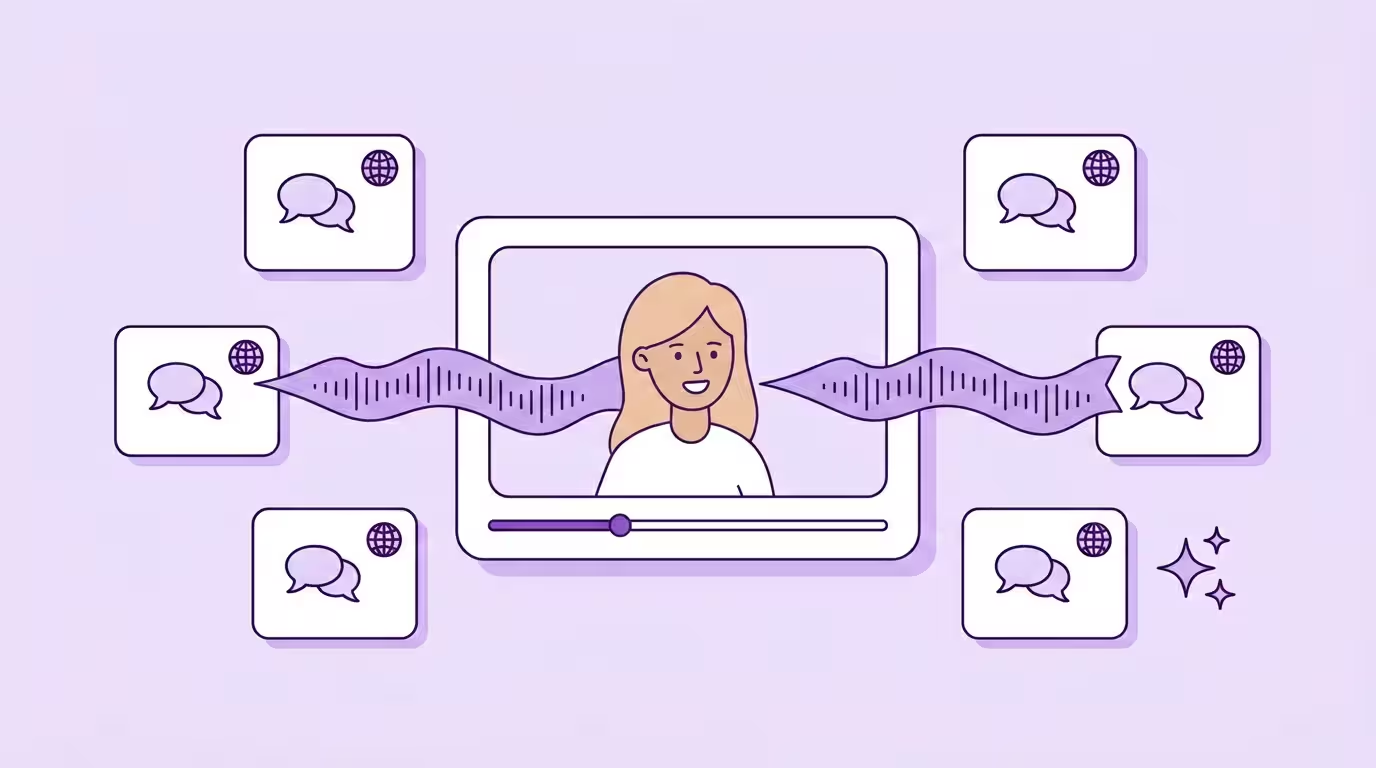
An AI video translator automatically converts spoken dialogue into other languages — preserving the original speaker's voice and synchronizing lip movements to match the new audio. What used to require professional studios, voice actors, and weeks of production now takes minutes. Simply upload your video, and it speaks Spanish, Japanese, or Arabic — in your own voice, with your face moving naturally.
This guide covers everything you need to know: how the technology works, where it delivers real results, what to look for when you translate video for multiple languages, and how to build a workflow that scales from one language to fifty.
Key Takeaways
- Modern video translation replaces the full audio track with a voice-cloned, lip-synced version — not just translated subtitles, but a complete video localization that makes content accessible to global audiences.
- Cost and speed have collapsed: what took weeks and thousands of euros per language now takes minutes at roughly €5/minute — making it possible to translate a video into multiple languages even on a creator budget.
- Lip syncing is the quality differentiator in 2026. Tools without it produce content where the audio-visual mismatch immediately signals "this is translated."
- Data privacy matters more than language count: where your content is processed, whether it trains AI models, and GDPR compliance should be non-negotiable criteria for any video translation tool.
What Is AI Video Translation?
AI video translation uses artificial intelligence to convert a video's spoken content into one or more new languages — including the audio track, the speaker's voice, and optionally the visible lip movements. Unlike subtitle translation or auto generated subtitles, modern video translation replaces the entire audio layer with one that sounds like the original speaker talking natively in another language.
The global market for this technology was valued at $2.68 billion in 2024 and is projected to reach $33.4 billion by 2034, growing at a CAGR of 28.7% (Source: Market.us, 2025, https://market.us/report/ai-video-translation-market/). That growth is driven by a simple insight backed by data: 76% of consumers prefer purchasing products with information in their native language, and 40% will never buy from websites in other languages (Source: CSA Research, "Can't Read, Won't Buy," 2020, https://csa-research.com/Blogs-Events/CSA-in-the-Media/Press-Releases/Consumers-Prefer-their-Own-Language). Video is no exception — and the tools to overcome language barriers are finally here.
The technology sits at the intersection of three AI systems working together. First, automatic speech recognition transcribes the original dialogue. Then machine translation converts the text, and an AI voice engine generates new audio that preserves the speaker's tone, pitch, and speaking style. The most advanced solutions add a fourth layer: generative lip syncing that adapts the speaker's mouth movements frame by frame.
That last part matters more than most people realize. A video where the voice says one thing but the lips clearly show something else kills viewer trust. And in professional contexts — training videos, CEO messages, brand campaigns — "close enough" isn't close enough.
The result: a translated video that looks and sounds as if it were originally recorded in a new language. No dubbed-over feel, no robotic narrator, no visible disconnect between what you see and what you hear.
Dive deeper: What Is AI Video Translation — Definition, Benefits, and Limitations →
How Video Translation Works — The 4-Step Pipeline
To translate video professionally, the process follows a four-step pipeline — from source content in the original language to a fully translated version in minutes. Each step builds on the previous one, and the quality of the final output depends on how well all four work together.
- 1
Transcription
Multi speaker detection + speech separated from noise
- 2
Translation
Neural translation optimized for spoken language
- 3
AI Voice Generation
Voice cloning preserves the speaker's voice
- 4
Lip Sync
Frame-by-frame mouth movement adjustment
Step 1: Transcription & Multi Speaker Detection
The system analyzes the original audio, separates speech from background noise, and identifies individual speakers. Multi speaker detection is critical — a panel discussion with four people needs four separate voice profiles, not one generic narrator replacing everyone. Clear audio in the source language significantly improves accuracy at this stage.
Step 2: Translation
The transcribed text goes through neural machine translation, optimized for spoken language rather than written text. Spoken language uses contractions, fragments, and rhythm that formal engines like Google Translate often flatten — and that matters. Good translation tools also let you define glossaries — so your brand name, product terms, and industry jargon stay consistent across every language. You can fine tune the translated script before audio generation, catching nuances that only a human would notice.
Step 3: AI Voice Generation
This is where advanced AI video translation separates itself from basic subtitle translation. Instead of using a stock voice, the system analyzes the original speaker's vocal characteristics — timbre, pace, intonation, emotional range — and generates new speech that sounds like the same person speaking the new language natively. Voice cloning doesn't carry over the original accent. It produces native pronunciation, which is exactly what global audiences expect.
At Dubly, we see this consistently: the voice step is what makes customers go from "interesting tool" to "this changes our workflow." The moment they hear themselves speaking fluent Japanese in their own voice, skepticism evaporates.
Step 4: Precise Lip Sync
The final — and technically most demanding — step. The lip sync process analyzes the translated audio (phonemes, timing, rhythm) alongside the original video (face position, speaker's mouth movements, camera angle) and regenerates lip movements frame by frame. Only the mouth region changes. The rest of the face stays untouched.
This step is optional but increasingly expected. In 2024, lip syncing was a nice-to-have. In 2026, viewers notice when it's missing. Rough benchmark: 1 minute of processing takes approximately 2 minutes. A 5-minute video file is done in about 10 minutes per language.
The full technical deep-dive: How AI Video Translation Works — From Upload to Final Output →
For the full breakdown of how AI dubbing works and when it beats alternatives: AI Dubbing — The Complete Guide →
The technology explained in depth: AI Lip Sync — How It Works and Why It Matters →
For creators, the Solutions for Creators page has the full breakdown.
Marketing & Advertising
Global campaigns used to mean re-shooting for every market or settling for subtitled versions that nobody watches to completion. AI video translation changes that equation. One shoot, one production budget, unlimited languages — with brand voice consistency enforced by glossary functions that lock down product names, slogans, and terminology. Translate one ad into 10 languages and reach wider audiences overnight. That's what multilingual content at scale actually looks like.
HAVAS Social, one of the agencies using Dubly for client campaigns, put it bluntly:
Dubly.AI fully translates and lip syncs all video content into new languages — saving us costly productions, countless revisions, and a lot of stress.

Moritz Hausdoerfer
Head of Content Marketing, HAVAS Social
More on multilingual marketing: Solutions for Marketing Teams →
E-Learning & Corporate Training
Training content is where the ability to translate video delivers the clearest ROI. If 76% of consumers won't engage with content in a foreign language for shopping decisions, imagine the dropout rates for 45-minute compliance training in a second language. Yet most organizations still produce training videos in one or two languages and wonder why completion rates differ across regions.
New Com Academy internationalized their entire video-based curriculum without reshooting a single minute and saved over 85% in production costs (see New Com Academy Case Study). For compliance training, onboarding, and product tutorials, the choice is simple: translate a video once, or keep paying for live trainers in every language.
Explore the use case: Solutions for Learning & Training →
News, Media & Global Teams
Speed matters in news. When Axel Springer's BILD wanted to make their "Lagezentrum" news format accessible to international audiences, the requirement wasn't just quality — it was turnaround time measured in hours, not weeks. Advanced AI technology made it possible to translate video into multiple languages cost-effectively while keeping full editorial control in-house. Same logic for distributed teams: internal communications, town halls, CEO updates — all suddenly accessible to every employee, regardless of language.
Translate your first video — 1 minute free, no credit card
Video Translation: AI vs. Traditional Methods
The cost difference is dramatic, but cost alone doesn't tell the full story. Here's how AI powered video translation compares to traditional studio dubbing across the dimensions that actually matter.
| Factor | Traditional Studio Dubbing | AI Video Translator |
|---|---|---|
| Cost per minute | ~€80 (voice actors, studio, direction) | ~€5 (all-inclusive with lip syncing) |
| Turnaround | 2–6 weeks per language | Minutes to hours |
| Voice authenticity | Different voice actor per language | Original speaker's AI voice preserved |
| Lip sync | No (audio-only replacement) | Yes (frame-by-frame, optional) |
| Scalability | Linear cost increase per language | Near-zero marginal cost per language |
| Revisions | Expensive re-recording sessions | Adjust instantly, unlimited, free |
| Consistency | Varies by voice actor availability | Identical voice across all languages |
Traditional dubbing still has its place. Feature films. High-emotion scenes with screaming or crying. Prestige projects where a single language version will run for years. For that, hire voice actors.
But for the other 90% of professional video content — marketing, training, YouTube, corporate communication — AI delivers equal or better results at a fraction of the cost. The remaining 10% is where you're paying for art, not information.
How to Choose the Right Video Translation Software
Not every tool that claims to translate video actually delivers the full pipeline. Some offer a free video translator that only does transcription and subtitle translation. Others slap on a generic voice and call it done. The label is the same. The output isn't. Here's what separates serious platforms from glorified subtitle generators — and how to find the best AI video translator for your needs.
Translation Accuracy & AI Voice Quality
Voice cloning quality is the first thing viewers notice. Does the tool preserve the speaker's identity, or does it use pre-built text-to-speech voices? Test with your own content — generic demos always look good. Real-world content with fast speech, technical terms, or emotional delivery is where weak tools break down. Look for options to edit text and adjust the translated script before final audio generation.
Lip Sync Capability
This is the biggest differentiator in 2026. Ask specifically: does the tool offer frame-by-frame mouth regeneration or just audio timing adjustment? Can it handle multiple speakers? Moving heads? Partial face occlusion? Most tools skip this entirely or offer basic versions that only work with static, front-facing shots. If you want to enable lip sync for your content, test it with real footage — don't trust marketing pages.
Language Options & Quality
Number of supported languages is a vanity metric. What matters is quality per language — whether the translated speech actually sounds fluent and natural. A tool supporting 150 languages where half sound robotic is less useful than one supporting 38 where each sounds native. Check the specific languages you need and test them — quality varies significantly between language pairs.
Data Privacy & GDPR Compliance
This one catches many global teams off guard. Your video files contain faces, voices, and often confidential content. Where does the tool process and store this data? US-based services typically process on American servers, which creates GDPR complications for European companies. Look for: server location, data processing agreements, training policies (does the provider use your content to train their models?), and relevant certifications.
For organizations where this matters — and it should matter to every European business — Dubly's data security approach covers German server infrastructure, TÜV certification, and zero-training policies in detail.
Pricing & Scalability
Credit-based pricing (pay per minute of translated content) is the industry standard. Compare the effective cost per minute across your expected volume. Watch out for "unlimited" plans with hidden caps — a pattern common among US competitors. Also check: does the lip sync process cost extra? Are revisions included? Can you scale from 25 minutes to 5,000 minutes without renegotiating? A free AI video translator may be fine for testing, but the right paid tool should grow with your needs.
The full software comparison: AI Video Translation Software — Features, Pricing, and What to Look For →
See our curated ranking: Best AI Video Translator — 2026 Comparison →
How to Translate a Video Automatically — Step by Step
The practical workflow is simpler than most people expect. Four steps from source video file to translated output.
Video upload
Use the original format. MP4 or MOV, up to 4K resolution, max 5 GB. Don't recompress before uploading — it degrades the source material and makes lip syncing harder. Simply upload as-is for best results.
Configure your settings
Select target languages, enable voice cloning, upload your glossary if you have brand-specific terminology. Customers who use the glossary function have significantly fewer correction cycles — a small upfront investment that saves hours downstream. You can also choose whether to generate translated subtitles alongside the dubbed audio.
Review and fine tune the translation
Every serious platform lets you edit text before final audio generation. This is where domain expertise matters: your product manager catches the mistranslated technical term that the AI got 95% right but not quite. Adjust pronunciation, tweak timing, and review the translated script until it sounds right.
Export in your required format
Standard output includes the translated video (MP4), separate audio tracks (WAV), and subtitle files (SRT). Some tools also offer translated subtitles in multiple formats and styles. Professional workflows may need ProRes, separate stems, or API-based batch processing.
The step-by-step guide with screenshots and tips: How to Translate a Video Automatically →
Scaling to Multiple Languages for Global Audiences
Translating one video into one language is straightforward. Translating into ten? That's where things get interesting.
The biggest challenge: consistency. Your brand message needs to land the same way in Portuguese as it does in Korean. That means consistent terminology (glossaries), consistent voice characteristics (same cloned voice across all versions), and consistent quality standards (review workflows that don't break at scale). Buycycle went from producing every language version separately in a studio to running five YouTube channels worldwide from a single recording — but that only works with platforms designed for multilingual content from the start, not single-language tools used repeatedly.
We used to produce every language version separately in a studio — now one recording is all it takes to run five channels worldwide.

Buycycle
Case study
The second challenge is prioritization. You probably don't need all 38 languages on day one. Start with the languages where you already have audience signals (check your YouTube video analytics or website traffic by country), then expand based on performance data. Most of our customers follow a land-and-expand pattern: prove ROI in 2–3 languages, then scale to 8+ within a quarter. Global reach, built on data — not guesswork.
Explore multilingual strategies: Multilingual Video Translation — How to Scale Across Markets →
Build your process: The Video Translation Workflow — From Planning to Publishing →
Why Teams Choose Dubly.AI for Video Translation
We built Dubly because the existing tools weren't good enough. Not even close. Not for CEO keynotes where every word matters. Not for training videos where precision saves lives. And definitely not for creators whose voice IS the brand.
So we built something better:
Lip Sync 2.0 — our next-generation model handles multi speaker scenes, dynamic head movements, and partially occluded faces. It's 90% faster than our first version and delivers results that viewers genuinely can't distinguish from original recordings.
Multi-Speaker Demo
Voice cloning that sounds like you, not like AI — the translated audio preserves your tone, your energy, your personality. In every language. Christopher Karatsonyi from Car Maniac said it best:
With Dubly, it's automated, fast, and still sounds like me. The feedback from the community has been incredible.

Christopher Karatsonyi
Car Maniac
German servers, zero-training policy — your files are processed on servers in Germany. Period. We don't use your content to train models, we hold TÜV certification, and we comply fully with GDPR and the EU AI Act. For enterprise customers, this isn't a checkbox. It's the reason they chose us over US alternatives. I tell every prospect the same thing: GDPR compliance is the number one topic in our enterprise conversations, before features, before pricing.
Full control over every translation — edit text before final rendering, define glossaries to keep brand terms consistent, manage team permissions and usage budgets. Unlimited users, no per-seat pricing. You can even edit subtitles and adjust subtitle styles to match your brand. No AI avatars, no synthetic presenters — just your real content, translated into any language.
See pricing and plans → | Book a demo →
Try Dubly free — 1 minute, all features including Lip Sync & Voice Cloning, no credit card required.
About the author

Simon Pieren
Co-Founder | Marketing & Sales