AI Video Translation
June 18, 2026
How to Translate a Video Automatically — Free and Paid Options Compared
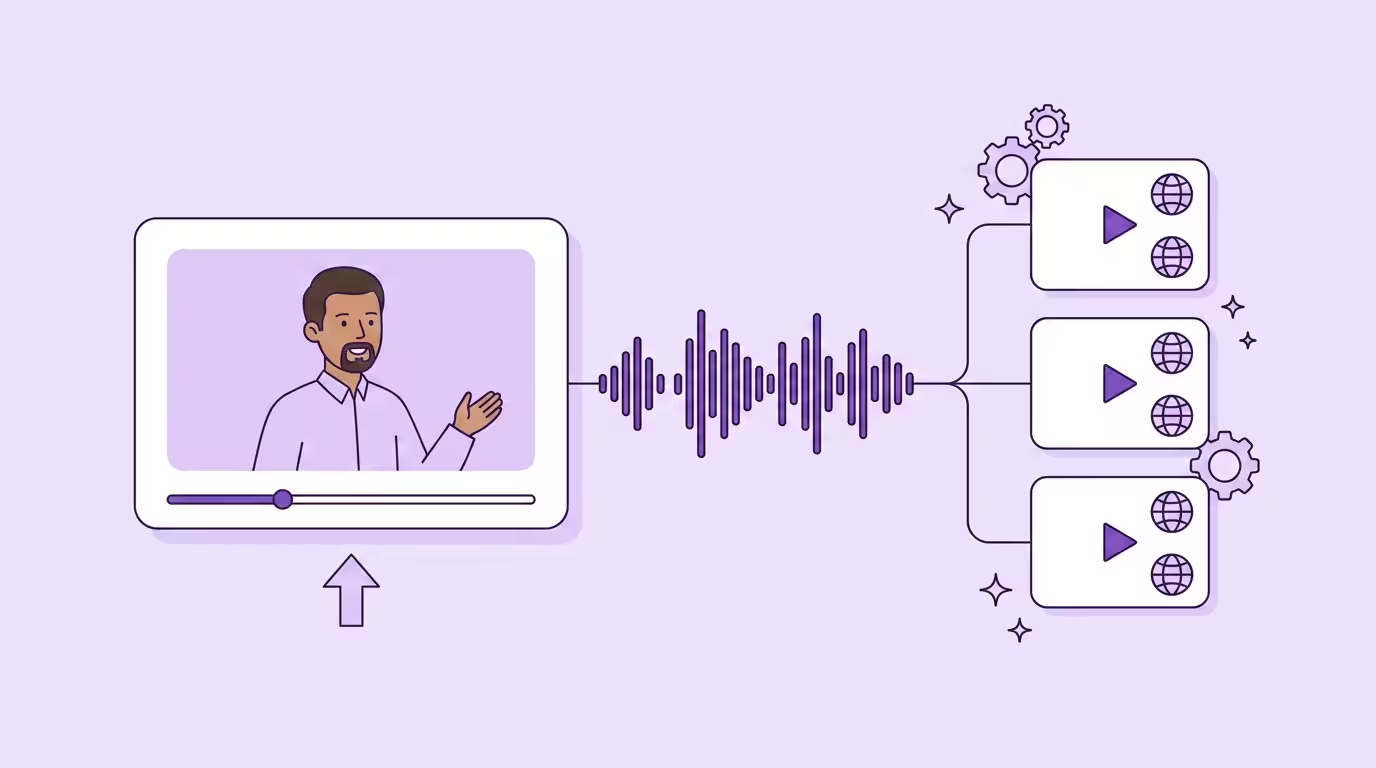
You can translate videos automatically in 2026 — and depending on the tool, it takes less time than reading this article. Upload a video file, pick a language, and an ai powered video translator handles the rest. The entire process runs without manual intervention.
But "automatically" covers a wide spectrum. A free video translator that generates auto-subtitles is automatic. A professional tool that replaces the entire sound track with your cloned speech in Spanish is also automatic. The difference between those two is enormous — and it's exactly the difference most people don't see until they've wasted time on the wrong tool.
This guide breaks down what you actually get when you translate videos in 2026, what's included in a video translator free plan (and what isn't), and how to pick the right option to reach a global audience. For the full technical background, see our complete guide to AI video translation.
Key Takeaways
- "Free" means subtitles in most cases — a video translator free plan rarely includes dubbed speech or preserved speaker identity
- Free trials of pro tools are the real test — Dubly offers 1 minute free with all features, no credit card required
- YouTube creators see 25%+ of watch time from non-primary language viewers when they translate youtube videos with multi-language tracks
- The workflow is simple: upload, select language, edit if needed, download — translate videos in minutes
- Check before you commit: dubbed audio vs. subtitles only, voice cloning, lip sync, length limits, and GDPR
What "Automatic Video Translation" Actually Means in 2026
Not all automatic video translation is created equal. The market has three distinct tiers, and knowing which one you're looking at saves hours of frustration.
Tier 1 — Auto-generated subtitles. The video translator transcribes the original speech, translates the text, and overlays translated subtitles on screen. The original sound stays untouched. This is what most free video translator tools offer when you translate videos. It works. But your viewer is reading, not watching — and completion rates suffer for it.
Tier 2 — AI dubbing with voice cloning. The tool replaces the audio track with a translated version using voice cloning to preserve the original speaker. The mouth movements don't match the new language, which creates a visible disconnect — but the viewing experience is still miles ahead of subtitles. This is what mid-range ai video translation tools deliver.
Tier 3 — Full AI video translation with lip sync. The gold standard. The tool translates your existing video, generates dubbed audio with voice cloning, and regenerates the speaker's lip sync frame by frame to match the new language. The result looks and sounds as if the video was originally recorded in the target language. This is what professional AI dubbing platforms like Dubly deliver.
For a deeper explanation of the technology behind each tier: What is AI video translation? →
Free Video Translator vs. Paid — What You Actually Get
The word "free" in video translation needs unpacking. There are three categories, and they deliver very different results.
What Free Video Translators Include
Most free video translator tools give you translated subtitles. That's it. They transcribe the original speech, auto translate the text, and export an SRT file or burn subtitles into the video. Some offer basic text-to-speech narration — functional for internal use, but not something you'd publish on YouTube or send to a client.
Typical limitations when you translate videos with free tools:
Subtitle-only output — no dubbed speech, no preserved speaker identity
Length caps — often 5–10 minutes maximum per video
Limited languages — 10–20 instead of 30+
Watermarks on exported video files
No matched lip movements — not even as a paid add-on
Generic narration — if speech output is included at all
YouTube's built-in auto-dubbing is an interesting middle ground: a free youtube video translator built into the platform that generates translated speech in select languages. But you get zero control over quality, timing, or accuracy — and you can't edit the translation before it goes live. For casual content, that might be enough. For anything professional, it's a starting point at best.
What Free Trials of Pro Tools Include
This is where the distinction matters most. A free trial of a professional ai video translator isn't a stripped-down version — it's the full product with a usage limit.
Dubly.AI offers 1 minute free with every feature unlocked: voice cloning, lip sync, multi-speaker detection, glossary, and the ability to review the translated script before it's finalized. No credit card required, no watermark. Simply upload your video, pick a language, and hear it in your own voice. If that doesn't convince you, nothing will.
The 1-minute trial is enough to translate a short clip and evaluate quality. Most creators who try it move to a paid plan within the first session — not because of marketing pressure, but because the result genuinely surprises them.
When Paid Is Worth It
Paid makes sense the moment you need any of these:
Voice cloning — sound like yourself in 38 languages, not a stock narrator
Lip sync — the speaker's mouth matches the audio in the new language
Scale — translate videos in bulk, 10+ videos or multiple languages per video
Brand consistency — glossary features that keep terminology identical across languages
GDPR compliance — German servers, no AI training on your data
The cost comparison is stark. Traditional dubbing runs approximately €80 per finished minute. An ai powered video translator costs roughly €5 per minute — a 94% reduction. Even compared to "free" options that require hours of manual subtitle editing, the time savings alone justify the cost for anyone who needs to translate videos regularly.
| Feature | Free Video Translator | Free Trial (Pro) | Paid AI Video Translator |
|---|---|---|---|
| Subtitles | Yes | Yes | Yes |
| Dubbed audio | Rarely | Yes | Yes |
| Voice cloning | No | Yes | Yes |
| Lip sync | No | Yes | Yes |
| Languages | 10–20 | 30–38 | 30–38 |
| Length limit | 5–10 min | 1 min (trial) | Unlimited |
| Watermark | Often | No | No |
| GDPR/EU servers | Varies | Dubly: Yes | Dubly: Yes |
| Best for | Quick subtitles, internal use | Evaluating quality | Professional content, creators, business |
Translate Your First Video
Results in just a few minutes
No credit card required
Best translation quality worldwide
How to Translate a Video Automatically — Step by Step
The workflow is the same whether you're using a free video translator or a professional tool. The difference is what happens under the hood.
- 1
Upload Your Video
MP4 or MOV, up to 4K — or paste a YouTube link
- 2
Choose Language & Review
Pick the target language, edit the translated script
- 3
Download
Translated video in original quality, plus subtitles
Step 1: Upload Your Video
Upload your video — MP4 or MOV, up to 4K resolution. Most tools accept files directly in the browser, no software installation needed. Import from your computer or paste a youtube link directly. Dubly.AI supports video files up to 5 GB with no limit on length.
Step 2: Choose Your Target Language and Review
Select the target language — Spanish, French, Japanese, or any supported option. The ai video translator handles the rest automatically: it transcribes the original audio, auto translates the script, and generates the translated version.
With a pro tool, you can review and edit the translated script before the final output is generated — fix terminology, adjust phrasing, apply glossary rules. This step is what separates professional results from "good enough." With most free video translators, you can't adjust anything. What you get is what you get.
Step 3: Download Your Translated Video
Download the finished file in original quality. Professional tools give you the complete translated video, plus optional SRT subtitles and separate files for different formats. A free video translator typically exports subtitle files only.
A 5-minute video is ready in about 10 minutes. You can translate videos into multiple languages from the same upload — no studio, no scheduling, no re-recording.
Translate YouTube Videos Automatically
YouTube is where automatic video translation delivers the most obvious ROI. A youtube video translator lets you upload translated tracks alongside your original youtube video — so viewers in different countries hear it in their language automatically (Source: YouTube Blog, https://blog.youtube/news-and-events/multi-language-audio/).
The numbers back this up: creators who translate youtube videos and upload multi-language tracks saw over 25% of their watch time come from views in the video's non-primary language. That's not a marginal gain. That's a quarter of your global audience that didn't exist before — reached by overcoming language barriers with a single tool.
The workflow is straightforward: translate your youtube video, download the translated track, and upload it to YouTube Studio as an additional language. You can also paste a youtube link directly into some tools instead of uploading the file manually. Marius Quast built this into his process and saw a 590% increase in international reach. He didn't create separate channels or re-record anything. One youtube video, multiple languages, automatic distribution.
A pattern we see consistently at Dubly: creators start by translating one existing video — usually their best-performing youtube video into English. Within three months, most expand to translate videos in three or more languages. Spanish and French are the most common additions. The content already exists. The only question is how many languages you translate it into.
Translate TikTok and Instagram Videos Automatically
Short-form content has its own rules. A 60-second TikTok or Instagram Reel needs the same translation quality as a 20-minute youtube video — but the margin for error is smaller. If something sounds off in the first two seconds, the viewer swipes away.
That's where high quality ai voices and lip sync matter most. A generic narrator on a talking-head Reel is immediately obvious. A translated version where the speaker sounds like themselves, with matched lip movements? That passes as native content — and the algorithm treats it that way.
The practical workflow is identical to longer content: upload your video to an online video translator, select your target, download, post. The difference is volume. Creators who translate videos for social media typically batch 10–20 clips at once, translating each into two or three languages. At roughly 2 minutes of processing per minute of content, that's an afternoon's work for what used to be impossible.
One thing that's easy to underestimate: translated short-form content doesn't just reach new audiences — it feeds the algorithm in new markets. A Spanish-language version of your Reel competes in the Spanish-language feed, not against your original. You're not splitting your global audience. You're multiplying it.
Five Things to Check Before You Choose a Video Translator
Not all tools that call themselves a "video translator free" or "ai video translator free" deliver the same thing. Before you commit time to any platform, check these five points. For a full ranking of tools, see the best ai video translator comparison.
1. Subtitles Only or Full AI Dubbing?
The most common surprise. Many free video translators only generate translated subtitles — no ai dubbing, no replaced audio. If you need the viewer to hear the translation rather than read it, confirm that the tool actually dubs the speech, not just generates text.
2. Does It Preserve the Original Speaker's Voice?
A generic narrator works for internal training videos where nobody cares who's speaking. For anything public-facing — youtube videos, social media, marketing — high quality ai voices that preserve the speaker's identity are what keeps the content authentic. Compare the best ai video translator tools side by side — the speaker should sound like themselves in every language, not like a robot.
3. Can You Review and Adjust the Translation?
The ability to review the translated script before the final output is generated makes a massive difference. Fixing a brand name, adjusting a phrase, or applying a glossary takes seconds — but it's the difference between "close enough" and "ready to publish." Most free video translators skip this step. Pro tools like Dubly let you edit and fine-tune before export.
4. Length, File Size, and Video Formats?
Free tools almost always cap video length at 5–10 minutes and file size at 500 MB–1 GB. If you translate videos that are longer — webinars, training content, full youtube video episodes — you need a tool that handles 30+ minute files at 4K resolution in popular video formats without compression.
5. Data Privacy and GDPR?
This one gets overlooked until it's a problem. If your existing video contains proprietary information, employee faces, or customer data, where that data is processed matters. Most US-based tools process on American servers with no GDPR guarantees. Dubly.AI runs on German servers with full GDPR compliance — no data leaves the EU, no customer data is used for AI training.
Ready to translate your first video automatically? Try Dubly free — 1 minute, all features, no credit card. Or compare the best AI video translation software to find the right fit for your workflow.
Conclusion
Translating a video automatically is now an end-to-end process: upload your file, pick a language, and the AI handles transcription, translation, voice cloning, and optional lip sync in one pass. The real divide is between free tools, which mostly stop at subtitles, and a paid AI video translator that dubs the speech in your own voice across 38 languages. A free trial is the fastest way to judge the quality for yourself: with Dubly that means 1 minute with every feature unlocked, no credit card required.
Back to the complete guide: AI Video Translation
Translate Your First Video
Results in just a few minutes
No credit card required
Best translation quality worldwide
About the author

Leon Bach
Growth Marketing Manager