AI Video Translation
June 18, 2026
AI Video Translation Software: The 2026 Buyer's Guide
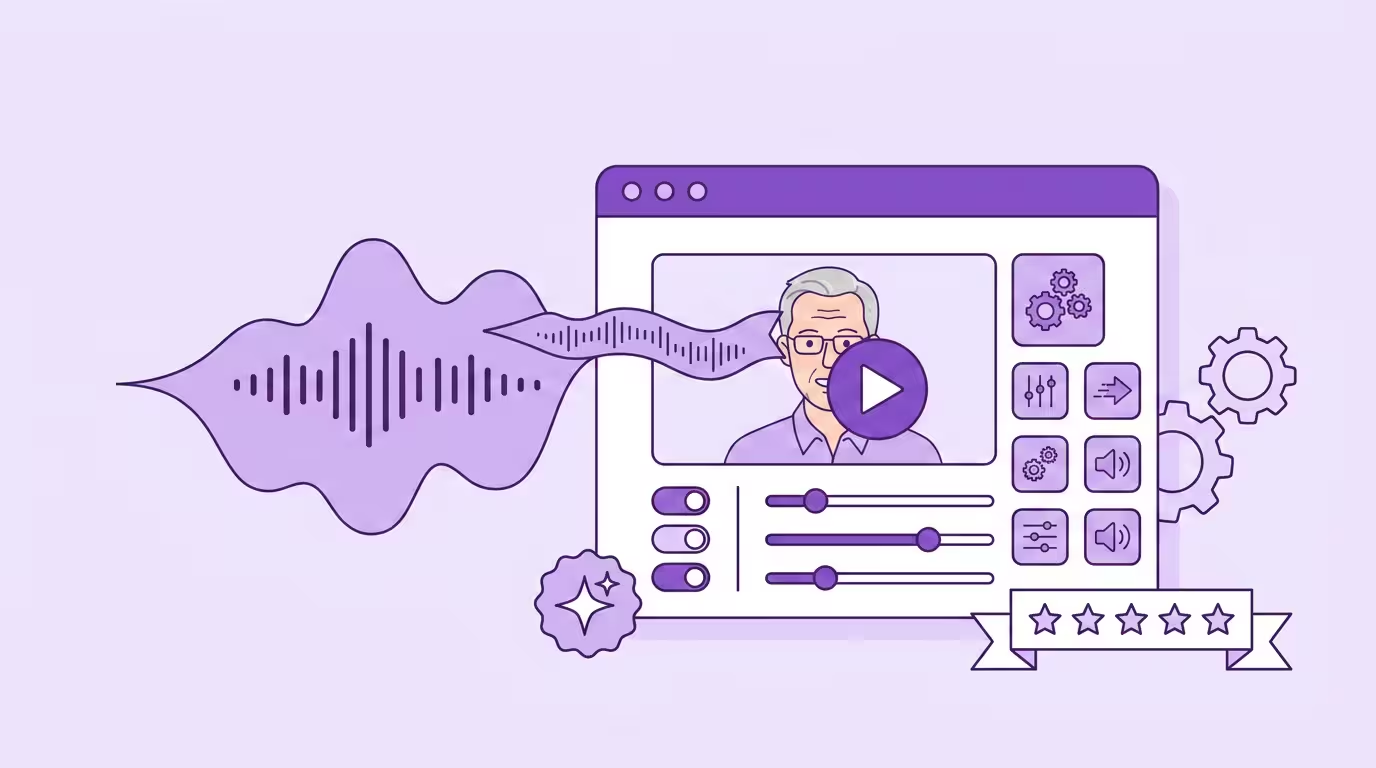
An AI video translator turns the spoken content in videos into other languages. Not just as subtitles on those videos, but as a full replacement of the audio, the cloned voice, and (if the tool is good) even the lip movements. What used to take a studio and six weeks for a handful of videos in 2020 now takes a browser and ten minutes per video in 2026. The market for translating videos with AI grew from $2.68 billion in 2024 to a projected $33.4 billion by 2034 (Source: Market.us, 2025, https://market.us/report/ai-video-translation-market/), and most of that growth comes from AI-powered tools that didn't exist three years ago. Creators chasing global reach with their videos, enterprises localizing training videos for global teams, and developers wiring video translation into their own products all want the same thing: a way to translate videos into multiple languages without losing the original speaker.
This guide is for anyone about to buy a tool to translate videos and wants to know what actually matters — not the marketing. We'll cover what the category does, the four types of AI video translators you'll run into, the features that separate serious platforms from hobby projects, how pricing actually works, and how to evaluate any tool against real test criteria before you hand over your credit card. We build software in this space for a living, which means we have strong opinions about what works. We'll be clear about which bits are ours.
Key Takeaways
- The category is four distinct types (end-to-end dubbing, avatar generators, voice-first, developer APIs) with very different fit depending on what kind of videos you need to translate
- Frame-by-frame lip sync is the biggest quality differentiator in 2026 — most products skip it or do it badly, and the gap is visible within seconds
- Language count is a vanity metric; language quality on the specific languages your audience needs is what actually matters
- DSGVO compliance and data residency decide most enterprise deals before features even enter the conversation
- Always test on real footage — vendor demos are optimized to hide weaknesses
What This Software Is (and What It Isn't)
An AI video translator takes source videos in one language and produces versions in another, with the original speakers' voices, pacing, and (increasingly) lip movements preserved across the translated videos. The "AI" part is important: this isn't a subtitle translator with a fancy interface. It's an AI-powered system that uses automatic speech recognition, neural machine translation, voice synthesis, and generative video to rebuild the audio and (optionally) the mouth movements of your videos from scratch — so you can translate one video into multiple languages without re-filming. Modern AI translation accuracy sits in the 95-98% range for most languages, with human review available for production videos that need 100% precision.
What it isn't: a general-purpose translator with video support. Google Translate and DeepL are excellent text translation engines. They don't handle the audio, the voice, the timing, or the synchronization — all the parts that make translated videos feel watchable. An AI video translator has to coordinate four separate AI systems working on the same videos, each one feeding the next. That's the complexity you're paying for when you translate a video end-to-end instead of just slapping subtitles on it.
It also isn't a voiceover generator. Voiceover tools give you a synthetic narrator reading a script — useful for documentary-style videos, but obvious when the original speaker is still on camera moving their mouth to different words. A real AI video translator keeps the speaker visible across the translated videos, just in a different language. That's the difference between subtitling videos, dubbing videos, and full AI dubbing with lip sync.
If you want the broader category overview before diving into the software side, our AI video translation pillar guide covers the full landscape.
How the Software Works: The Four-Step Pipeline
Every serious AI video translator runs the same four-step pipeline under the hood. The differences between products show up in how well each step is implemented, and especially in whether the last step happens at all. The upside: all four steps run on advanced AI and finish in minutes, not weeks. If you want to translate videos end-to-end with AI, this is the process you're buying into.
- 1
Transcription
Multi-speaker detection + timestamps + noise filtering
- 2
Translation
Neural translation optimized for spoken language
- 3
Voice Generation
Voice cloning preserves the speaker's characteristics
- 4
Lip Sync
Frame-by-frame mouth regeneration (the differentiator)
Step 1 — Transcription
The system analyzes the audio track of your source videos and generates a written transcript using automatic speech recognition. Multi-speaker detection separates different voices, timestamps each segment, and filters out background noise. The quality of this step determines everything downstream: a bad transcript produces a bad translation, which produces bad translated videos. Good products handle accents, overlapping speech, and technical vocabulary without falling apart. This is how AI video translators convert spoken content into text that can then be translated.
Step 2 — Translation
The transcript goes through neural machine translation optimized for spoken language rather than written prose. A decent AI video translator lets you edit the translated script before it gets voiced — a step that matters more than people expect. Brand terminology, proper nouns, and technical vocabulary all need human review to stay consistent across translated videos for a professional audience. Products that don't give you script editing are cutting the one step where domain expertise still matters. The resulting translated text becomes the basis for generating new audio in the next step.
Step 3 — Voice Generation
This is where a real AI video translator starts to separate from simpler tools. Basic products drop a generic synthetic narrator over the translated script. Serious products clone the original speaker's characteristics — pitch, timbre, pace, emotional range — and generate new audio in the new language that sounds like the same person speaking natively. The best voice cloning engines produce audio that's genuinely hard to distinguish from a recording. The resulting cloned audio carries the tone of the source speaker across languages rather than sounding like a stock voiceover. Good AI dubbing means your translated videos keep the same personality, not just the same words.
Step 4 — Lip Sync (the differentiator)
The fourth step is where most tools quietly opt out. Lip sync is the frame-by-frame regeneration of the speaker's mouth movements so they match the new audio. It's the single hardest part of translating videos with real speakers on camera, and in 2026 it's the clearest quality signal. Timing-only approaches look uncanny within five seconds. Real frame-level regeneration holds up on dynamic videos, multi-speaker scenes, and faces that aren't perfectly frontal. If a product skips this step or does it badly, everything upstream is wasted — because the viewer will still see a mouth that doesn't match the voice. This is what separates real translated videos from glorified voiceover videos.
For a full technical breakdown of why lip sync is so hard, see our guide to AI lip sync.
The Four Categories You'll Encounter
Not every product in this space does the same thing. When you start evaluating, you'll quickly find that "video translation" is actually four different product categories wearing similar marketing. Knowing which type of AI video translator you actually need is the most important decision you'll make.
End-to-End Dubbing Platforms
These are products built specifically to dub videos of real humans. You upload your video, the platform transcribes, runs AI translation on the script, clones the voice, and regenerates the lip movements. Out the other end come translated videos that look and sound like the original speaker just happens to be bilingual. Dubly sits in this category, along with Rask AI (130+ languages) and Vozo, which sells the same pipeline at a fraction of the price and processes it in the US. Real end-to-end AI dubbing is what most people actually mean when they say "video translation," and it's the category that's seen the fastest quality improvements over the last two years. If you need to dub videos where the speaker is on camera — interviews, talking heads, multi-speaker panels — this is the right category.
AI Avatar Generators
Tools like HeyGen and Synthesia work differently. HeyGen is known for high-quality lip-syncing on AI-powered video translation in 175+ languages, but its primary feature is avatar generation. Instead of translating existing videos of real speakers, these tools generate synthetic AI avatars from scratch to deliver content in any language. You write a script, pick an avatar, and get a polished talking-head video where a synthetic presenter reads what you wrote. They're excellent for script-based corporate content, training, and product explainers. Both now dub uploaded footage as well, so the honest line is not that they can't translate — it is that the dubbing sits on a plan built for avatar work, with the caps that come with it. We work each of them through in detail on the HeyGen alternative and Synthesia alternative pages.
Avatar-based videos overlap with traditional AI dubbing in the audio layer, but the visual approach is completely different. Think of these products as video generators that happen to support multiple languages, not as real AI video translators for existing footage.
Voice-First Engines
ElevenLabs is the clearest example. The tool is primarily an audio synthesis engine — the best on the market for generating natural-sounding cloned speakers in any language. Translating videos is a secondary feature layered on top. You get excellent audio on your translated videos, but the visual layer is essentially untouched: the original mouth movements stay in place while the dubbed audio plays over them. For podcast-style videos, documentary narration, and anything where the speaker isn't constantly on camera, audio-first tools work well. For videos with a visible talking head, the mismatch between lips and translated speech gets distracting fast.
Developer APIs & Building Blocks
The fourth category isn't a product at all — it's infrastructure. Tools like Sync provide APIs that handle one piece of the pipeline (typically lip sync), and developers stitch them together with other components to build their own custom workflow. If you have engineering resources and a specific product requirement, APIs let you build exactly what you need. If you don't, there's no product to use — just documentation and credits.
Must-Have Features in 2026
Feature lists from vendors are long and mostly undifferentiated. These are the features that actually matter when you translate videos at any kind of scale — for one creator, for an agency producing client videos, or for an enterprise team running training videos through a pipeline.
Voice Cloning & Native Pronunciation
Generic AI voices are the fastest way to flag translated videos as machine output. A serious tool should clone the original speaker and generate native-sounding pronunciation in the chosen language, not carry the source accent across. A German speaker translated to French should sound like a French native with that person's tonal DNA — not a German trying to speak French. That distinction matters more than people expect: CSA Research found that 76% of consumers prefer videos in their own native language, and the preference breaks down fast when the dubbed audio feels off (Source: CSA Research, "Can't Read, Won't Buy," https://csa-research.com/Blogs-Events/CSA-in-the-Media/Press-Releases/Consumers-Prefer-their-Own-Language). The native-speaker test is simple: play the translated audio to a native speaker of the new language and ask if it sounds fluent. Good cloned audio carries the message and tone from the source language without losing emotion.
Frame-by-Frame Lip Sync
In 2026, lip sync is the single biggest quality differentiator in the category. Frame-level regeneration of mouth movements holds up on multi-speaker videos, moving heads, and anything shot at more than a straight-on angle. Timing-only approaches — which nudge the audio into rough alignment with the existing mouth movements in your videos — break down within a few seconds. Ask every vendor specifically: frame regeneration, or timing adjustment? The answer matters more than any other feature comparison you'll do across these videos.
Subtitle Export
Even with full dubbing, most workflows still need subtitles on translated videos. Accessibility compliance, social media autoplay, and regulatory requirements all demand subtitles — and accessible media is mandated by law in many regions, helping organizations overcome language barriers and avoid legal risks. Subtitles also make videos accessible to millions of people who are deaf or hard of hearing. A good AI video translator exports clean SRT and VTT subtitle files alongside the dubbed videos, lets you edit subtitles before export, and doesn't treat subtitles as an afterthought. Auto-generated subtitles that need heavy manual cleanup aren't a feature — they're a warning. Products that only export subtitles after you've paid for dubbing are nickel-and-diming.
Language Coverage vs. Quality
Every vendor advertises "175 languages" or "150+ languages" in their available languages list. Half of them are padding. What actually matters is which specific languages your audience needs, and how native those languages sound in the output. Fewer languages done at native quality beats two hundred done badly. Test on your specific chosen language before committing — a product that produces great German and French videos might be mediocre at Vietnamese, and vice versa. Language barriers only disappear when the quality holds across every language in your shortlist.
DSGVO Compliance & Data Residency
Where your video files get processed is often the deciding factor for enterprise buyers. US-based services process data on US servers, which creates real compliance friction for European companies. Software with EU or German hosting has become the default for regulated industries. In our enterprise conversations, data residency comes up before features — and it's becoming the first question asked in procurement. See our data security overview for what to look for.
API Access & Scalability
For teams handling volume, API access matters. Can you automate uploads? Batch process video content at scale? Hook the software into your video pipeline without a human clicking through each job? Enterprise tiers should offer real API access; products that lock it behind custom quotes are making your workflow harder than it needs to be. AI voices and dubbed audio should both be accessible via API for teams running large translation projects.
Translate Your First Video
Results in just a few minutes
No credit card required
Best translation quality worldwide
Pricing Models Compared
Pricing follows four patterns across the category. Understanding which pattern you're looking at is critical, because they reward different usage profiles.
Subscription Plans
Most consumer-facing tools (HeyGen, Synthesia, Rask) use monthly subscriptions with a fixed number of video minutes included per plan. Simple to budget, but if your usage is uneven — a burst of videos then nothing — you pay for unused capacity. Typical starting prices sit between $20 and $60 per month, scaling steeply for team and enterprise plans. These plans are designed for teams producing a steady stream of translated videos, not one-off projects.
Credit-Based Usage
Dubly and some competitors sell credits that convert to minutes of video at a fixed rate. Credits roll over more gracefully than fixed monthly minutes and scale cleanly to the actual volume of videos you do. Dubly plans start at 99 € per month for 25 credits, with per-minute pricing starting from around 3 € — substantially less than traditional studio dubbing, which sits near 80 € per minute in the German market (Source: VDS Gagenkompass, https://www.sprecherverband.de/vds-gagenkompass/). Always check the live pricing page before deciding, because plans change.
Pay-Per-Use API
Developer-facing tools like Sync charge per minute of API usage with no subscription commitment. For variable workloads, this is efficient — you only pay for what you run. For teams that need a predictable monthly cost, it's less convenient. API pricing also typically excludes the other parts of the pipeline, so the quoted cost isn't the full cost.
Free Tiers and Free Plans (Honest Take)
Nearly every product offers a free plan, but the term means very different things. Persistent free plans (ElevenLabs, HeyGen) give you a few minutes of output per month, forever, usually with watermarks or feature restrictions. Limited free trials (Rask) give you a one-time allowance and then ask for a card. Single free-minute evaluations (Dubly) let you test premium features including lip sync and voice cloning before committing. All of these are useful for evaluation. None of them are enough to run production work. A free plan is an evaluation tool, not a production path — if someone advertises "unlimited free AI video translation," read the fine print, because the underlying model costs are real and nobody runs them at a loss forever.
How to Evaluate a Tool Before You Buy
Every vendor demo is optimized to make the product look perfect. Your real videos aren't vendor demos. The most important thing you can do before buying is test each AI video translator on actual videos that represent your use case — messy lighting, multiple speakers, accents, background noise, the whole reality. The videos you upload during evaluation should look exactly like the videos you'll be translating in production.
Three things we recommend checking specifically. First, translate a video into the most important chosen language for your audience, upload your video to each tool as a one-minute clip, and listen to the output with the original muted. If the cloned voice doesn't convince you on its own, the product isn't the right fit. Second, watch the same clip with audio on and eyes on the mouth — if you can see timing slip within five seconds, the lip sync isn't good enough for production. Third, try a clip with multiple speakers and check how the system handles speaker separation. A bonus check: edit subtitles directly in the interface and export the subtitle files without re-running the full pipeline. And translate a video that includes rapid speech or overlapping dialogue — those are the edge cases where weak products collapse.
For a specific ranking of the top AI video translator tools with honest pros and cons, see our comparison of the best AI video translator in 2026 — this buyer's guide gives you the framework; that article gives you the shortlist.
Who Should Use What
The right tool depends entirely on what kinds of videos you're trying to translate. Here's the rough sort.
For Content Creators & YouTube
Creators live on audio authenticity — your audience chose you, not a stock narrator. End-to-end dubbing platforms that clone your voice and let you dub a video in your own voice are the right category for reaching a wider audience. YouTube's Multi-Language Audio feature (Source: YouTube Help, https://support.google.com/youtube/answer/13140854) lets creators upload translated audio tracks for any YouTube video, so viewers can pick their language like a subtitle track. That feature alone turned "should I translate a video into more languages?" into a real growth lever. The pattern we see constantly: a creator translates one video in one language pair, expands to three languages within three months, and triples their reach across diverse audiences in the process. Search engines also index translated transcripts and metadata, so each YouTube video shows up in the relevant language searches — content creation that used to require separate reshoots now ships in minutes.
For Enterprise Training & L&D
Training videos built from scripts fit AI avatar generators — write once, produce videos in multiple languages, no voice actors needed. Training videos that are already filmed (recorded webinars, CEO addresses, instructor-led sessions) fit end-to-end dubbing platforms that can dub a video and keep the real presenter on camera across all the translated videos. The deciding question for enterprise users is usually DSGVO compliance — our solutions for enterprises page goes deeper on that. New Com Academy used Dubly to translate their entire library of training videos in-house and saved over 85% on production costs (see the full case study). For global teams across markets, the value of translated videos is obvious the moment you measure completion rates: translated videos hold attention better because content is easier to follow in a viewer's native tongue.
For Marketing Agencies
Agencies need volume, brand consistency, and translated videos that survive a client review. End-to-end dubbing platforms with glossary support and frame-level lip sync deliver on all three. Avatar-based tools also have a place in the creative toolkit for concepts that explicitly call for synthetic presenters — but the core translation workflow should run on a platform built for real videos. Global markets move fast, and agencies that can turn one campaign into multilingual content overnight have a clear advantage over those still outsourcing every dub. A batch that used to take weeks now ships in a day, and the resulting wider audience reach shows up in viewer retention.
For Developers & Tech Teams
Engineering teams building their own pipelines for translating videos should look at API-first products first. Sync handles lip sync at the API level; ElevenLabs handles voice synthesis. Dubly offers API access for enterprise teams that want end-to-end quality without assembling their own stack from scratch. Batch processing via API is where this category really shines.
Why Dubly Is Built Differently
Fair disclosure: Dubly is our product. We built it because the existing tools weren't good enough for the quality bar our customers needed — especially on lip sync and voice authenticity. When you translate videos for a global audience, the small differences become very visible.
Three things matter most to how we built it. First, Lip Sync 2.0 regenerates mouth movements frame by frame and holds up on the hard cases where most tools quit — multi-speaker panels, dynamic head movement, partially obscured faces, side profiles, and extreme camera angles — without drift or distortion. Second, our voice cloning preserves tone and generates native pronunciation in the target language rather than transferring the speaker's accent across. Third, every video file is processed on servers in Germany. We're TÜV-certified, fully DSGVO-compliant, and we don't train on customer videos. In our enterprise conversations, that third point is often the one that closes the deal.
We don't support every language on earth — coverage sits at around 38 today — and we don't offer AI avatar generation. Those are deliberate trade-offs. We focus on translating videos of real people, at quality our enterprise customers can put on their homepage.
Dubly.AI fully translates and lip syncs all video content into new languages — saving us costly productions, countless revisions, and a lot of stress.

Moritz Hausdoerfer
Head of Content Marketing, HAVAS Social
The Bottom Line
The category is four different product types pretending to be one. Before you start evaluating tools, figure out whether you need end-to-end dubbing for real videos, avatar generation for script-based videos, voice-first tools for audio-priority work, or developer APIs for a custom pipeline. Then test on your own videos, check lip sync quality frame by frame on those videos, verify the pricing model fits the volume of videos you plan to translate, and confirm the data processing location works for your compliance requirements.
Don't get distracted by language count marketing. Fewer languages at native quality beats two hundred done badly. And don't skip the lip sync test — it's the single most visible quality signal across translated videos, and it's where most tools quietly give up. The right AI video translator is the one that lets you translate videos into every language your audience cares about, without compromises on lip sync or voice authenticity. Everything else is detail.
Back to the complete guide: AI Video Translation
Translate Your First Video
Results in just a few minutes
No credit card required
Best translation quality worldwide
About the author

Leon Bach
Growth Marketing Manager