Social Media Video Translation
July 9, 2026
How to Translate TikTok Videos (AI, URL Tools & In-App Options)
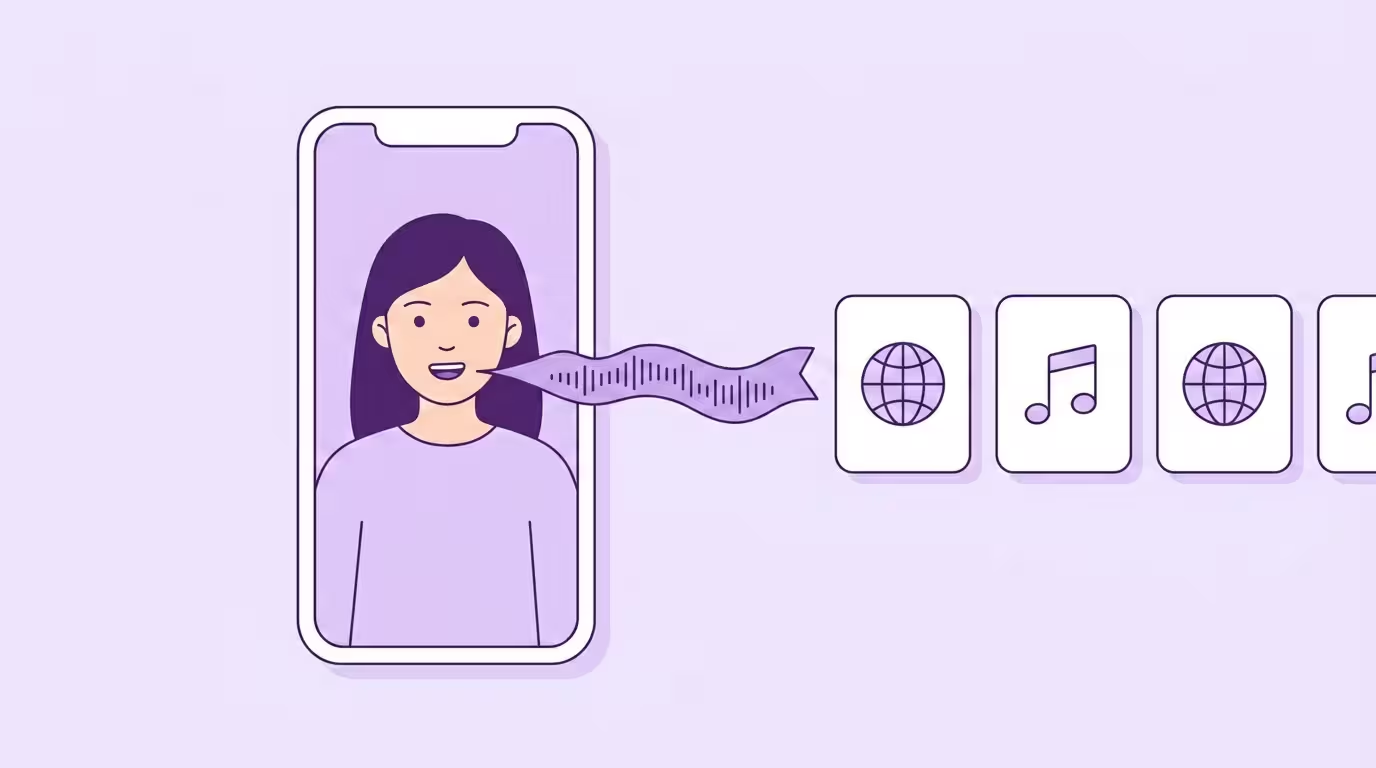
To translate a TikTok video, you have four real options: use TikTok's built-in translation inside the app, paste the link into a URL-based video translator online, run the file through an AI video translator that dubs the audio with your own cloned voice, or ship only translated subtitles. TikTok's own feature only translates text — not the spoken audio. That's the single most important thing to know before you pick a method. Everything else is a trade-off between speed, cost, and how native the translated TikTok video actually sounds.
Below: what each path does, when each one wins, and a creator-side and viewer-side workflow — with enough clear detail that content creators can choose the right tool in one sitting. This is part of our broader guide to translating video for social media.
Key Takeaways
- TikTok's in-app translation covers captions and text stickers only — not audio. Every search for "translate TikTok audio" ends outside the app.
- Four real methods: upload into a dedicated video translator, URL-paste tools, translated subtitles, or full AI dubbing with voice cloning and precise lip sync.
- File upload into a professional translation tool beats URL-paste on editing control and output quality once you post more than once a week.
- The cost gap between human studio dubbing (~80 €/min) and AI-based dubbing (under €5/min) is about 94% — which is why TikTok localization is now economically viable.
- Translate audio, caption, on-screen text, and hashtags together. TikTok's 2026 algorithm caps reach on inconsistent language signals.
Why Translate TikTok Videos at All
TikTok is the most language-agnostic feed on the internet, and the algorithm doesn't care about your follower count — it cares about watch time. Videos in Spanish that hold viewers for 45 seconds beat English ones that lose Spanish speakers in three. Every time.
76% of consumers prefer to buy products with information in their native language, and 40% won't buy from sites that aren't in their language either (Source: CSA Research, 8,709 consumers across 29 countries). On long-form video that's a preference. On short-form it's a verdict. The For You Page decides in the first second whether your video survives, and audio in the wrong language is a three-second skip. You remove language barriers only if you actually replace the audio — translated captions alone don't.
TikTok's 2026 algorithm made the gap worse for single-language creators. The For You Page now cross-references device language, app language, regional preferences, and past engagement — so a creator who posts only in English is structurally capped at English-speaking markets, no matter how strong the hook. Multiple language versions aren't optional anymore. They're how you reach a global audience inside the feed at all, and TikTok's audience is global, and most of it isn't English-first. International reach used to be a YouTube-and-Netflix problem. On TikTok it's a weekly posting problem.
The math is where it flips. Manual dubbing with a voice actor and studio time runs around 80 €/minute of finished audio (Source: VDS Gagenkompass). AI video translation drops the same 60-second TikTok video to under €5 per language — about 94% more cost effective — and most tools let you test the pipeline for free before you pay. The ROI math is trivial: one paid language pays for itself inside a dozen posts. The output sounds closer to your own voice than any hired narrator ever will, and every extra language hits a completely different audience worldwide inside the same feed.
In our experience running this platform, creators open an account for one language pair — almost always English to Spanish — and add two or three more within three months once the numbers on the first translated clip come in. Three language versions in an afternoon from a single source file. Normal week now, not a keynote stat. At Dubly we see this arc repeat so consistently we can almost set a calendar by it.
What TikTok's Built-In Translation Does (and Doesn't)
TikTok's in-app translation feature translates text — auto-generated captions, video descriptions, text stickers, and comments — but it does not translate spoken audio. That gap is the single biggest misconception about translating TikTok videos and the reason most "why can't I translate TikTok audio?" searches end outside the app. The auto-translate feature is easy to use when it's available, but its scope is text-only.
TikTok announced the feature on July 21, 2022, with an initial batch of 9 supported languages: English, Portuguese, German, Indonesian, Italian, Korean, Mandarin, Spanish, and Turkish (Source: TikTok Newsroom). The list has grown to 15+ supported languages in the years since, but the scope hasn't expanded. Text is covered. Audio isn't. Practical effect: most of TikTok's global audience still can't understand the spoken audio in videos posted in a foreign language — not without a third-party tool.
Viewer-Side: Caption and Text Translation
If you're watching a TikTok video in a language you don't speak, TikTok can translate the captions, the text stickers, and the video description. Tap the three-dot menu and look for the Translate option. Comments get a "See Translation" button inline.
That's useful for quick context. A Spanish tutorial with captions enabled becomes skimmable in English in two taps. But if the creator never enabled auto-captions, there's nothing to translate — you hear Spanish. For the spoken audio, you need an external tool.
Creator-Side: What's Missing (No Native Audio Dub)
From the creator side the in-app flow is thinner. You can turn on auto-captions before posting, which makes them eligible for viewer-side translation. That's the entire creator-facing translation workflow — auto-captions on, done. TikTok does not give you an auto-translate toggle to dub your own video into Spanish the way Instagram Reels now does with Meta AI.
Practical effect: a Spanish-speaking viewer sees your English captions translated into Spanish but still hears you speaking English. Audio in the wrong language is the most expensive skip on the platform, because viewers decide in the first second — long before any caption finishes translating. That's why "translate TikTok video" searches overwhelmingly want audio.
Four Ways to Translate a TikTok Video
If TikTok's own translation stops at text, these are the four paths creators and viewers actually use to get audio across languages. Each one changes how the translated TikTok video performs, and they scale very differently once you move past a single post.
AI Video Translator (Upload Your File)
The cleanest path: save your TikTok video as MP4, import it into an AI-powered video translator, choose target languages, and export a dubbed MP4 ready to re-upload. Accepted file formats are universal — MP4, MOV, and AVI cover every TikTok export, and the best tools for video translation handle 4K without re-compression.
Good tools cover 30+ languages and auto-detect the source, and what matters more than the raw count is how natural each language actually sounds. Typical coverage includes English, Spanish, Portuguese, German, French, Italian, Japanese, Korean, Chinese, Hindi, Arabic, Turkish, Polish, Dutch, Russian, and another dozen or so less common ones — the exact list varies by tool. Anything under 30 languages is a sign the tool wasn't built with international reach in mind. The editing step is the key difference from the in-app experience: you're not locked into the first-pass output, and you get to review accuracy and tone before the dubbed video is ready to publish.
URL-Paste Tools (Translate a Link You Found)
A large category of online tools — Vozo, Clideo, HappyScribe, Notta, Veed, GeckoDub — accept a TikTok link as input. You paste the TikTok link, the tool fetches the video, and a translation agent transcribes the audio into a clean script in seconds. Some tools spit out translated subtitles, others a full dubbed audio track, almost all of them in one place without download-and-reupload overhead. They are not all the same tier: Veed, for instance, clones the original voice across 29 languages and can lip-sync the result, which is a different product from a subtitle burner (how it compares). A Google-powered chrome extension handles the same flow if you prefer it inside the browser — ideal for viewers who just want to read along.
This workflow fits two use cases: viewers understanding someone else's foreign-language TikTok, and content creators batch-translating content they didn't host. The downside is control. I've run the same 45-second TikTok through Vozo, Clideo, and GeckoDub — URL-paste on all three, all three for free on their trial tiers. All three handled the link fine. Two dropped the product name mid-sentence. One stacked subtitles out of sync with the audio. Fine for a one-off when you don't have the original video file. If you post twice a week, you outgrow these inside a month. For a content calendar with multiple languages, file upload wins on speed, translation accuracy, and quality control over the final output — and lets you reach a wider audience without losing your own voice in the process.
Translated Subtitles and Captions
The cheapest method: generate translated subtitles with an online tool, then burn them into the video or upload them alongside. Most subtitle tools transcribe the audio, translate the text, and export the result as SRT or TXT — 100+ languages are standard. The original voice stays. Viewers read along in their native language, either as burned-in captions or a toggle-able track.
Subtitles work well when the video is visual-first — dance, food, unboxing — and plenty of TikTok viewers start a video silent anyway. Accurate captions also feed TikTok's caption-based discovery, so you pick up search traffic in the target language even without a dub. They're accessible to deaf and hard-of-hearing viewers too, which matters for accessibility and for platform compliance in markets where captioning is now expected by default.
Subtitles are the floor, not the ceiling.
They hit that ceiling fast on talking-head content. Your energy, your personality, the reason someone follows you — all of that lives in the voice. Subtitles deliver the information. They don't close the distance between you and the viewer — your voice does. Fine for utility. Weak for anything creator-driven.
AI Dubbing with Voice Cloning and Lip Sync
AI dubbing replaces the original audio with a translated version generated from a cloned version of your own voice. It keeps your tone, cadence, and delivery across languages. Not a stock narrator. You. On top of that, precise lip sync — the frame-by-frame match between the translated audio and the on-screen mouth movements — adjusts the visual sync to the translated speech. Viewers in the new language don't just hear you. They see you speaking their language.
Voice cloning works one way regardless of the vendor label: capture a clear sample from the original video once, reuse across languages. Precise voice cloning makes the dubbed track sound like your natural voice rather than a stock narrator, and a realistic voice clone is now the baseline, not a premium upsell. The gap between a realistic cloned voice and generic TTS isn't subtle anymore — it's binary. A good cloned voice sounds like you. A synthetic voice sounds like a GPS at three-quarter speed. On TikTok's close-up format, viewers hear that difference in the first second.
Under the hood this is the same AI video translation pipeline used for YouTube and Reels: speech recognition, neural translation, cloned-voice synthesis, and optional mouth matching. Nothing about the method is TikTok-specific. What's TikTok-specific is how punishing the format is if any piece fails. At 9:16 with the creator's face filling 30–40% of the frame, there's nowhere to hide a robotic tone or a mouth mismatch. YouTube tolerates a minor sync issue in a wide shot. TikTok doesn't.
Realistic lip sync used to cap out around 30 degrees of head rotation on most tools. That's why side-angle shots and pan-and-scan footage used to look broken. Dubly's Lip Sync 2.0 handles extreme angles and lateral movement without drift or distortion, so it holds sync on full head turns. Overlapping speakers trip up most tools on the market, but Dubly separates each speaker in a single pass. Lip syncing a front-facing TikTok end-to-end takes the same 1–2 minutes as the audio dub itself. A single-speaker, front-facing TikTok is the easiest case of all — exactly the kind of selfie-cam content TikTok rewards.
We watch the numbers on this across every platform Dubly supports. TikTok is where the gap is widest — subtitled version vs. cloned-voice-plus-lip-sync version of the same video, completion rates jump sharply. It's the close-up. There's nowhere for a bad dub to hide. Posting the same video in a different language with a cloned voice on top doesn't just translate the words — it hands you a separate feed to perform in.
Multi-Speaker Demo
How to Translate Your TikTok Video Step by Step
Once you've picked the AI video translator path — the option that covers audio and lip sync — the workflow looks like this. Five steps, under ten minutes for a 60-second clip.
Download your TikTok video as MP4
Use Save video in the share menu for published content. For drafts, use the original export from your editor — TikTok's re-compression is aggressive, so the pre-upload file always beats the downloaded one when you have it.
Upload your video to the translator
Good tools auto-detect the spoken language and start video transcription the moment the file lands. Supported formats include MP4, MOV, and AVI — the same TikTok accepts on export, so nothing extra to re-encode. Background music gets preserved; only the spoken voice is replaced, so your trending audio survives. A fast pipeline transcribes, translates, and dubs in sequence — no clicking through wizard screens between steps.
Choose target languages and review the transcript
This is where free tools fall apart — and where most content creators blow it. Don't translate into every available language immediately. Pick languages strategically based on where your content already gets organic viewers. In our experience, five minutes of human review per language catches about 80% of the errors a set-and-forget run would ship. Lock terms — product names, your brand, TikTok-native slang — so they don't get mistranslated. Specify the correct domain (fitness, beauty, tech) in the tool if it supports it, and customize the output script for tone before you hit generate. Cultural nuance is where AI still slips most often, and TikTok content is built on exactly that register.
Generate dubbed audio with voice cloning (and optional lip sync)
Turn on the cloned-voice option so the translated audio sounds like you, not a stock narrator. For talking-head TikToks — perfect for creators who live on camera — enable lip sync so the mouth matches the new audio instantly. Processing runs roughly 1–2 minutes per language on a 60-second TikTok. Same processing time as the audio dub. Nothing extra. Output: one MP4 per target language plus translated subtitles in SRT or TXT, ready for upload from phone or desktop.
Download, preview, re-upload, and localize the rest
Before you publish, try previewing every dubbed video and comparing the languages side by side — five seconds each catches the one that's off. Post each translated TikTok video on your main account or a language-specific account. Translate the caption and CTA, swap hashtags for ones the target audience actually searches, and pick a posting time in that timezone. Audio is only half the localized content job — larger teams streamline this by assigning one reviewer per target language, which eats less time than most creators expect.
Free vs Paid TikTok Video Translators
Which tool you run those five steps in is the next decision — and the free vs paid gap matters more on TikTok than on any other platform. Test with a free tool first. Most free online tools share the same limits — fine for a one-off, insufficient for a workflow. Where the line breaks:
| Feature | Free Tools | Professional AI Dubbing |
|---|---|---|
| Translated subtitles / captions | Yes | Yes |
| Audio translation | Limited or robotic | Natural, cloned voice |
| Voice cloning | No | Yes — your voice, their language |
| Lip sync | No | Yes — mouth movements matched |
| Editable translations | Rarely | Yes — full control before export |
| Custom terminology / glossary | No | Yes |
| Languages | 5–10 | 30+ |
| Batch processing | No | Yes |
| Output formats | MP4 only | MP4, SRT, audio tracks |
| Watermark / branding | Often yes | No |
Free tools validate a new market. Paid tools scale it. The cost gap is wide enough to change the decision entirely: ~80 €/minute for human studio dubbing vs. under €5/minute for AI, and with a good AI platform you can translate a variety of TikToks into a different language in a single sitting. Most professional translation platforms run per-minute pricing or a monthly subscription, so the math stays predictable once you know volume — and the jump from free trial to paid plan is usually a single language barrier: watermark removal, longer clips, or batch upload. See current Dubly pricing.
Translation quality is the other axis. Free tools ship whatever the AI writes. Paid tools focus on editability — transcripts, captions, pronunciation, and locked terms all adjustable before export — and most support per-language edit sessions so different reviewers can handle Spanish and French in parallel. I've tried this myself on my own TikToks: five minutes to review one language, 25 for five. Still cheaper than a single voice-actor booking, and you're done before lunch.
Most professional platforms now ship quality-of-life editing: speaker-by-speaker panes, inline edit-on-playback, and auto-save so a missed word doesn't cost you a re-run. Tools built around editing rather than pure throughput catch the small mistranslations that kill trust in the new language.
One nuance that matters on TikTok specifically: many free tools leave a watermark on output. TikTok's search engine algorithm down-ranks watermarked content from other platforms, and a cheap dub with a "Free plan" banner across the bottom reads worse than no dub at all. The best tools export clean MP4s — no branding, no badge, no tell.
Translating Someone Else's TikTok (Viewer Workflow)
So far, every section assumed you're the creator. Flip the camera around: a large share of the search volume for "translate TikTok video" comes from viewers, not creators. Someone watched a foreign-language TikTok — a cooking tutorial, a product review, a tour — and wants to understand the audio. TikTok's in-app translation doesn't cover the spoken audio, so the workflow splits by what you actually need.
If you want the audio translated: copy the TikTok link, paste it into a URL-based video translator that handles dubbing, and let it generate a translated version with subtitles or a dubbed audio track. Free tiers cap at one short clip per day, usually enough for occasional viewer translation. Output quality varies more by language pair than by tool.
If you just want the transcript: use a transcript generator or browser extension to transcribe TikTok audio into plain text, then paste it into any translation service — Google Translate, DeepL, or a built-in translation agent. Fastest path for long explainer TikToks where you only need the content. Expect 5–10 seconds per TikTok video for transcript generation, and the best generators spit out the full script instantly the moment the video finishes loading.
Transcription runs over 95% accurate on clean audio in major languages. Background music, overlapping speakers, or thick accents drop accuracy fast — that's where product names and niche terms get mangled. A ready-to-read translated script from a foreign TikTok this way: under a minute per clip, and perfect for research and comprehension.
One caveat: TikTok's terms allow personal downloads but not mass re-uploading of other creators' content, even translated. Viewer translation for personal use is fine. Republishing translated versions of content you don't own is not.
Best Practices for TikTok Videos That Travel
Translating the audio is half the job. Landing the translated TikTok video in a new market's feed is the other half. Five things separate the TikToks that travel from the ones that die in their home market.
Localize hashtags instead of translating them. Spanish-speaking viewers don't search for #HomeGymTips — they search for #EntrenamientoEnCasa or the regional equivalent. A direct translation misses trending terms and cultural nuance every time. TikTok's 2026 algorithm rewards consistent multilingual signals: audio in Spanish, caption in Spanish, hashtags in Spanish. Single-language mixes get capped.
Rewrite the hook, not just the translation. The first second decides whether a TikTok survives. Hooks don't translate. A joke that lands in English falls flat in Portuguese more often than not, so rewrite the opening line for the target audience if it needs it. A voice-cloned delivery can't repair a hook the market fails to connect with. The creators we've watched post both versions see retention jump once they start rewriting the hook per market instead of literal-translating it.
Translate on-screen text and stickers too. TikTok relies heavily on burned-in text. If your English overlay stays while the audio is dubbed, the video reads as broken. Either rebuild the overlay in the target language during video editing or use a tool that handles burned-in text automatically in the translation pass.
Pick a posting strategy per market. Three common options: one multilingual account (simplest, confuses the FYP language signal), separate language-specific accounts (cleanest signal, more maintenance), or a main account with occasional translated posts. Creator accounts we work with usually end on separate accounts per language once past the experimentation phase.
Post at the right local time. A Spanish TikTok posted at 9am CET lands in Mexico City at 2am. Peak engagement windows differ by country — early afternoon in Germany, late evening in Brazil, early morning in Japan. Per-timezone schedulers handle it once you split markets — and that split looks different across TikTok, Reels, and Shorts.
TikTok vs Reels vs Shorts: Same File, Different Rules
The MP4 is the same. What each platform does with it isn't. The translated TikTok video that crushes on For You may underperform on Reels because the distribution rules differ.
TikTok has the loosest language gate: rewards consistent multilingual signals, doesn't require explicit language declaration. A Spanish-dubbed clip with Spanish hashtags and a Spanish caption reads as native Spanish content. Instagram Reels ships Meta AI translations natively, but only in some regions — the EU and UK sit outside Meta's auto-translate, so external dubbing is still required there. See translating Instagram Reels for the Reels-specific playbook.
YouTube Shorts is the outlier. YouTube supports Multi-Language Audio natively on long-form, and that feature has started rolling into Shorts — one video, multiple audio tracks, viewer hears their native language automatically. The same principle already applies for longer content, which is why translating YouTube videos is a different workflow despite using the same underlying tools.
For creators producing all three: one translation pass, three distribution channels. Short-form translates fast. A 60-second clip costs a fraction of what a 12-minute YouTube video does — typically under €5 per language — and the same MP4 ships to TikTok, Reels, and Shorts the same day.
Creator and outdoor filmmaker Marius Quast hit this dynamic directly. After translating his video content with Dubly, his reach grew by 590%. As he puts it:
I get comments from all over the world every day — that shows me just how much working with Dubly has paid off. My videos sound like me in every language.

Marius Quast
Creator & Outdoor Filmmaker
Translate Your First TikTok Video
TikTok's built-in feature only translates text, so the spoken audio is on you — and that's where an AI video translator earns its keep with a voice-cloned dub that sounds like you, plus precise lip sync for talking-head clips. The cost gap is decisive: under €5 per language versus roughly €80 per minute for studio dubbing, and the same MP4 ships across TikTok, Reels, and Shorts. Start with one proven clip and one target language, then localize the caption, on-screen text, and hashtags to match the feed's language signal.
For the Instagram playbook, see translating Instagram videos.
Back to the complete guide: Social Media Video Translation
Translate Your First Video
Results in just a few minutes
No credit card required
Best translation quality worldwide
About the author

Leon Bach
Growth Marketing Manager