Social Media Video Translation
July 9, 2026
How to Translate Instagram Reels with AI (Meta AI + Pro Tools)
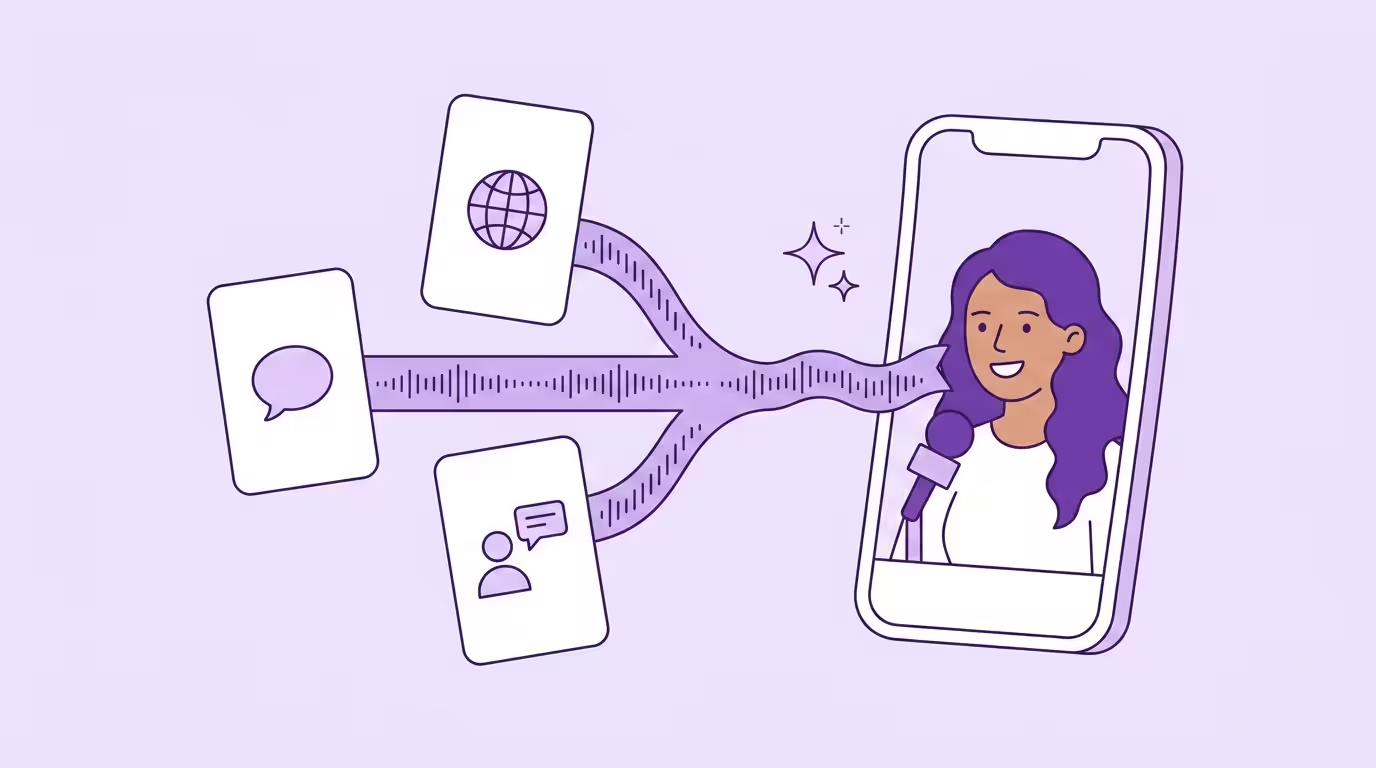
To translate Instagram Reels, you have two options: turn on Meta AI translations inside the Reels editor before publishing, or run the Reel through an external AI video translator that handles dubbing, voice cloning, and lip sync. Meta's built-in feature is free but only covers a handful of languages in select regions. External tools cover 30+ languages, work worldwide, and give you control over translated audio, captions, and on-screen text — which is why every creator I know who actually wants international reach ends up running both.
Both paths below, plus when each wins and where Meta's toggle quietly fails you. This is part of our broader guide to translating video for social media.
Key Takeaways
- EU/UK creators: plan around Meta AI from day one — it won't ship for you.
- Skip subtitles on talking-head Reels. On a 9:16 close-up they're a waste of an upload slot next to voice-cloned dubbing.
- External tools are the only path that scales globally.
- Localize audio, captions, on-screen text, and hashtags — or Instagram's algorithm reads the Reel as inconsistent and limits reach.
- Start with English and Spanish, measure for two weeks, then expand. Most creators land on three or more languages within a few months.
Why Translate Instagram Reels at All
Instagram Reels is the most globally distributed short-form format on the internet right now — over 2 billion monthly active users worldwide, and the algorithm pushes high-completion Reels across borders whether you prepared for that or not. If the audio is in a different language than the viewer speaks, they swipe. That's it.
Every localization deck cites the same CSA Research number — 76% of consumers prefer to buy products with information in their native language (8,709 consumers, 29 countries). The more interesting number from the same survey: 40% won't buy from sites that aren't in their language. On Reels the conversion window is three seconds. You don't even get to the "won't buy" step.
That changes the math entirely.
Translated Reels solve this without forcing you to re-shoot anything. The language barrier on Reels is mostly a supply problem — one English Reel translated into multiple languages (Spanish, Portuguese, German) becomes four audience touchpoints at roughly 1/10th the cost of four native Reels. That's what puts localized content in reach for creators who couldn't afford it before.
Instagram's recommendation engine is language-sensitive. It serves Reels in the language it thinks the viewer prefers — a dubbed Reel in Spanish gets shown to Spanish-speaking users far more reliably than an English Reel with burned-in subtitles. Translated Reels pull in followers from markets you'd otherwise never touch.
The tooling caught up in 2025. Meta shipped its own AI toggle in August 2025, and third-party tools went further — cloned voices, matched mouth movements, 30+ languages. A 60-second Reel now costs a few euros of compute and about 10 minutes of your time. Cheap enough that creators who used to skip localization entirely are running three language versions a week.
Instagram's Built-In Reels Translation with Meta AI
Try the free thing first. Meta's toggle is right there in the Reels editor.
Meta AI translations let creators auto-dub a Reel into a different language directly inside the app, with no external tools required. It clones the creator's voice and optionally matches mouth movements to the translated speech (Source: Meta Newsroom). The catch: limited countries, a handful of language pairs, and the creator has to opt in before publishing.
As of early 2026, Meta supports English and Spanish as the core pair, with Hindi, Portuguese, Bengali, Tamil, and a growing list of languages added over time — seven at last count, vs. 30+ on professional translation tools. That's a 4x gap.
Language support is narrow. Separate from the dubbed audio, viewers get a live caption layer — real-time translated captions on supported Reels, same pattern Instagram uses on DMs. Live captions and dubbed audio are separate toggles. Not every Reel has both turned on.
Rollout has been staggered. The feature went global in October 2025 for creators in supported regions, and language support grew from two to seven pairs in under six months. Adoption numbers aren't public, and the feature is opt-in — which tells you something about the discovery gap inside the app itself.
How to Turn On Auto-Translate for Your Reels (Creator Side)
If you're publishing from a supported region — mostly the U.S. and parts of Latin America and Asia at launch — the creator-side flow is short. Make sure you have the latest Instagram app version first; Meta pushes translation updates frequently and older versions hide the option. Record your Reel, move through the editor, and on the final share screen tap the option to access "Translate voices with Meta AI." Toggle it on and select the target languages. The platform then generates a dubbed audio track and, if you opted in, a lip-synced version that viewers in those languages see automatically. Once published, a small label appears on the translated version: "Translated with Meta AI." You can't edit the translation after it generates — what Meta's AI writes is what viewers hear.
How to Translate a Reel You're Watching (Viewer Side)
For Reels where the creator enabled Meta AI translations, Instagram serves the dubbed version automatically if your account language matches a supported target language. You'll see a "Translated with Meta AI" badge on the video. Tap the three-dot icon and select Translations to switch between the original audio and the translated audio, or to turn it off for that Reel.
For Reels where the creator didn't opt in, translation is limited to captions. Tap the "See Translation" button below the caption to get a translated version of the written text. If the creator added a captions sticker to the video (Instagram's native caption layer for accessibility), those captions get auto-translated too — announcements and text stickers added to the Reel follow the same path as the main caption. You can also tap the three-dot icon and select Translations to check what's available. There's no universal "translate this Reel's audio" button — if the creator didn't enable Meta AI translations, you'll need an external tool to translate the audio.
How to Turn Off Auto-Translate Reels
If you keep getting Spanish-dubbed Reels when you wanted the originals, the fix is in your account settings, not in each individual Reel. Open Settings, scroll to Audio and Language, and toggle the auto-translation setting off. You can also override it per Reel — tap the three-dot icon, tap Translations, and select the original language.
A common confusion: some viewers see Reels in Spanish and assume Instagram changed their account language. What actually happened: the creator enabled Meta AI translations, and your viewer-side default is set to show translated audio when available. Toggle it off in Settings → Audio and Language to stop seeing translated versions.
Where Meta AI Translations Still Fall Short
Meta's feature is a useful starting point, but it has real limits. The translation feature is not available in the EU, the UK, or several U.S. states due to regulatory restrictions — the toggle doesn't exist in your app in those regions (Source: Instagram Creators Blog). If you're a European creator, or targeting European audiences, Meta AI translations won't help you at all.
Even where it works, the control is minimal. You can't edit the translation before it goes live. You can't customize how your brand name is pronounced. You can't export the dubbed version for TikTok or YouTube. Every translated Reel carries a "Translated with Meta AI" label you can't remove. The feature is Reels-only — Stories, ads, and Feed videos aren't supported at all. For marketing videos or branded content, that's an immediate dealbreaker.
I pressure-tested this for a week before giving up: three Reels through Meta's toggle, decent Spanish output, mediocre Portuguese, and no way to fix the mediocre one short of deleting the Reel and re-recording. The toggle is fine for casual posts. For anything you'd put ad spend behind, it's not. If you'd spend more than five minutes editing a Reel before posting it, you'll outgrow this toggle inside a week.
Three Ways to Translate Instagram Reels with External Tools
Outside Meta, three paths. Cheapest to heaviest. Each one changes how the Reel actually performs in a new market.
Translated Subtitles and Captions
The simplest approach: generate translated subtitles with an AI video translator, then burn them into the Reel or add them as Instagram captions. Most translation tools let you upload an MP4, auto-transcribe the audio, and export translated subtitles as SRT or TXT files in 100+ languages. The original voice stays. Viewers read along in their native language.
This works well for text-heavy or visual-first Reels where the imagery carries most of the meaning. It's cheap, fast, and reaches viewers who watch with the sound off. Subtitles also improve accessibility for hearing-impaired viewers and non-native speakers, and they help with Instagram's caption-based discovery. Subtitle placement and font readability matter more than creators expect: white text on a busy background disappears, and oversized subtitles cover half the frame.
But subtitles hit a ceiling. A subtitled Reel still feels like foreign content with text slapped on top — viewers get the information but miss the personality, the delivery, the reason they follow the creator in the first place. For talking-head Reels especially, subtitles create distance rather than closing it. That's why a subtitled localized version rarely holds attention past the first three seconds in a target-language feed.
AI Dubbing with Voice Cloning
AI dubbing replaces the original video's audio with a translated version — generated by a cloned version of your own voice. It keeps your tone, cadence, and voice across languages. Not a stock voiceover. You. Modern AI video translators cover 30+ languages out of the box, with English and Spanish, Hindi, Portuguese, Italian, Japanese, and Chinese among the most popular pairs. Viewers hear you speaking their language.
I ran the same 30-second Reel through four tools last month. Two still sound like a GPS at three-quarter speed — robotic pitch, wrong breath placement, weird pauses on consonant clusters. The other two are indistinguishable from the original on a phone speaker. The gap between category-leader output and the free tier is not subtle.
Unlike YouTube, where viewers tolerate subtitles on a 10-minute video, Reels is built for immediacy. People don't stop scrolling to read — they stop because something grabs them in the first second. A dubbed Reel in someone's native language does that. A subtitled one usually doesn't. Cloning your voice once with a voice cloning tool and reusing it across every language you translate videos into also solves the personal brand problem: if your audience follows you for your voice, subtitles strip that away for every non-native viewer.
At Dubly, we see this pattern consistently: creators who switch from subtitled Reels to cloned-voice dubbing typically see completion rates jump on translated versions. The content finally feels like it was made for the viewer rather than translated for them. Good dubbing means no accent bleed either — a German creator's English dub should sound native.
Full AI Dubbing with Lip Sync
Take AI dubbing one step further: in addition to replacing the audio, generative lip sync adjusts the mouth movements in the video to match the translated speech. The result is a Reel that looks and sounds like it was recorded in the target language from the start.
Why does this matter more on Reels than anywhere else? Because Reels are vertical and close-cropped. 9:16 format means the creator's face fills the screen. There's nowhere to hide a mismatch between what viewers hear and what they see. On YouTube, a slight audio-visual disconnect might slide past in a wide shot. On a close-up Reel? Instantly obvious, and the viewer scrolls.
Reels are actually ideal for accurate lip sync. Most talking-head Reels feature a single speaker, front-facing camera, and stable framing — exactly the conditions where lip sync technology performs best. Short format also speeds things up: a 60-second Reel with lip sync is ready in a few minutes, not hours.
Worth knowing: most tools cap out at about 30 degrees of head rotation, which is why side-angle shots and pan-and-scan Reels often looked broken on older tools. Dubly's Lip Sync 2.0 handles extreme angles and lateral movement without drift or distortion, so wider angles and moving faces hold up. Multiple speakers in one frame trip up most tools too, but Dubly separates each speaker in a single pass. For the cleanest result with any tool, feed it sharp footage rather than heavy motion blur. The typical face-to-camera Reel with a single speaker is the easiest case of all.
Side Profile Demo
How to Translate an Instagram Reel Step by Step
Five steps, under 10 minutes for a 60-second clip. Same workflow whether you're translating one Reel or a month's worth.
1. Download your Reel as MP4. Instagram lets you save your own Reels directly from the app — tap the three-dot icon on your published Reel and tap Save to camera roll. For unpublished content, use the original file from your camera roll or editor. Higher source quality means more accurate transcription.
2. Upload your video to an AI video translator. Open the tool in your browser or app and upload the file. Good tools auto-detect the spoken language and run transcription automatically. This is where the AI video translation pipeline kicks in: speech recognition, neural translation, cloned-voice synthesis, and optional mouth-movement matching in one pass. Background music in the Reel gets preserved — only the spoken voice is replaced.
3. Select target languages and review the translation. This is where the free tools fall apart — and where most creators blow it. They skip the review, trust the AI, and post. Can you edit the transcript before the AI generates audio? Can you lock specific terms — your brand name, product names, jargon — so they don't get mistranslated? An accurate translation depends on five minutes of human review before export — in our experience that catches roughly 80% of the errors a set-and-forget run would ship.
4. Generate dubbed audio with voice cloning and lip sync. Pick your output options to preserve the voice and match mouth movements to the translated audio. Processing a 60-second Reel through both takes roughly 2–3 minutes per language on most tools, and the output is an MP4 ready for upload.
5. Download and post. You get an MP4 ready for Instagram, and most tools also let you export translated subtitles as SRT or TXT separately. Post the translated Reel on your main account or a dedicated language-specific account. Add translated captions and localized hashtags before publishing — not the same hashtags translated word-for-word, but the hashtags that target audience actually uses. Translating CTAs is vital too, since that's what drives international conversions.
The whole process for a single Reel takes under 10 minutes. Scaled across a content calendar, that's maybe an extra hour per week to stay active in three or four additional markets. We see the same arc across our customer base: creators start with one language pair — usually English and Spanish — and expand to three or more within a few months, once engagement data from the first translated Reels makes the decision obvious.
Free vs. Paid Translation Tools for Reels
Before you commit to a paid tool, test with a free one. Here's where the line breaks.
Most free translation tools focus on subtitles. A free AI video translator can auto-generate captions, let you download them as SRT or TXT files, and sometimes burn them into the Reel directly. For testing a new market, that's often enough. The gap is wider than most creators expect. Wide enough that the free tier is a validation tool, not a production tool.
| Feature | Free Tools | Professional AI Dubbing |
|---|---|---|
| Translated subtitles / captions | Yes | Yes |
| Audio translation | Limited / robotic | Natural, accurate AI voice |
| Voice cloning | No | Yes — your voice, their language |
| Lip sync | No | Yes — lip movements matched |
| Editable translations | Rarely | Yes — full control before export |
| Custom terminology / glossary | No | Yes |
| Languages | 5–10 | 30+ |
| Batch processing | No | Yes |
| Output formats | MP4 only | MP4, SRT, audio tracks |
| Watermark / branding | Often yes | No |
Free subtitle tools are fine for validation. Throw translated captions on three or four Reels, see if there's reach and engagement from the new market. When the signals come back positive, the numbers usually make the call for you. Manual translation with a human voice actor plus studio time typically costs around 80 €/minute of finished audio — prohibitive for individual creators and the kind of effort that rarely pays off at Reels scale. AI video translators drop that to a few euros per translated minute — about 94% cheaper — and the cloned output sounds more like you than any voice actor ever could. Most professional translation tools run on per-minute pricing or a monthly subscription, so the math is predictable. See current Dubly pricing.
Best Practices for Translated Reels That Actually Perform
Translating the audio is half the job. Making the translated Reel land in Instagram's algorithm is the other half — and it's not the same thing as making the original perform. Five habits separate translated Reels that travel from those that stall.
Localize hashtags, don't translate them. Spanish-speaking viewers don't search for #FitnessMotivation — they search for #MotivaciónFitness or #EntrenamientoEnCasa. A direct translation misses cultural nuance and trending terms every time. Search engines and Instagram's own discovery both prioritize localized content over word-for-word translations.
Rework the hook, not just the language. The first three seconds decide whether a viewer finishes the Reel. A joke or cultural reference that lands in English sometimes falls flat in Portuguese. Review the transcript and adjust the opening lines — a voice-cloned delivery doesn't fix a hook that doesn't work in the target market. Manual review consistently improves viewer retention.
Translate on-screen text too. Rebuild overlays or use a tool that handles burned-in text.
Pick a posting strategy that fits your goals. Three options: one multilingual account (simplest, confuses the algorithm), separate language-specific accounts (cleanest signal, more maintenance), or a primary account with occasional translated posts. Most creators we work with at Dubly end up with separate accounts per language once they're serious — Instagram's algorithm rewards dedicated signals.
Post at the right local time per market. A dubbed Spanish Reel posted at 9am CET lands in Mexico City at 2am. Translate the schedule, not just the audio. Peak engagement windows differ by country — early afternoon in Germany, late evening in Brazil, early morning in Japan. Platforms like Later and Buffer let you schedule per-timezone once you've split markets.
Repurpose across platforms. A translated Reel is also a translated TikTok and a translated YouTube Short. Most AI video translators export platform-agnostic MP4 — one pass, three platforms. Cost stays flat. Distribution multiplies. That's why the math works.
Reels vs. Other Formats: Why the Approach Differs
Reels aren't the only short-form format worth translating — but the playbook doesn't transfer cleanly. The same approach doesn't carry over to YouTube. If you're already translating YouTube videos, the same tool works — but the production standards shift.
YouTube supports Multi-Language Audio tracks natively: upload multiple dubbed audio files to one video, YouTube serves the right track per viewer. Instagram has none of that. Each translated Reel is its own upload, typically on its own account. And on Reels, discovery happens through the Explore page, hashtags, and the algorithm — not search. A translated Reel competes with native content in that language, which means it can't just be "good enough." It needs to feel native. That's why mouth-movement matching and cloned voices matter more on Reels than on long-form video — the viewer is closer to the creator's face, and the attention budget is thinner.
The upside: short-form translates fast and cheap. A 60-second Reel costs a fraction of what a 12-minute YouTube video does — typically under €5 for a single language. You can translate a full month of Reels in the time it takes to process one long-form YouTube video. If you're on both, start with Reels. Lower investment, faster feedback, cleaner engagement signal.
Creator and outdoor filmmaker Marius Quast saw this dynamic firsthand. After translating his video content with Dubly, his reach grew by 590%. As he puts it:
I get comments from all over the world every day — that shows me just how much working with Dubly has paid off. My videos sound like me in every language.

Marius Quast
Creator & Outdoor Filmmaker
Start with One Reel, One Language
Reels reward content that feels native, not translated — and on a 9:16 close-up, voice-cloned dubbing with matched mouth movements is what closes that gap. Pick one proven Reel, run it through an AI video translator into your strongest target market, and measure two weeks of reach and completion before scaling. Once the engagement data lands, expanding to three or more languages becomes the obvious call. The same workflow carries over to Instagram video and the rest of your short-form catalog.
Back to the complete guide: Social Media Video Translation
Translate Your First Video
Results in just a few minutes
No credit card required
Best translation quality worldwide
About the author

Leon Bach
Growth Marketing Manager