Social Media Video Translation
July 9, 2026
How to Translate YouTube Videos with AI
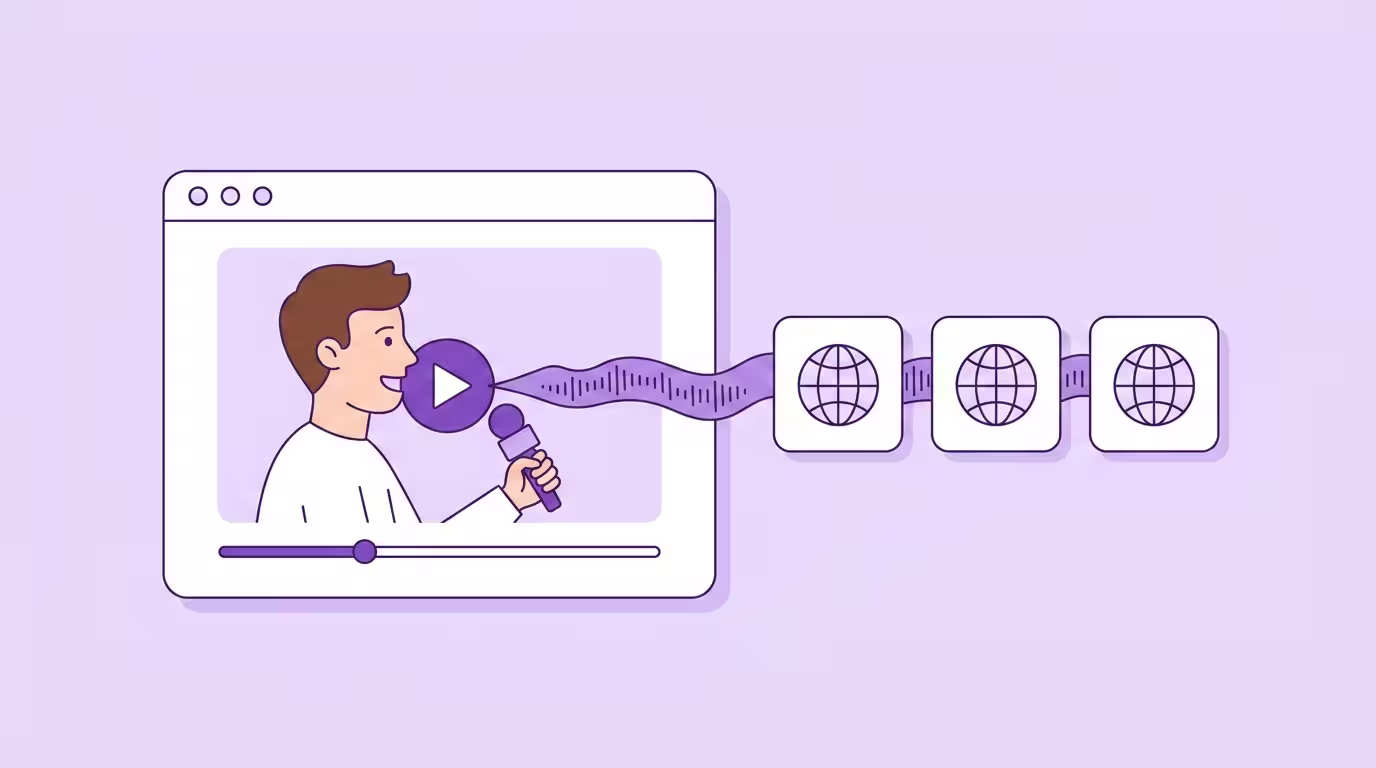
Translating a YouTube video with AI means replacing the original audio with an accurately dubbed version in another language — preserving the speaker's voice and matching mouth movements to the translated speech. What used to require a recording studio, professional voice actors, and weeks of post-production now takes minutes.
Since YouTube rolled out Multi-Language Audio to all creators in September 2025, the platform actively supports multilingual content. The missing piece was always production — how do you actually create those translated audio tracks at scale? That's where AI video translation comes in.
This guide covers the best ways to translate YouTube videos — from free AI video translator tools and subtitle generators to professional dubbing software. Whether you want to translate videos with subtitles or full audio, you'll find the right approach for your channel.
Key Takeaways
- AI video translators replace your original audio with an accurately dubbed version in multiple languages.
- YouTube MLA supports up to 6 translated audio tracks per video, playing automatically for each person's language.
- Choose between translated subtitles (cheaper, faster) or full AI-powered audio translation (higher engagement) — or both.
- Free video translator tools work for subtitles; professional YouTube video translators add voice cloning and lip sync.
- Start with your best-performing videos, test one language, then scale based on data.
- Traditional dubbing runs about €80/minute; AI translation comes in around €5/minute — a 94% cost reduction.
Why Translating YouTube Videos Is No Longer Optional
Here's a number that should keep every English-only creator up at night: 76% of consumers prefer to buy products with information in their native language (Source: CSA Research, survey of 8,709 consumers across 29 countries). That's not an e-commerce stat. It's a preference stat. It applies to YouTube just as much as it applies to product pages.
YouTube's algorithm doesn't care about borders. It cares about watch time, engagement, and completion rates. A translated video in Spanish that holds viewers for 8 minutes beats an English video that loses Spanish-speaking viewers after 90 seconds. Every time.
The math is simple. You already did the hard work — researching, filming, editing. Translating that existing content into multiple languages multiplies your potential audience without multiplying your production cost. Whether you choose to add translated subtitles or full audio translation, the reach compounds. YouTube confirmed the numbers themselves: creators using Multi-Language Audio tracks saw over 25% of their watch time come from non-primary language audiences (Source: YouTube Blog).
That's not incremental growth. That's an entirely new global audience you weren't reaching at all. When you translate videos that already work, you're unlocking viewers around the world who would love your content — if only they could understand it.
How AI YouTube Video Translation Works
An AI video translator combines three technologies into one pipeline: speech recognition, neural machine translation, and voice synthesis. The AI-powered software transcribes the original audio into text, translates it with full sentence-level context, then generates a new audio track that sounds like the original speaker — in the target language.
Transcription and Context-Aware Translation
The process starts with automatic speech recognition. The AI transcribes the spoken words into text, identifies individual speakers, and segments the audio. Then neural translation handles the rest — not word-by-word, but context-aware. A good tool understands that "sick edit" in a vlog doesn't mean someone's ill. That level of accuracy matters when you're translating across multiple languages simultaneously.
Timing matters too. Different languages need different amounts of time to say the same thing. German text runs 20–30% longer than English. The AI adjusts speech rate and pacing so the translated audio matches the original video length — no awkward gaps, no rushed sentences.
Voice Cloning — Your Voice in Every Language
Voice cloning recreates the speaker's vocal characteristics in the target language. Pitch, tone, cadence — it all transfers. But here's what surprises most people: the AI doesn't carry over the accent. It generates accurate native pronunciation in each language. Your German video dubbed into English sounds like a native English speaker — with your voice and your energy. Not a German accent reading an English script.
A pattern we see at Dubly: most creators start with one language pair — typically German to English or English to Spanish. Within three months, they add multiple new languages. Once you hear yourself in another language and see the engagement data, expanding feels obvious.
Lip Sync — Making It Look Real
AI lip sync goes further. Instead of just swapping the audio, it adjusts the speaker's mouth movements frame by frame to match the translated speech. The result looks natural — people watching in the target language can't tell it was originally in a different language.
This matters more than most creators realize. Mismatched mouth movements create an uncanny valley effect that makes people click away. For talking-head content, tutorials, vlogs — basically most of YouTube — accurate visual synchronization is the difference between "this feels authentic" and "something's off here."
4 Ways to Translate a YouTube Video
Not every method delivers the same results. Choosing the right approach depends on your content type, budget, and how much accuracy you need. Here's what each video translator method delivers — and where it falls short.
AI Dubbing (Full Voice Replacement)
AI dubbing replaces the original audio entirely with a translated version. The output is a new audio track that sounds like the original speaker talking in the target language. The best tools combine voice cloning with visual synchronization features — you get authenticity on both the audio and visual level. It's easy to see why this approach delivers the highest engagement.
Best for: Talking-head videos, tutorials, educational content, vlogs — anything where the speaker's personality carries the video.
AI-Generated Subtitles and Captions
Subtitle translation is faster and cheaper than full audio dubbing. Tools like YouTube's auto-generated subtitles, HappyScribe, or dedicated subtitle translators make it easy to add translated text to your video in multiple languages within minutes. Most support exporting subtitle files in SRT or VTT format, which you can then upload to YouTube. Choose this method when you want a simple, low-cost way to make your content accessible to a wider audience.
The accuracy of auto-generated subtitles has improved significantly, but it's not perfect — especially for niche terminology, accents, or fast speech. Always review the translated subtitle text before publishing. Many platforms and tools support editing the translated captions directly, which makes it easy to catch errors before they go live. Some video subtitle translators also support batch processing — translating subtitle files for multiple videos at once.
The trade-off? Subtitles require reading, which splits attention. People can't easily multitask — driving, cooking, working out — while watching subtitled content. And YouTube's algorithm weighs watch time heavily. Fully translated audio consistently outperforms subtitles on completion rates.
Best for: Budget-constrained creators testing a new market, or content where visuals carry the message (travel montages, music, sports highlights).
Online Video Translators (Paste a Link)
A large category of free and paid video translators work directly with YouTube links. You paste a YouTube video URL, the software downloads the video, generates a transcript, translates the text, and produces translated subtitles or a dubbed audio track — all without you having to download or upload any files yourself.
Popular options include Vozo, HappyScribe, and various Chrome extensions that auto translate YouTube videos in real time. Most free video translators in this category focus on subtitle generation rather than full audio dubbing. The translation accuracy varies — simple conversational content translates well, while technical or niche topics often need manual editing.
The appeal is obvious: it's easy, it's often free, and you don't need to install any software. The trade-off is control. You can't edit the transcript before translation, you can't use custom glossaries, and the voice output (if available) is generic. For creators who want accurate, professional translations that sound like them — this approach has clear limits. But as a quick way to add translated subtitles to a video, link-based translators are hard to beat.
YouTube's Built-in Auto-Dubbing
YouTube offers automatic dubbing for eligible creators. Free, built into YouTube Studio, zero effort. It currently supports a limited number of languages and generates a generic AI voice — no voice preservation, no visual synchronization. You can't edit the translated text or control the output quality.
Best for: An easy way to test whether translated content gets any traction at all before investing in professional translation.
| Feature | AI Dubbing (e.g. Dubly) | Online Video Translator | AI Subtitles | YouTube Auto-Dub |
|---|---|---|---|---|
| Voice preservation | Cloned voice | Generic / none | No audio change | Generic AI voice |
| Visual sync | Frame-by-frame | Not supported | N/A | Not supported |
| Input method | Upload video file | Paste YouTube link | Upload / paste link | Built into YouTube |
| Languages supported | 38+ | Varies (20-100+) | 100+ | Limited |
| Translation accuracy | High + editable | Varies by tool | Auto-generated text | No editing |
| Subtitle download | SRT included | SRT/VTT/TXT | SRT/VTT | No export |
| Cost | Credit-based | Free–freemium | Free–low | Free |
| Engagement impact | Highest | Low–moderate | Moderate | Low–moderate |
How to Translate a YouTube Video — Step by Step
Here's the practical workflow for how to translate YouTube videos with a professional AI video translator. I'm using Dubly as the example because it's what I work with daily — but the general process applies to any YouTube video translator software that supports dubbing.
- 1
Choose Videos
Pick your best-performing uploads by watch time
- 2
Upload & Select
Add the file and choose target languages
- 3
Review & Edit
Check the translation and lock brand terms
- 4
Publish via MLA
Upload the audio track to YouTube Multi-Language Audio
Step 1: Choose Your Best-Performing Videos
Don't start with your latest upload. Choose videos that already perform — high watch time, strong engagement, proven topics. If a video works in one language, it's far more likely to work when you translate it for a global audience.
Check YouTube Analytics: which videos have the highest average view duration? Choose those as your translation candidates. Not the ones with the most views — the ones where people actually stay and watch.
Step 2: Upload and Select Target Languages
Upload your video file (MP4 or MOV, up to 4K). Select your target languages — most AI-powered video translators support translating videos into multiple languages simultaneously. Not sure which to choose? YouTube Studio → Analytics → Geography tells you where your audience already comes from. If 8% are in Brazil despite your content being in English, add Portuguese first. Those people already found you — imagine what happens when they can actually understand you.
Step 3: Review and Edit the Translation
This is the step most people skip. And regret.
AI translation is strong, and brand names, technical terminology, and cultural references are exactly where a quick human review pays off. Even with high baseline accuracy, if your niche has specific vocabulary (fitness, gaming, finance, tech), take the 15 minutes to review the translated text.
Glossaries help enormously here. Set up your brand terms and recurring vocabulary once, and every future translation stays consistent. At Dubly, customers who use the glossary feature have noticeably fewer revision cycles. The upfront effort pays for itself by the third video.
Step 4: Publish via YouTube Multi-Language Audio
Once your translated audio track is ready, upload it through YouTube Studio. The process is simple: go to Languages → select your video → Add Language → choose the language → upload your audio file → Publish.
The audio defaults to each person's preferred language based on their watch history. They can also switch manually in the player's audio settings. No friction, no setup needed on their side.
YouTube Multi-Language Audio — What Creators Need to Know
YouTube MLA launched as a pilot in 2023 with creators like MrBeast and Jamie Oliver. Since September 2025, it's available to all creators with Advanced features access.
The pilot results were hard to ignore. YouTube reported that Jamie Oliver's multi-language audio tracks gained three times more views. Across all pilot creators, over 25% of watch time came from non-primary language audiences.
What makes MLA fundamentally different from translated subtitles: the translated audio plays automatically. A Spanish-speaking person clicking on an English video with a Spanish MLA track hears Spanish by default. Zero friction. They don't even know the video was originally in a different language.
The platform currently supports adding up to 6 audio tracks per video. It also works on Shorts — which makes it easy to translate short-form content across multiple languages at once.
With Dubly.AI and YouTube Multi-Language Audio, we're able to reach audiences beyond the DACH region for the first time — without compromising on tone, quality, or authenticity. It's the perfect entry point into the international market.

Michael Graf
Head of Video, Webedia GmbH (GameStar)
Free vs. Paid — What YouTube Video Translators Actually Deliver
The honest breakdown of what's available for free — and where you'll need to pay.
Free Options That Actually Work
Free online video translators (link-paste tools) are the fastest way to get started. Paste a YouTube video URL, get translated subtitles in minutes. Most free video translator tools cap you at a few minutes of video per month, but for testing whether viewers in a new language engage with your content, that's enough. Some popular free translators also let you download subtitle files in SRT format — useful if you want to upload them to YouTube separately.
YouTube's auto-generated subtitles are free and surprisingly accurate for clear English speech. You can auto translate these captions into other languages directly in YouTube Studio. The quality of auto-translated subtitles varies by language — Spanish and French tend to be solid, while less common languages produce more errors.
Google Translate works as a DIY method if you're in a pinch. Copy your video's transcript, paste it into Google Translate, review the translated text, then upload it as a subtitle file. It's free, it's easy, and the accuracy is decent for simple content. For anything technical or nuanced, though, you'll spend more time fixing errors than you saved.
YouTube's auto-dubbing is free for eligible creators. Generic AI voice, limited languages, no editing — but zero effort and zero cost.
When Free Isn't Enough
Free video translators work for subtitles. They don't work for professional dubbed audio that sounds like you. If your viewers expect to hear your voice, your energy, your personality — free tools can't deliver that.
Professional AI video translators with voice preservation and accurate visual synchronization cost money. But the economics work fast. Traditional dubbing with voice actors runs about €80 per minute. AI video translation comes in around €5 per minute — a 94% cost reduction. A 10-minute video that would have cost €800 to produce in another language costs roughly €50 with AI. It's easy to see why more creators choose this route every month.
For creators publishing weekly across multiple languages, the ROI payoff is usually within the first month. Dubly offers a free 1-minute trial — so you can judge the accuracy and quality before committing to a plan.
We used to produce every language version separately in a studio — now one recording is all it takes to run five channels worldwide. Thanks to Dubly, we save massively on time and cost — and still sound like ourselves in every language.

Nicholas Nefdt
Head of content, Buycycle
Best Practices for YouTube Video Translation
Start with Videos That Already Perform
Your top 10 videos by watch time are your best translation candidates. They've proven the topic works. They've proven the format works. Translation removes the language barrier — it doesn't fix a boring video. Choose content that already has strong engagement features: clear structure, good pacing, universal appeal.
Pick Languages Based on Your Analytics
YouTube Analytics → Geography tells you where your audience already is. If a significant chunk comes from a region despite the language barrier, that's your first target market. They already found your video content through the platform's algorithm. Give them accurate translations they can actually understand.
Use Glossaries for Brand Consistency
Product names translate fine automatically on most platforms. "iPhone" comes through correctly every time. But your brand name, your signature catch phrases, niche-specific jargon? Those need explicit rules. Build a glossary before your first video translation — not after your fifth, when inaccurate translations of key terms have already spread across three languages.
Test One Language Before Translating into Multiple
Don't translate videos into eight languages on day one. Pick one. Translate five YouTube videos. Measure for 30 days — watch time, subscriber growth, engagement rate, all in the new language. Then add more languages based on data, not assumptions.
Once YouTube is working, consider expanding to other social media platforms. You can translate videos for Instagram, TikTok, and other channels with the same AI video translator — reaching a global audience across multiple platforms. Our broader social media video translation guide covers platform-specific strategies.
Translate Your First YouTube Video
Multi-Language Audio turned translation into a real growth lever: one video page, every language, all the views and comments in one place. The production side is where an AI video translator earns its keep — voice-cloned audio that sounds like you, ready in minutes instead of weeks. Start with one proven video and one target language, watch 30 days of watch-time data, then scale across your catalog.
If you want the automated, link-paste version of this workflow, see how to translate YouTube videos automatically.
Back to the complete guide: Social Media Video Translation
Translate Your First Video
Results in just a few minutes
No credit card required
Best translation quality worldwide
About the author

Leon Bach
Growth Marketing Manager