Social Media Video Translation
July 9, 2026
How to Translate Instagram Videos and Reels with AI
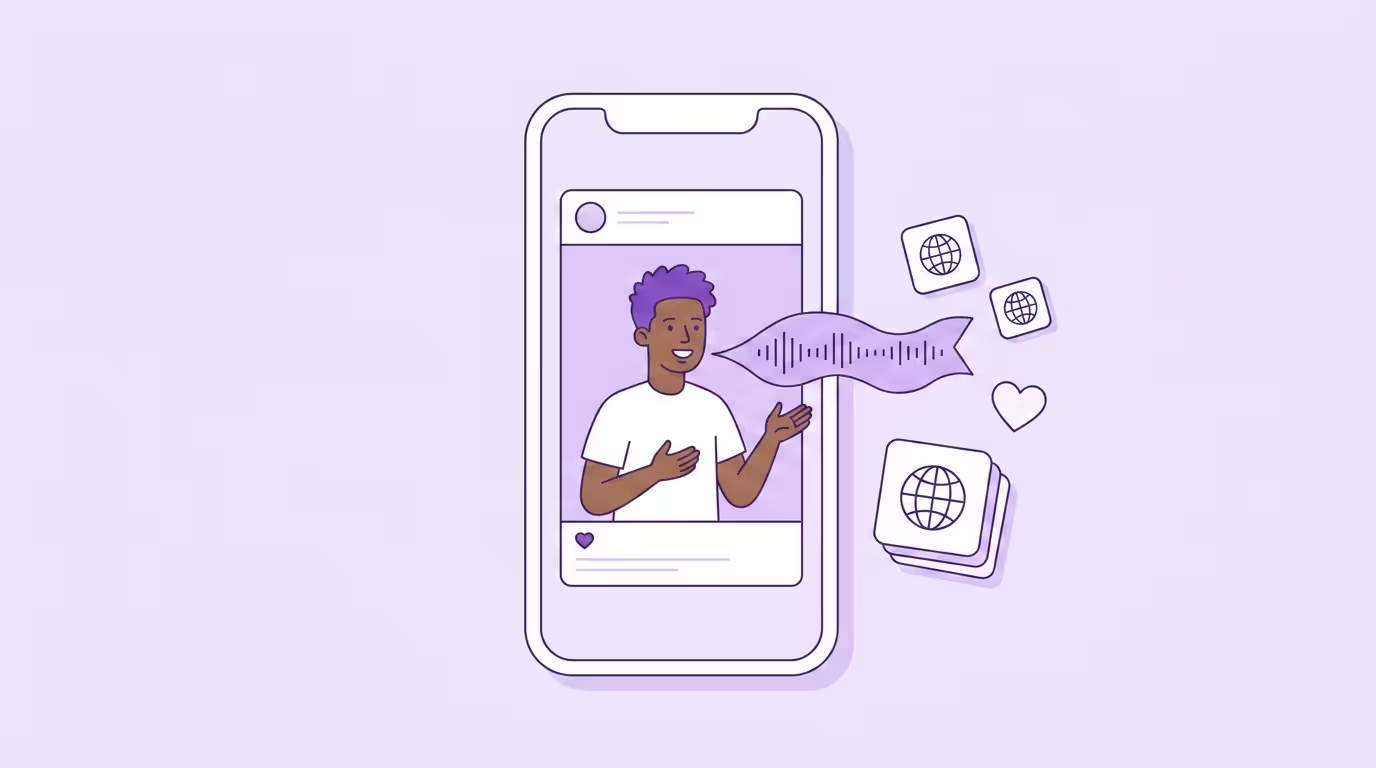
Translating an Instagram video means replacing the spoken audio with a dubbed version in another language — or adding translated subtitles — so viewers in other markets can actually understand your content. With over 2 billion monthly active users across every continent, Instagram is one of the most visual, scroll-driven social media platforms on the planet. And most of that global audience doesn't speak your language. The language barriers are real: 76% of consumers prefer to buy products with information in their native language (Source: CSA Research).
Instagram rolled out its own AI translation feature for Reels in 2025, but it's limited to a handful of languages and unavailable across the EU entirely (Source: Meta Newsroom). If you want to reach a global audience with translated Reels that actually sound like you, external AI dubbing tools are still the only reliable path.
This guide covers every method — from free video translator tools to professional AI dubbing with voice cloning and lip syncing — so you can pick the right approach for your Reels, Stories, and video content. It's part of our broader guide to translating video for social media.
Key Takeaways
- Instagram's built-in AI translation is limited in languages and unavailable in the EU — external tools are essential for serious international growth.
- Subtitles and captions work for quick, budget translations. AI dubbing with voice cloning and lip sync delivers a natural viewing experience that actually retains global audiences.
- Reels' vertical, close-up format makes accurate lip sync more important than on any other social media platform — mismatches are immediately visible on screen.
- Localize everything: audio, captions, hashtags, on-screen text. Half-translated content performs worse than untranslated content.
- Start with one language, prove the engagement, then scale. Most creators expand to three or more languages within a few months.
Instagram's Built-In Translation — and Why It Falls Short
Meta launched AI-powered voice translation for Reels in August 2025. The feature uses AI to dub your Reel into another language, mimicking your voice and optionally syncing lip movements. Sounds great on paper. The reality is more complicated.
The initial rollout covered only English and Spanish. Meta has since expanded to Hindi, Portuguese, Bengali, Tamil, and a few other languages — but that's still a fraction of what creators need to reach global audiences. More critically, the feature is completely unavailable in the EU, UK, and several U.S. states due to regulatory restrictions (Source: Instagram Creators Blog). If you're a European creator or targeting European audiences, Meta's translation tool simply doesn't exist for you.
Even where it works, there are practical limitations. You can't edit the translation before it goes live. You can't customize the AI voice or adjust terminology. You have zero control over how your brand name gets pronounced. The translated Reel lives on Instagram only — you can't export the dubbed version or download the file for use on other social media platforms like TikTok or YouTube. And every translated Reel carries a "Translated with Meta AI" label, which may or may not fit your brand positioning. The feature also only works for Reels — Instagram Stories, video ads, and other formats aren't supported at all.
As a creator, you can enable translations by toggling "Translate voices with Meta AI" in your Reel settings before publishing — the AI then automatically dubs and lip-syncs your content for viewers in supported languages. On the viewer side, you can turn translations on or off in Settings → Audio and Language. But both sides only work where the creator has opted in and the language pair is available.
For creators posting the occasional casual Reel, Meta's built-in feature might be enough. But if translation is part of your growth strategy — if you're building audiences in multiple markets and need accurate results you can actually control — you need a tool with more languages and no geographic restrictions.
Three Ways to Translate Instagram Videos
Not every piece of content needs the same treatment. A 15-second trending Reel doesn't require the same production quality as a product launch video or an Instagram Story promoting your latest drop. Here's what actually works for translating Instagram videos, and when to use each approach.
Translated Subtitles and Captions
The simplest method: use a free video translator or auto-captioning app to generate subtitles in your target language, then burn them into the video or add them as captions. Most online tools let you upload your video file right in the browser — no app download needed, works on any device. AI video translation tools can instantly transcribe and translate subtitles into over 100 languages, from Spanish and French to Japanese, Korean, Arabic, Chinese, and Hindi. You'll typically get SRT or TXT subtitle files you can edit before finalizing. The original language audio stays untouched — viewers read along while hearing your original voice.
This works well for text-heavy content where the visual context carries most of the meaning. It's fast, it's accessible, and it reaches people who watch with the sound off — which on Instagram is a lot of people. Subtitles also make your content available to hearing-impaired viewers, and they work for Instagram Stories, not just Reels. Most tools let you customize subtitles with different fonts and colors to match your brand.
But there's a ceiling. Subtitled Reels still feel like foreign content with a text overlay. Viewers who don't speak your language get the information but miss the connection — the tone, the energy, the personality that makes them follow you in the first place. For talking-head content especially, subtitles create distance rather than closing it.
AI Dubbing with Voice Cloning
AI dubbing replaces the original audio entirely with a translated version — generated by an AI voice cloned from your own. The technology captures your vocal characteristics, your cadence, your energy, and reproduces them in Spanish, French, Japanese, Arabic, German, Korean, or whichever language you're targeting. Professional AI video translator tools support 30+ languages, with Hindi, Portuguese, Italian, and Chinese among the most popular. Viewers hear you speaking their language. Not a robotic narrator. You.
This is where Instagram translation gets interesting. Unlike YouTube, where viewers expect longer formats and are more tolerant of subtitles, Instagram is built for immediacy. People don't stop scrolling to read. They stop scrolling because something grabs them aurally and visually within the first second. A dubbed Reel in someone's native language does that. A subtitled one usually doesn't.
Voice cloning also solves the personal brand problem. If your audience follows you for your voice, your humor, your delivery — subtitles strip that away for every non-native viewer. AI dubbing preserves it and makes your content accessible to audiences who would otherwise scroll past. At Dubly, we see this pattern consistently: creators who switch from subtitles to AI dubbing report significantly higher completion rates on their translated Reels, because the content finally feels native rather than adapted.
Full AI Dubbing with Lip Sync
Take AI dubbing one step further: in addition to replacing the audio, generative lip sync adjusts your lip movements to match the translated speech. The result is a video that looks and sounds like you recorded it in the target language from the start.
Why does this matter more on Instagram than on other platforms? Because Reels are vertical. 9:16 format means your face fills the entire screen. There's nowhere to hide a mismatch between what viewers hear and what they see. On YouTube, a slight audio-visual disconnect might slide past in a wide shot. On a close-up Reel, it's immediately obvious.
The good news: Reels are actually ideal for lip sync technology. Most talking-head Reels feature a single speaker, front-facing camera, stable framing — exactly the conditions where AI lip sync delivers its best results. Short format also means faster processing. A 60-second Reel with lip sync is ready in minutes, not hours.
Worth knowing: extreme side angles and multiple speakers in one frame are where most tools fall over. Dubly's Lip Sync 2.0 handles extreme angles and lateral movement without drift or distortion, and separates each speaker in a single pass, so wider angles and multi-speaker Reels hold up. For the cleanest result with any tool, feed it sharp footage rather than heavy motion blur. The typical face-to-camera Reel with a single speaker is the easiest case of all.
Occlusion Demo
How to Translate an Instagram Video Step by Step
Whether you're translating a single Reel or batch-processing a month's worth of content, the workflow follows the same structure. Here's the practical guide.
1. Download your Reel as MP4. Instagram lets you save your own Reels directly from the app. For older content or Instagram Stories, use your original video file from your camera roll or video editor — higher source quality means more accurate translation results.
2. Upload your video to an AI video translator. Open the tool in your browser or app and upload the file. Good tools auto-detect the spoken language and run transcription automatically. This is where the AI video translation pipeline kicks in: speech recognition, neural translation, and voice synthesis in one pass. The background music in your video gets preserved — only the spoken audio is replaced.
3. Select your target language(s) and review the translation. This step separates professional video translator tools from free ones. Can you edit the transcript before the AI generates audio? Can you customize and lock specific terms — your brand name, product names, industry jargon — so they don't get mistranslated? The option to review and adjust the translated text matters more than most creators realize, especially once you're producing content in multiple languages you don't personally speak.
4. Generate dubbed audio with voice cloning and lip sync. Choose your output options: voice cloning to preserve your vocal identity, lip sync to match lip movements to the translated speech. Processing a 60-second Reel through both takes roughly 2–3 minutes per language.
5. Download and post. You'll get an MP4 file ready for Instagram upload — some platforms also let you export subtitles as SRT or TXT files and transcripts separately. Post the translated video as a new Reel or Story, either on your main account or on a dedicated language-specific account. Add translated captions and localized hashtags. Done.
The whole process for a single Reel takes under 10 minutes. Scale that across a content calendar, and you're looking at maybe an extra hour per week to maintain presence in three or four additional markets. You can even automate parts of this workflow with API integrations if you're producing at scale. A pattern we see consistently: creators start with one language pair — say English to Spanish — and expand to three or more within a few months once they see the engagement numbers from new markets.
How to Translate Someone Else's Instagram Video
Not a creator? Maybe you just want to watch and understand an Instagram video in another language. The approach depends on what you need.
If you just want to read what's being said, copy the link to the Reel and paste it into an online video translator that supports URL-based translation. Some free tools let you paste the Instagram link directly in your browser and generate translated subtitles without downloading anything. Others require you to download the video file to your device first, then upload it. Either way, you'll typically get a transcript and translated captions you can watch along with the original video.
For audio translation — actually hearing the video dubbed into your language — you'll need to download the video, then run it through an AI video translator. Free tools can handle basic subtitle translation from a link, but voice-cloned dubbing requires a more capable app or platform. The good news: most offer a free trial, so you can translate videos and see the quality before committing.
Free vs. Paid: What Instagram Video Translators Actually Offer
Most free video translator tools focus on subtitles — and some, like Google Translate integrations, only handle the text portion. A free online video translator can auto-generate captions, let you download them as SRT or TXT files, and sometimes even burn subtitles directly into the video. For basic needs, that works. You can translate videos for free and reach diverse audiences without spending a cent. But the gap between what free tools deliver and what actually grows an audience is wider than most people expect.
| Feature | Free Tools | Professional AI Dubbing |
|---|---|---|
| Translated subtitles / captions | Yes | Yes |
| Audio translation | Limited / robotic | Natural, accurate AI voice |
| Voice cloning | No | Yes — your voice, their language |
| Lip sync | No | Yes — lip movements matched |
| Editable translations | Rarely | Yes — full control before export |
| Custom terminology / glossary | No | Yes |
| Languages | 5–10 | 30+ |
| Batch processing | No | Yes |
| Output formats | MP4 only | MP4, SRT subtitles, audio tracks |
Free subtitle tools are perfectly fine for testing the waters. Throw translated captions on a few Reels and clips, see if there's engagement from new markets. Most work directly in your browser — upload a file, download the translated subtitles. If there's engagement — and for most content creators in growing niches, there will be — that's your signal to invest in proper dubbing. The difference in viewing experience between reading subtitles and hearing the creator speak your language is not incremental. It's categorical.
For context on what professional tools cost: most credit-based platforms charge roughly the equivalent of a few euros per translated minute. Compare that to hiring a voice actor, booking studio time, and managing post-production — which runs around 80 €/minute for traditional dubbing. AI dubbing delivers results that hold up next to the original at a fraction of the cost, and you can translate videos into multiple languages from a single upload. See current pricing.
Instagram-Specific Best Practices for Translated Reels
Translating the audio is half the job. The other half is making your translated videos actually perform within Instagram's ecosystem.
Localize your hashtags, don't just translate them. Spanish-speaking Instagram users don't search for #FitnessMotivation — they search for #MotivaciónFitness or #EntrenamientoEnCasa. Research which hashtags your target audience actually uses. Direct translation misses cultural context and trending terms every single time.
Choose a posting strategy that fits your brand. Three options: run one multilingual account (simplest, but confuses the algorithm), create separate language-specific accounts (cleanest, but more maintenance), or use a primary account with occasional translated posts. Most creators we work with at Dubly start with separate accounts per language. Instagram's algorithm is language-sensitive — it serves content in the language it thinks the viewer prefers. A dedicated Spanish account gets recommended to Spanish-speaking users far more reliably than a mixed-language feed.
Optimize for Explore and the algorithm. Instagram pushes Reels with high completion rates to diverse audiences worldwide. Dubbed content in a viewer's native language holds attention longer than subtitled content — simple as that. The first three seconds are everything: make sure your hook works in the translated version, not just the original. Sometimes a joke or cultural reference that lands in English falls flat in Portuguese. Review and edit your translations, especially the opening lines.
Don't forget the caption and on-screen text. If your Reel has text overlays, those need translating too. Same for the caption below the video. A fully dubbed Reel with an English-only caption breaks the immersion instantly. Some creators solve this by creating a separate version with localized text overlays in their video editor, which takes an extra five minutes per clip.
Consider your ads and Instagram Stories. If you're running Instagram ads, translated video ads can dramatically lower your cost per acquisition in non-English markets. The same AI dubbing workflow applies to ads and Stories alike — translate your best-performing creatives, and you'll connect with global audiences who would otherwise never engage with English-language content. Stories with translated audio or subtitles also expand your reach beyond your current follower base.
Instagram vs. YouTube: Why the Translation Approach Differs
If you're already translating YouTube videos, Instagram requires a different mindset. YouTube rewards depth: 10-minute tutorials, detailed explanations, searchable content. YouTube also supports Multi-Language Audio natively, so you can upload multiple audio tracks to a single video. Instagram has none of that.
On Instagram, discovery happens through the Explore page, hashtags, and algorithmic recommendations — not search. Content is short, visual-first, and consumed in a feed alongside dozens of other creators. A translated Reel needs to compete on the same terms as native content in that language. That means it can't just be "good enough." It needs to feel like it was made for that audience.
The upside: short-form content is cheaper and faster to translate. A 60-second Reel costs a fraction of what a 12-minute YouTube video does. You can translate videos for an entire month of Instagram content in the time it takes to do one long-form YouTube video. For creators active on both platforms, Instagram is often the easier starting point for international expansion — lower investment, faster feedback loop, clear engagement signals. You can extend your global reach across both platforms without doubling your production effort.
Creator and outdoor filmmaker Marius Quast saw exactly this dynamic play out. After translating his content with Dubly, his reach grew by 590%.
I get comments from all over the world every day — that shows me just how much working with Dubly has paid off. My videos sound like me in every language.

Marius Quast
Creator & Outdoor Filmmaker
Translate Your First Instagram Reel
Instagram is built for immediacy, so a Reel that sounds native in a viewer's own language is what stops the scroll — subtitles alone rarely close that gap. AI dubbing with voice cloning and lip sync gives you that native feel in minutes, and the vertical, close-up format of Reels is exactly where accurate lip sync pays off most. Start with one language, prove the engagement, then scale across your markets.
If you also post short-form clips, the same workflow applies to translating Instagram Reels.
Back to the complete guide: Social Media Video Translation
Translate Your First Video
Results in just a few minutes
No credit card required
Best translation quality worldwide
About the author

Leon Bach
Growth Marketing Manager