Video Localization
July 3, 2026
Video Localization Software: 6 AI Video Translator Tools Compared (2026)
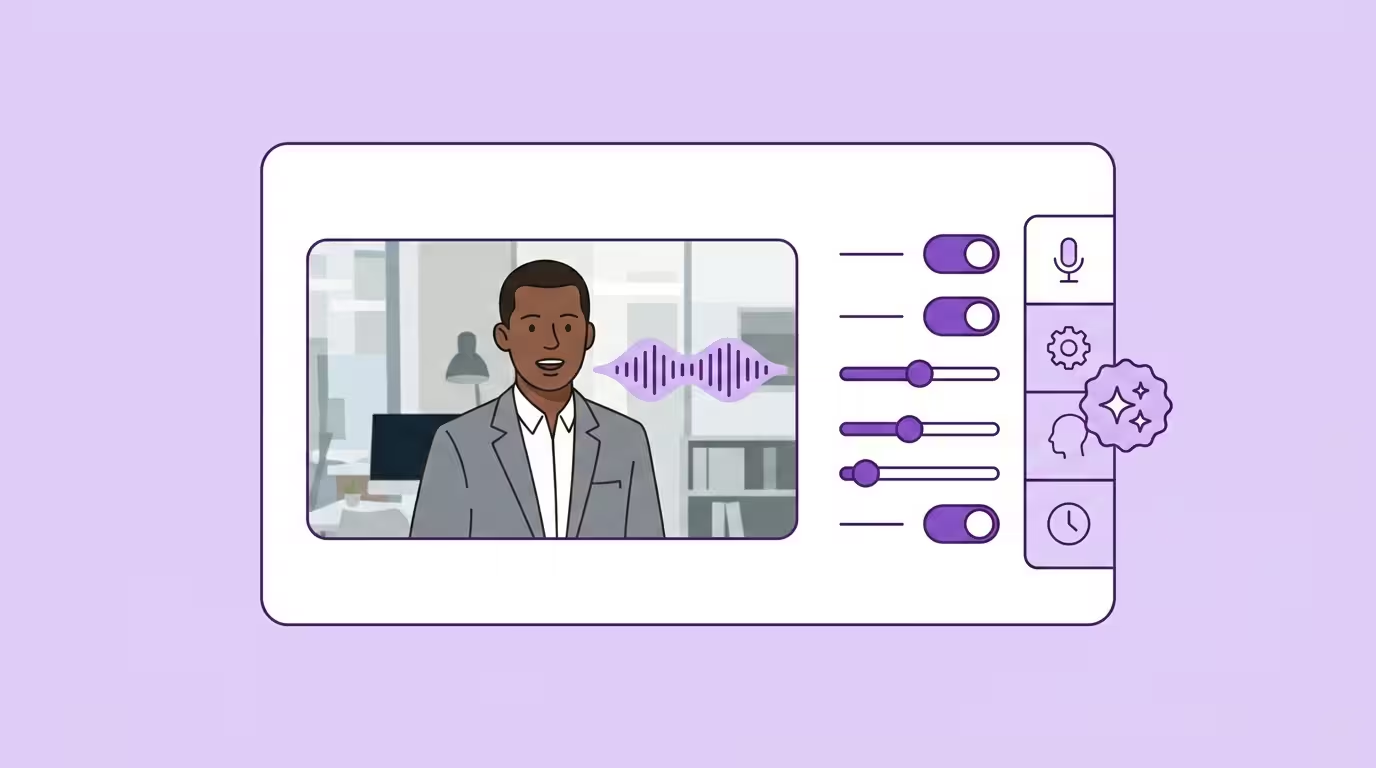
Video localization software uses AI to adapt existing videos for diverse audiences worldwide — translating spoken words into the target language, cloning the speaker's voice, synchronizing lip movements, and generating subtitles. What required voice actors, studios, and weeks of post-production now happens inside a browser. The cost difference is staggering: traditional video dubbing runs roughly 80 EUR per finished minute, while AI powered video translation delivers comparable results for around 5 EUR (Source: VDS Gagenkompass, https://www.sprecherverband.de/vds-gagenkompass/). That's not an incremental improvement. AI video localization significantly reduces costs, allowing rapid scaling across global markets — a fundamentally different equation for anyone producing multilingual video content.
But not every localization tool that calls itself an AI video translator can actually translate videos from your existing library. Some generate synthetic presenters from scripts. Some handle audio only. And most of them process your data on US servers without mentioning it until you ask. This guide reviews six platforms that consistently show up when teams evaluate video localization tools — compared honestly, with clear opinions on where each one fits. We build this kind of software ourselves, so we're not neutral. We'll tell you exactly where our biases are.
For the full picture of what video localization involves beyond choosing the right localization tool, start with our complete guide to video localization.
Key Takeaways
- Lip sync is the primary differentiator — frame-level lip syncing vs. timing adjustment determines whether your localized video looks professional or obviously dubbed
- Data privacy filters the market for enterprise — verify server location and AI training policies before uploading any proprietary footage to a video localization tool
- Language quality beats language count — test voice translation output in your actual target languages with native speakers, not just in English
- The market splits into four categories — dedicated video translators, avatar generators, AI voice engines, and video editors with translation bolted on. Compare tools in the same category.
- AI-powered video translation has made full localization cost effective — helping teams overcome language barriers and reach global audiences is now viable for every video, not just flagship productions
What Separates a Good AI Video Translator from a Bad One
Feature lists on vendor websites are optimized for demos, not for your actual workflow. The difference between a mediocre translation tool and a great one comes down to five things — and none of them show up in a feature table.
Voice Cloning Quality
The fastest way to spot a cheap localization platform: play the output and listen. If it sounds like a generic text-to-speech narrator reading a translation, the tool isn't doing voice translation — it's replacing your speaker with a robot. Real voice cloning preserves the speaker's natural tone, pace, and emotional texture while generating native pronunciation in the translated voice. Not an accented version of the original audio. A genuinely new voice that sounds like the same person speaking a different language — realistic AI voices that maintain the speaker's identity.
CSA Research found that 76% of online shoppers prefer purchasing in their native language (Source: CSA Research, https://csa-research.com/Blogs-Events/CSA-in-the-Media/Press-Releases/Consumers-Prefer-their-Own-Language). That preference collapses the moment the AI voice sounds artificial. Before committing to any platform, take a real clip — not their curated demo — localize it, and play the result to a native speaker. Their reaction tells you everything a feature table won't.
Lip Sync Technology
When the speaker is on camera — and for most business video content, that's nearly every shot — their mouth needs to match the translated speech. Two approaches exist. Timing adjustment nudges the localized audio to roughly fit existing mouth movements. It works on five-second social clips. Frame-level AI lip sync rebuilds the speaker's lip movements to match what's actually being said in the new language. It works on everything else.
This distinction matters more than most buyers realize. Accurate lip sync is what makes localized video feel native or feel dubbed. Watch any vendor demo with the sound off. If the mouth looks wrong on mute, your audience will notice — and completion rates will show it. Dubbing replaces original dialogue entirely, while voiceovers overlay the translation on top of the source audio. For on-camera speakers, only full dubbing with precise lip sync produces professional results.
Side Profile Demo
Data Security and Where Your Videos Actually Go
Your videos contain proprietary material. Internal comms, product launches, training footage with confidential processes. Where these video files get processed isn't a compliance checkbox — it's a business risk question.
Most US-based localization tools run on US servers. "GDPR-compliant" on a marketing page is not the same as TÜV-certified processing on German server infrastructure with no AI training on customer data. A pattern we see consistently in enterprise conversations: data residency comes up before features, before pricing, before anything else. For a deeper look, see our data security overview.
Language Quality Over Language Count
175+ languages. 130+ languages. The numbers are everywhere. Most of them are padding. What matters is translation accuracy in the specific languages your target audience actually speaks. A dubbing tool that handles English, Spanish, French, and German with realistic voice generation beats one that claims 200 languages but sounds robotic in all of them. Different languages have vastly different pronunciation patterns, text expansion rates, and cultural nuances — and no AI technology handles all of them equally well.
Always test your actual language pairs. Always. Companies that localize their content see roughly 70% higher conversion rates in international markets — but only if the localized versions actually sound natural to native speakers.
Workflow Scalability
One video is easy. Five hundred existing videos across multiple languages is where tools break down. For teams that need to automatically translate videos at scale, look for API access, multi-speaker detection, editable translations, glossary management, and batch processing. Automated tools save thousands of dollars per video compared to traditional methods — but only if the localization platform handles batch workflows without manual intervention at every step. If you're producing localized content regularly, these features — along with automatic subtitles generation — save more time than any individual quality improvement. Check whether the platform supports direct YouTube link import — for teams publishing video content to YouTube, that single feature eliminates an entire step.
Advanced localization tools increasingly offer hybrid models combining AI translation with human proofreading, which matters when translation accuracy is non-negotiable. For a structured approach to scaling this process, see our video localization workflow guide.
The 6 Best AI Video Translator Tools in 2026
1. Dubly — Dedicated AI Video Translator
A dedicated video localization tool built from the ground up for one job: voice translation of real-speaker footage with production-grade lip syncing, voice cloning, and European data security. ~38 languages, focused on quality over count.
The workflow is straightforward. Upload a video file or paste a YouTube link. The AI transcribes and translates the dialogue — letting you localize video content without reshooting anything. Voice translation preserves the original speaker's identity in the new language, generating native pronunciation rather than an accented copy. Then Lip Sync 2.0 rebuilds mouth movements frame by frame, handling multi-speaker scenes, dynamic camera angles, and even partially occluded faces. One thing we learned building this technology: lip syncing is binary. It either looks convincing or it doesn't. There's no "close enough" when viewers are watching someone's face.
A five-minute video takes roughly ten minutes per language. Processing happens exclusively on servers in Germany. No customer data trains AI models. TÜV-certified, GDPR-compliant, EU AI Act ready. The glossary feature keeps brand terminology consistent across all translated output — and customers who use it from day one report significantly fewer revision cycles.
We used to produce every language version separately in a studio — now one recording is all it takes to run five channels worldwide. Thanks to Dubly, we save massively on time and cost — and still sound like ourselves in every language.

Buycycle
Case study
Pricing is credit-based, with a free plan that includes 1 minute of everything — lip sync, voice translation, AI dubbing — no credit card required. Check live pricing.
Worth knowing: at ~38 languages, the coverage is narrower than the 100-plus counts some competitors advertise, and that's a deliberate trade for professional quality in the markets teams actually ship to rather than a long tail of mediocre pairs. Extremely emotional footage, shouting, crying, extreme vocal dynamics, is exactly where generic AI voices flatten out, and Dubly's voice cloning preserves the speaker's emotional tone and energy so the performance carries across every language. For standard business footage, training content, marketing videos, and creators producing for global audiences, the results are consistently strong. See the full Buycycle case study.
Best for: Teams that need their localized video to look and sound like the original — marketing, e-learning, corporate comms, and content creators expanding their global reach into new markets.
2. HeyGen — AI Avatars with Translation Features
HeyGen built its reputation on AI avatar generation — creating generated presenters from text scripts. Video translation was added later. 175+ languages, 3,000+ voices, and a polished interface that makes it easy to get started quickly.
For its core use case — generating avatar-based videos — HeyGen works well. The problem starts when teams try to use it as a localization tool for their existing footage with real speakers. The dubbing features exist, but the visual synchronization quality on real-speaker video doesn't match what you get from dedicated translation platforms. Short social clips look passable. Longer footage where the speaker is prominently on camera shows the seams. Data processing happens on US servers, which creates friction for teams in Europe with strict compliance requirements. And the "Unlimited" plans come with volume caps that aren't obvious during the sales conversation — always read the fine print. If HeyGen is on your shortlist, the full HeyGen comparison works through pricing, languages and where each vendor processes your video.
Best for: Synthetic avatar videos. Quick social media content from scripts. Presentations where the original speaker isn't the point.
3. Rask AI — Broad Language Coverage
Rask AI positions itself as a broad-coverage AI translation platform: 130+ languages with voice preservation in 32 of them. Solid feature set including subtitle generation, speaker detection, and editable scripts. The YouTube link import is a nice touch that speeds up the workflow for creators who want to reach global audiences.
Where Rask AI falls short is visual synchronization. The lip syncing is timing-based, not frame-level — meaning it adjusts the localized audio duration to loosely match existing mouth movements rather than rebuilding them. For podcast-style footage, AI voiceovers, or videos where the speaker's face isn't the focus, it works acceptably. For talking-head marketing or e-learning footage where the person is front and center, the mismatch is hard to ignore. US-based infrastructure creates the same data residency challenges as other American platforms. If Rask is on your shortlist, the full Rask AI comparison works through what a lip-synced minute actually costs on each and what each vendor puts in writing.
Best for: Maximum language coverage when visual synchronization isn't critical. Podcast translations, voiceover content, and less common language pairs.
4. ElevenLabs — Best AI Voice Engine
Best-in-class voice generation and text to speech. Period. ElevenLabs produces the most natural-sounding AI voices on the market, with exceptional voice cloning across 90+ dubbing languages and 3,000+ voices. For audio-only localization — podcasts, audiobooks, narration — it's the leader in global communication through voice.
But ElevenLabs is not a video localization tool. There's no visual synchronization for existing videos. The dubbed audio plays over the original mouth movements, which means any footage where the speaker is visible looks immediately wrong. For the majority of business video content — where someone is talking to a camera — that's a dealbreaker. No amount of voice quality compensates for visual mismatch. ElevenLabs is an audio engine, not a video translator. Their own docs put it plainly: lip sync is not part of dubbing. The full ElevenLabs comparison works through what that costs you, where the material is stored, and what happens to it afterwards.
Best for: Audio-first content. Podcasts, audiobooks, narrated e-learning where the speaker isn't on camera.
5. Synthesia — AI Avatar Video Generation
Synthesia leads the AI avatar space. 160+ languages, 1,000+ voices, and a refined platform for creating new multilingual video content from text. Excellent for training modules, product explainers, and onboarding materials across multiple languages.
Synthesia does localize existing video: Dubbing 2.0, released in July 2026, dubs an upload or a YouTube link, detects multiple speakers and clones each voice separately, with optional lip sync. What still shapes the product is the avatar, and the constraints are in the plan: one editor on every plan you can buy, 30 minutes of dubbing a month on the most expensive published tier (15 with lip sync), transcript editing on Enterprise only, and 70+ dubbing languages below that tier rather than the advertised 140+. Customer data is stored in the EU, in Irish data centres, on every plan.
Best for: Creating new multilingual content from scratch with AI avatars, plus modest dubbing volumes inside the same tool. Training, onboarding, internal communications.
For the volume case — real footage, several editors, processing in Germany — we work the two through side by side on the Synthesia alternative page.
6. Kapwing — Video Editor with Translation Built In
Kapwing is an online video editor that happens to include translation features — not a dedicated dubbing tool. 70+ languages, intuitive interface, and a cost effective entry point with a free tier for basic editing.
The trade-off is clear: no voice cloning, no visual synchronization. The "dubbing" feature replaces the original audio with generic AI voices — the result doesn't sound like the original speaker. Translated subtitles are Kapwing's real strength here. Subtitles are cost-effective for testing new markets before investing in full AI-powered video localization — and Kapwing handles that well. For teams that need localized video to preserve the speaker's identity and overcome language barriers with the spoken words intact, it's the wrong category.
Best for: Basic subtitle translation integrated into video editing. Budget-conscious teams exploring global reach before committing to full video localization. Subtitles are a cost-effective entry point for testing whether content resonates in a viewer's native language before investing in full voice translation.
If you want an editor in this category that does more than subtitles, look at Veed instead: same browser-editor shape, but it clones the speaker's voice across 29 languages and can lip-sync the result, hosted in the EU. It is still an editor first, and the compliance details matter for European buyers — we work both through in the Veed dubbing alternative.
AI Video Localization Tools — Side-by-Side Comparison
| Feature | Dubly | HeyGen | Rask AI | ElevenLabs | Synthesia | Kapwing |
|---|---|---|---|---|---|---|
| Primary Use | Real-speaker voice translation | AI avatars + translation | Multilingual video dubbing | AI voice synthesis | Avatar video creation | Editor + translation |
| Lip Sync | Frame-level (Lip Sync 2.0) | Basic (avatar-focused) | Timing-based | None in dubbing | Yes (costs 2× credits) | None |
| Voice Cloning | Yes — native pronunciation | Yes | Yes (32 langs) | Yes (industry-leading) | Yes — per speaker | No |
| Languages | ~38 | 175+ | 130+ | 90+ (dub) | 140+ dub (70+ below Enterprise) | 70+ |
| Multi-Speaker | Yes (automatic detection) | Limited | Yes | Yes (up to 32) | Yes (automatic detection) | No |
| YouTube Link Import | Yes | Limited | Yes | No | Yes | Yes |
| Free Trial / Plan | Free plan: 1 min (all features) | Limited free tier | Limited free tier | Free tier | Free tier | Free tier |
| Data Processing | Germany (TÜV-certified) | US servers | US servers | US (EU on Enterprise) | EU (Ireland), all plans | US servers |
| API | Yes | Yes | Yes | Yes | Yes | Limited |
| Subtitles Export | SRT + embedded | SRT | SRT | SRT | SRT | Burned-in subtitles |
| Editable Translations | Yes | Limited | Yes | N/A | Enterprise only | Basic |
One category the table above leaves out on purpose: vendors who sell a single stage of the pipeline rather than a localization tool. Sync Labs is the clearest example — excellent lip sync sold as a component, with the translation, the terminology and the review left to you. If that is the shape you are considering, the Sync Labs alternative works through what it costs once you add the parts it does not include.
How to Choose the Right Localization Tool
The comparison table gives you a starting point. But tables don't show you whether your specific footage comes out looking natural in the target language. Here's the process that actually works.
Test With Your Own Content
Take a representative video — ideally one with multiple speakers, background music, and different camera angles — and run it through every localization tool on your shortlist. Not their demo clip. Yours. Compare the output side by side and listen for translation accuracy in tone and pronunciation. This single step eliminates more bad decisions than any amount of research.
Verify Where Your Data Goes
Ask each vendor directly: Where are video files processed? Are uploads used for AI model training? Is there a Data Processing Agreement? For companies subject to GDPR — and increasingly, for any business handling confidential video content — this filters the market dramatically. Traditional localization studios kept your footage in a locked cabinet. Your AI-powered video localization platform should offer equivalent security.
Let Native Speakers Judge Quality
Play localized output to people who speak the language natively — someone who consumes content in their own language daily, not your bilingual colleague. They'll catch pronunciation issues, unnatural tone, awkward phrasing, and cultural mismatches that no spec sheet reveals. Localized content boosts search engine visibility in different regions, but only if the translated speech actually sounds native. If a localization tool handles your primary language pair poorly, nothing else matters.
Check Visual Synchronization Specifically
Play the localized video full screen, watch the speaker's mouth, and compare to the original video. Frame-level lip sync looks natural. Timing-based sync looks "off." No sync at all looks terrible. This single test tells you more than the entire feature comparison table combined. Some platforms offer a multilingual video player that lets you switch between language versions instantly — a useful feature for quality comparison.
Calculate the Real Cost
"Unlimited" doesn't mean unlimited. Calculate your actual monthly video production volume, multiply by the per-minute cost with all features enabled — including lip sync, which doubles the credits on most platforms — and compare apples to apples. AI-powered video localization across multiple languages is faster and more cost effective than traditional dubbing by an order of magnitude, but only if the pricing model fits how your team actually works. Most platforms offer a free trial — use it on real footage before signing anything.
For a deeper dive into how AI technology is transforming this entire category, see our overview of AI video localization.
The Bottom Line
Six tools, four categories. If you need localized video where the speaker stays on camera and looks and sounds like the original — which covers most professional marketing, e-learning, and corporate work — a dedicated video translator with frame-level lip sync and European data security is the right call. Avatar generators and audio-only engines solve different problems, and a video editor with subtitles bolted on is a budget entry point, not a localization platform. Test every shortlisted tool on your own footage in your actual target languages before you commit — that single step tells you more than any feature table.
Back to the complete guide: Video Localization
Translate Your First Video
Results in just a few minutes
No credit card required
Best translation quality worldwide
About the author

Simon Pieren
Co-Founder | Marketing & Sales