Video Localization
July 3, 2026
AI Video Localization: How AI Adapts Videos for Global Audiences
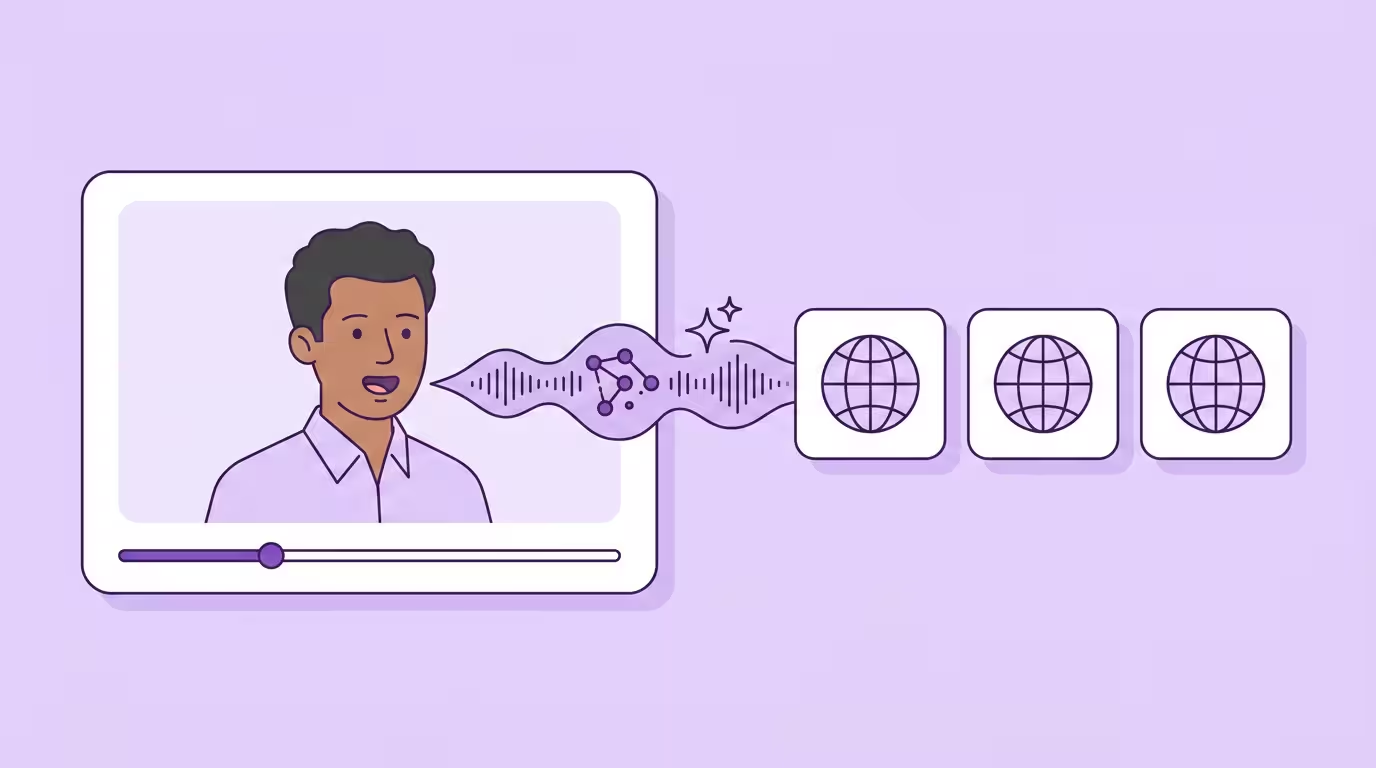
A five-minute video, ten languages, ten minutes per language. That's the math that makes AI video localization actually useful.
Under the hood, it uses artificial intelligence to adapt video content for a target audience and culture — combining transcription, neural machine translation, AI dubbing with a cloned voice, and generative lip sync so the final video looks and sounds like it was originally created for each market. It replaces the manual services of a studio: one platform now handles what used to be separate voice, sound, and video production services. A corporate training series or a weekly creator channel — same shape of work now, at roughly 1/10 the per-minute cost of studio dubbing and about 20x the throughput.
CSA Research's 29-country "Can't Read, Won't Buy" study found that 76% of consumers prefer to buy products with information in their native language, and 40% never buy from websites in other languages at all (Source: CSA Research, https://csa-research.com/Featured-Content/For-Global-Enterprises/Global-Growth/CRWB-Series/CRWB-B2C). Video follows the same pattern: 56–72% of viewers prefer content in their native language. The AI video translation market is projected to grow from $2.68 billion in 2024 to $33.4 billion by 2034 — a 28.7% CAGR (Source: Market.us, 2024, https://market.us/report/ai-video-translation-market/).
Key Takeaways
- AI video localization adapts video content for a target audience and language by combining transcription, neural machine translation, AI dubbing with a cloned voice, and generative mouth synchronization — not just subtitles.
- The workflow reduces costs by over 90% versus traditional studio dubbing and compresses 2–6 weeks into ~10 minutes per language, making it practical to localize every video in a library rather than only flagship assets.
- Voice cloning preserves the original speaker's tone and characteristics across every language, while generative lip sync re-renders mouth movements frame by frame so the localized video reads as native.
- Marketing, e-learning, creators, and internal comms see the highest ROI — they combine high volume with recognizable speakers and a real cost of under-reaching the ~80% of global viewers who don't speak English.
- Don't buy by language count. Buy by voice and lip sync quality in the two or three languages you actually ship in — plus editable translations and GDPR-compliant data security.
What Is AI Video Localization?
AI video localization automates the translation and adaptation of video content for global audiences using artificial intelligence. Speech recognition, neural machine translation, cloned-voice TTS, and generative mouth synchronization all run in one pipeline instead of four.
Translation converts words. Localization adapts the entire viewer experience: tone, cultural references, cultural nuances, idiomatic phrasing, on-screen text, units, formats, and timing. Translated text alone expands 20–50% in most target markets, which already breaks timing in studio-dubbed videos. AI pipelines account for that sentence by sentence in real time.
Traditional video localization was a sequential production workflow built around studios, voice actors, and manual mouth animation. It couldn't scale — adding a language meant booking talent, recording, mixing, and re-cutting, often in separate sessions per market. AI video localization breaks that constraint. The same source video is adapted into each target audience's language in minutes, reviewed, and regenerated from editable translations in the editor before anything ships. "We localize our flagship video" becomes "every video in our library ships in ten different languages." That kind of global reach used to demand a six-figure budget. Now it fits into a weekly production rhythm.
Only about 20% of the world's population speaks English as a first or second language, which means content in English alone is invisible to roughly four out of five potential viewers. AI video localization is how smaller teams get past those language barriers without a studio budget — and how large teams collapse three separate localization workflows into one. For the broader category — including subtitles, voice over, and AI dubbing — start with the complete video localization guide.
How AI Video Localization Works
Under the hood, the pattern is consistent across every serious AI-powered video localization platform: upload your video, select a target market, and receive a fully dubbed, lip-synced version in minutes. Five stages run in sequence. The quality of a localization platform depends on how well it handles each one — not how many languages it claims on its pricing page.
Transcription
ASR converts the original audio into a timestamped script
Translation
Neural translation into the target market's language
AI Dubbing
Voice cloning preserves the speaker's tone and identity
Generative Lip Sync
Mouth re-rendered frame by frame to match the new audio
On-Screen Graphics
Titles, overlays, and text adapted per market
Step 1 — Transcribing the Original Audio
Automatic speech recognition converts the spoken dialogue in the original audio track into a timestamped text script, with speaker identification where multiple people are on camera. Modern ASR exceeds 95% accuracy on clear business content — that's the number we see across our own enterprise pipelines — and handles accents, technical jargon, and overlapping speech well enough that most creator and corporate video transcribes cleanly on the first pass.
But errors still happen. A mistranscribed product name becomes a mistranslated product name becomes a mispronounced product name. That's why we expose the transcript in an editor for review before anything else runs — catching those errors here is roughly 100x cheaper than catching them after dubbing. As a side effect, the transcript doubles as clean subtitles and captions, which turns accessibility into a bonus rather than a separate project. Roughly 85% of Facebook video is watched without sound. Subtitle quality matters as much as voice quality.
Step 2 — Translating Into the Target Language
Neural machine translation handles the jump into the target market's language. This is the layer that has improved most over the last three years. Advanced AI translation systems account for idioms and cultural context, handle sentence-length constraints so the dubbed audio fits the original timing window, and lock in brand terminology through glossaries. For business and technical content, modern AI translation rivals what professional human translators produce — especially when a glossary enforces brand consistency across a library of translated content.
The part most people miss: the translation has to be editable before dubbing runs. Without that loop, you're shipping whatever the machine produced the first time. That's why we put the editor at the front of our pipeline — a linguist or in-market reviewer can tighten awkward phrasing before a single voice line is synthesized, and we've watched that single loop kill most of the revision cycles our customers used to see. Use it to ensure regional phrasing and tone actually fit each market.
Step 3 — AI Dubbing with Voice Cloning
AI dubbing uses voice synthesis to generate new spoken audio for each market — not with a generic text-to-speech voice, but with voice cloning that preserves the original speaker's tone, pitch, and emotional delivery. The cloned voice carries over the speaker's identity without the accent: native pronunciation in every language, same person. Emotion and delivery carry over. That's the whole point. Your CEO still sounds like your CEO. Your instructor still sounds like your instructor — instead of a generic dubbed-over voice you'd get from a traditional studio.
Extreme emotional range, screaming, crying, highly stylized performance, is where generic AI voices flatten out, and Dubly's voice cloning preserves the speaker's emotional tone and energy so the delivery carries across every language. Clean, well-recorded source audio gives the most accurate result. For training, marketing, corporate, and creator content, the output is indistinguishable from studio-produced dubbing. For cinematic drama where a single performance is the whole product, a professional voice actor's pass still adds the last bit of polish.
That is maybe 10% of the video content most organizations produce. The other 90% ships better with AI. At Dubly we've watched this shift play out across the 330+ companies localizing with the platform. Eighteen months ago, "indistinguishable from studio" was aspirational marketing. Now it's the baseline we ship at, and the bar keeps moving. For the full method breakdown, see the AI dubbing pillar.
Step 4 — Generative Lip Sync
Audio without matching visuals produces the classic "dubbed" effect — the voice says one thing, the lips say another, and viewers tune out in seconds. Generative lip sync solves this by re-rendering the speaker's mouth frame by frame at roughly 30 frames per second to match the translated audio. We decided early to re-render the mouth per frame instead of stitching phoneme shapes — the shortcut approach saves compute but falls apart on anything with emotion, which is most of the content that actually matters. The model analyzes the original mouth movements, the phonetics and rhythm of the new speech, the camera angle, and the sentence structure, then re-renders the mouth to match. Only the mouth changes. Facial expressions, gestures, and body language stay exactly as they were in the original video.
Lip sync is the hardest problem in this pipeline. Most platforms treat it as an afterthought. We built Dubly around it, because without it "localized" is just a fancy word for "dubbed." Lip Sync 2.0 is what handles the visual side of the workflow.
Step 5 — Adapting On-Screen Graphics and Text
Audio is only half of a localized video. Titles, lower thirds, on-screen text, annotations, and CTA overlays all need to shift into each market's language too. Good platforms adapt on-screen graphics and text for target regions, with text-expansion handling so longer translations don't overflow existing layouts. Thumbnails, chapter markers, and descriptions count too — localized thumbnails routinely lift click-through rate by 20–30% in non-English markets.
Most tools accept standard video file formats like MP4 and MOV out of the box, which keeps the upload step trivial. On-screen text redesign is the part of localization that still leans on a human across the field: tightly designed brand templates, especially anything with right-to-left layouts, want a designer's eye. The audio side of localization is basically hands-off. The visual side, for anything beyond basic subtitle overlays, is where a quick manual pass earns its keep.
AI vs. Traditional Video Localization
With the five-stage workflow in place, the economics shift completely. AI localization technology can reduce video localization costs by over 90% compared to traditional, human-intensive methods — roughly an order of magnitude cheaper per finished minute. That is not an incremental improvement. It changes which videos get localized at all.
| Comparison Factor | Traditional Studio Localization | AI Video Localization |
|---|---|---|
| Timeline | 2–6 weeks per language (casting, booking, recording, mixing) | ~10 minutes for a 5-minute video |
| Cost per finished minute | ~€80+ (voice talent, studio, director, engineer) | ~€5–8 on platform credits |
| Scaling to new markets | Linear — each language multiplies budget and calendar | Near-constant — adding a language is incremental |
| Voice consistency | Different voice actor per language | Same cloned voice in every language |
| Lip sync | Manual adjustment, or none at all | Automated, frame-by-frame |
| Editable translations | Re-record the line in studio | Edit script, regenerate automatically |
| Best-fit content | High-emotion drama, premium cinema, luxury film | Training, marketing, corporate, creator and social media content |
The reason the old model can't scale is structural. Traditional dubbing required filming or recording separate versions per language, with sequential handoffs between translators, voice actors, engineers, and QA. Automation reduces the reliance on studios, voice actors, and sequential workflows — transcription, translation, dubbing, and visual synchronization now run as one integrated pipeline that processes video localization 10–50x faster than traditional methods. That speed is what lets smaller teams ship into markets that used to require a Fortune 500 budget.
AI is not universally better. For feature films, luxury advertising, and politically sensitive communications, studio-produced localization still wins because every syllable of emotional delivery has to land. But for the ~90% of professional video content that just needs to reach new audiences efficiently — training, marketing, corporate comms, creator content — AI gets you native-sounding results at roughly 1/10 the cost and 20x the speed. Use AI for volume. Reserve manual dubbing for the content that genuinely demands it.
New Com Academy, a German e-learning provider, saved over 85% in localization costs while internationalizing their entire multilingual training library — without reshooting a single video.
Where AI Video Localization Delivers the Most Value
Not every video type benefits equally. Four use cases consistently deliver the highest return — they share high volume, recognizable speakers, and a real cost of leaving audiences in the dark.
Marketing and Brand Content
Marketing teams produce enormous volumes of video: product demos, brand stories, campaign cuts, and social media clips. Traditionally, only flagship assets got localized. Every other piece shipped in English and lost reach in every non-English-speaking market.
AI changes that calculation. When the marginal cost of adding a language drops from thousands of dollars to roughly $5–8 per minute, it becomes practical to localize every asset in every target market by default. Voice cloning matters here too: one cloned brand voice across all markets reinforces brand consistency in a way you can't buy through a traditional studio pipeline, where each country gets a different voice actor. The result is global content that actually feels coherent across regions.
E-Learning and Training
Training is the clearest ROI case. Employees retain 25–30% more when they learn in their native language — documented long enough to stop arguing about. But producing separate training content for every workforce language has been cost-prohibitive. Most companies default to English-only or rely on subtitles that learners skim. AI localization lets L&D teams ship their entire training library in every workforce language while the instructor's cloned voice carries the same authority in every version. The same approach works for translated content outside training too: customer onboarding clips, product walkthroughs, and policy updates all move through the same creation and localization workflow. That credibility matters most for compliance and safety content, where completion and retention actually move the needle.
Creator and Social Content
Creators live with a specific version of this problem. Their audience is global, their content is locked to one language. More than 60% of YouTube views originate from non-English regions, and creators report 40–60% audience growth after shipping AI-dubbed versions of their existing library. Hiring voice actors who can match your energy is too slow and too expensive for a channel that ships weekly. AI video localization makes it practical to record once in your native language and automatically ship versions in 10, 20, or 30+ languages.
We see the same pattern across Dubly's creator accounts: one language pair to start, then three or more within three months — usually the moment their international engagement data lands.
Internal Communications
The fourth category is quieter but increasingly common: internal comms for distributed teams. Company-wide announcements, town halls, policy updates, onboarding videos — recorded once, then dubbed in minutes for every regional office. The quality bar is lower than external marketing, but the speed requirement is higher. This is the use case most vendors forget — which is why IT buyers often end up paying full marketing-tier price for a feature they only use twice a quarter.
What to Look for in an AI Video Localization Platform
Once the use case is clear, evaluation becomes the bottleneck. Every vendor claims cloned voices, dozens of languages, and fast turnaround. The difference shows up in production — and usually costs a project or two to find out. Here's what to check.
Voice cloning quality. Can the translation tool preserve the speaker's identity across every language, or does everyone end up sounding like the same generic AI voice? Ask for samples — or a demo — in your specific use case. A cloned voice that works for calm narration might fall apart on energetic presentations. The best AI video translators produce voiceovers that sound like the original presenter actually speaks each language.
Generative lip sync. Most AI video translator tools skip this entirely or offer basic audio-visual alignment. True frame-by-frame re-rendering of the speaker's mouth is technically demanding, and only a handful of vendors ship it. Without it, your "localized" video still looks dubbed to viewers — a perception gap worth roughly 20–30% of watch time on speaker-heavy content.
Language coverage and quality. Multiple platforms support 30 to 175+ languages for video dubbing, but coverage numbers are not quality. 38 languages at professional quality beats 100 languages at mediocre quality. Check whether your target markets are supported for cloned voices and visual synchronization specifically — not just subtitles. A translation tool that only handles subtitles for a given language doesn't really count.
Editable translations. If the translation isn't editable before dubbing runs, you're shipping whatever the machine produced. Every serious translation tool lets you edit translated scripts and instantly regenerate dubbing. That feedback loop is where accurate translations come from — teams that use a glossary and translation editor from day one see roughly 40% fewer revision cycles in our data.
Data security. Your video files contain proprietary content — product strategies, customer information, internal communications. For European organizations, GDPR compliance on European or German server infrastructure isn't optional. It's the baseline.
Workflow and API. Can you batch uploads, manage role-based permissions, and trigger localization from your existing publishing pipeline? The difference between a tool and a solution is whether it fits into the way your team already produces video content. Most platforms offer free trials — one limitation to be aware of is that most free plans gate voice-clone quality and visual synchronization (Dubly's includes both), so they're useful for a quick demo but not a full evaluation. Once you want to translate at pilot scale and beyond, compare platforms on these criteria and review pricing side by side — that's how we tell prospects to evaluate Dubly too.
Where Localization Tools Differ Most
For all its speed, AI still leaves judgment calls to humans. It doesn't handle culture on its own. A joke that dies in Tokyo still dies in Tokyo. A gesture that reads as rude in a certain market still reads as rude. A local reference viewers can't parse still lands flat. Those still need a human reviewer. Best practice is straightforward: let AI do the translation and dubbing, then have a native speaker review the cultural nuances before you publish. In our enterprise accounts, roughly 15% of output gets flagged for a phrasing touch-up, small enough to stay fast, large enough to matter.
Beyond culture, this is where platforms separate from each other:
Camera angle is the classic example. Most mouth-sync engines stay stable only up to roughly 30° off-axis and then break down, which is exactly the problem Dubly was built to solve. Lip Sync 2.0 handles extreme angles and side-on movement without drift or distortion, so on-camera speakers stay convincing where other tools fail.
Source material is the other one. Every model works best on clean, well-recorded speech, so for the most accurate result you start from a clear source recording in a standard language variety. Strong regional dialects or intentional mispronunciations used for character make any model's job harder, and content that leans on operatic delivery or heavy character accents still benefits from a professional voice actor's pass. On-screen text redesign, especially for right-to-left languages like Arabic and Hebrew, stays largely a manual design job, and regulated legal, medical, or financial material needs human sign-off regardless of translation quality.
Naming where the work still lives matters more than pretending it doesn't exist. The teams that ship great localized video content treat AI as the base layer and native review as the polish, not as an either/or.
Conclusion
AI video localization collapses what used to be four separate studio workflows into one pipeline that runs in minutes, not weeks. For training, marketing, creator, and internal content, the result reads as native rather than dubbed. Evaluate platforms on voice and lip sync quality in the languages you actually ship, not on raw language counts.
Back to the complete guide: Video Localization
Translate Your First Video
Results in just a few minutes
No credit card required
Best translation quality worldwide
About the author

Maximilian Engler
Co-Founder | Product