Video Localization
July 3, 2026
Video Localization for YouTube: How Creators Reach a Global Audience in Every Language
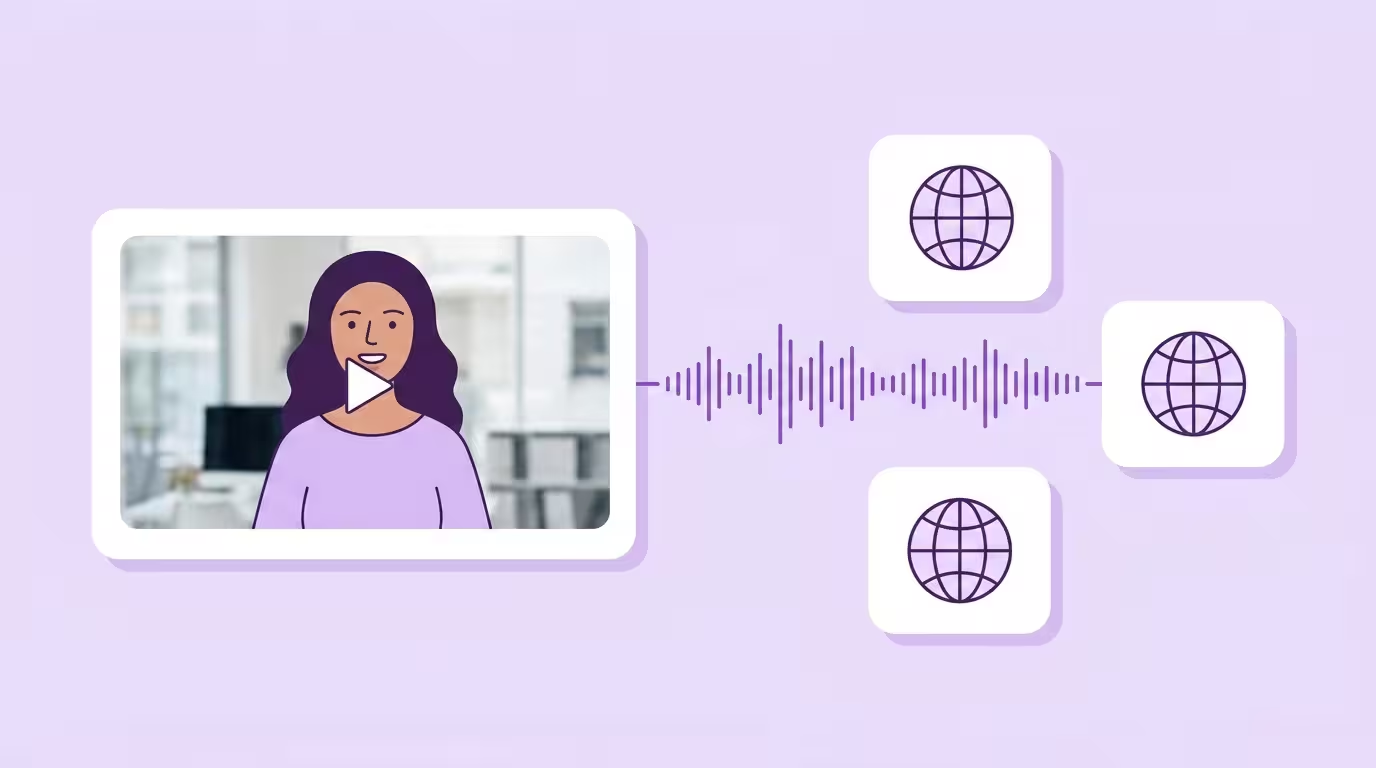
Most YouTubers hit the same wall around 100,000 subscribers. The channel grows in its home language, the analytics flatline at the country border, and the next million viewers are sitting in markets the creator doesn't speak. The gap isn't reach — YouTube pushes video content to the world the moment it's uploaded. The gap is that the videos aren't localized, so the platform can't recommend them outside one language bubble.
Video localization for YouTube is the process of adapting a YouTube channel and its videos — audio, subtitles, titles, descriptions, tags, thumbnails, and cultural references — so the content works for viewers in different languages, cultures, and regions. YouTube supports localization in over 80 languages natively, and localized videos can increase viewer engagement by up to 50% while reducing bounce rates by roughly 30%. For creators chasing watch time, nothing else on the platform moves the needle this cheaply.
YouTube isn't just a video platform — it's the world's second-largest search engine after Google, with over 2.5 billion monthly users spread across every country with internet access. Roughly 75% of that audience doesn't speak English as a first language. A single-language channel caps its addressable audience well below a quarter of the people who could be watching.
This guide covers what YouTube video localization actually means, the creator ROI case, what to localize beyond the video itself, YouTube's built-in tools and their limits, how to localize a YouTube video step by step, and the honest trade-offs between auto-translate, AI dubbing, and professional localization. It's written for YouTubers, creator teams, and brand channels running YouTube as part of a broader content strategy. For the wider category, start with our video localization pillar guide.
Key Takeaways
- YouTube video localization adapts audio, subtitles, titles, descriptions, tags, thumbnails, and cultural references — not just the translated script. Every layer is a lever on the YouTube algorithm and on viewer retention.
- Localized videos can lift viewer engagement by up to 50% and cut bounce rates by roughly 30%. Watch time and subscriber growth compound in non-primary language markets once the channel ships dubbed audio plus localized metadata.
- YouTube's built-in tools handle subtitles, multi-language audio tracks, and translated metadata natively — but cultural adaptation, voice dubbing, and lip sync still sit outside Creator Studio and require a third-party platform to scale.
- AI dubbing with voice cloning ships a localized video at roughly 1/10 the cost of traditional dubbing, preserves the creator's voice across 30+ languages, and runs on a multi-language audio track so the whole channel compounds on one video instead of splitting across parallel channels.
What YouTube Video Localization Actually Means
YouTube video localization is adapting a channel and its videos for viewers in different languages, cultures, and regions — not just translating the script. Translation alone doesn't travel. You translate titles, descriptions, tags, and subtitles; you dub or voice-over the audio; you swap on-screen graphics and thumbnails; and you adapt cultural references, humor, and examples so the content lands in the local market instead of flat. Each element is a lever — on the algorithm, and on whether the viewer keeps watching past fifteen seconds.
Translation and localization aren't the same thing. A translated-only video ships the same jokes, the same visuals, and the same cultural reference points into a market where half of them miss. A localized video swaps the parts that don't travel — a US-centric example for a more universal one, a culturally loaded metaphor for something that lands in the target language — while keeping the creator's voice and the channel's identity intact. Localization requires considering local customs, cultural nuances, and regional buying habits so the video content connects with the potential audience rather than alienating them. Localization also removes the language barrier that stops 40% of consumers from engaging with content in a foreign language (Source: CSA Research, https://csa-research.com/Featured-Content/For-Global-Enterprises/Global-Growth/CRWB-Series/CRWB-B2C).
The layers of a fully localized YouTube video run from the technical (audio and subtitles) to the strategic (metadata, thumbnails, and cultural references). Skip one and the localized version still feels imported. Treat all of them together and YouTube's recommendation system starts serving the video to viewers who were never reachable before. Creators who build a reusable glossary of brand terms, product names, and channel vocabulary before translating see roughly 30–50% fewer revision cycles per language. A glossary is cheap infrastructure for a channel that plans to scale past a couple of languages.
Why Localize Your YouTube Videos — The Creator ROI
Once you know what localization covers, the ROI math becomes obvious. Localizing YouTube videos isn't a vanity project. It's the move for a creator who's maxed out the home market. Watch time, subscribers, ad revenue, brand deals — they all compound once a channel ships in more than one language. Audience growth, monetization, and search visibility are the three places where the return actually shows up.
Watch Time, Engagement, and Subscriber Growth
Localized videos can increase viewer engagement by up to 50% and reduce bounce rates by roughly 30%, because a viewer who understands the language and the cultural frame stays for the whole video instead of skipping at the subtitle. Watch time is the metric YouTube's algorithm weighs most heavily, so every extra minute a non-English viewer watches pushes the video further into recommendations in that market. That's the audience a single-language channel leaves on the table.
I've watched this play out dozens of times in our customer base. A channel plateaus at a country border. The creator ships a second language. Two months later their top-performing video is the one they almost didn't bother dubbing. That's the pattern — and it's why Liebscher & Bracht hit 43.8 million views across eight languages off one German master file.
Ad Revenue and Monetization in New Markets
Higher viewership from localization lifts ad revenue and opens up monetization paths that don't exist in one language. CPMs in the US, UK, Germany, and the Nordic markets often run several times higher than in regions where the creator's first language dominates, which is why creators whose home market is Spanish or Portuguese see outsized revenue jumps when they ship an English track. More watch time, more ad breaks, more monetizable viewers per upload.
Brand deals follow the same curve. A sponsor targeting a multilingual market — a SaaS company expanding across Europe, a global e-commerce brand, a consumer-electronics launch — will pick the channel that already ships dubbed versions over one that forces them to book a separate localization vendor. When I pitch creator collaborations to B2B brands, the first question is always which languages the channel runs in. Channels with only one language don't make the shortlist.
SEO and Discoverability Across YouTube
Localization improves SEO on YouTube and on external search engines, because every localized version lives on its own metadata surface. Translated titles, descriptions, tags, and subtitles give the video a discoverable footprint in every target language — search engines prioritize local-language content, and YouTube's internal search behaves the same way. The same asset can rank on Google Germany, Google Japan, and Google Brazil simultaneously once the metadata is localized, which is impossible for a single-language channel no matter how strong the production value is.
Translated thumbnails matter almost as much as translated titles. A thumbnail that uses local-language text and culturally relevant imagery earns the click that a translated-only thumbnail loses, and most YouTube audit tools still don't track thumbnail CTR per language — which is why most creators never learn how much they're losing to a wrong-language thumbnail in the first place. For a deeper look at the end-to-end production sequence, see our video localization workflow guide.
What to Localize on YouTube (Beyond the Video Itself)
The ROI math only holds up if every layer ships localized, not just the audio. Core localization on YouTube involves translating titles, descriptions, tags, and subtitles (CC), plus dubbing the audio and adapting the thumbnails, graphics, and any on-screen text for the target language. Every element the viewer sees — before, during, and after the video — has to work in the local market. Miss one and the click-through drops, the watch time falls, or the algorithm stops recommending the localized version to the audience it was built for.
Titles, Descriptions, and Tags
Your video title is the first thing people see, so make sure it's translated accurately and reads naturally in the target language, not literally. A clunky translated title earns the same impression count but a fraction of the clicks. Titles should carry the local search intent — the keyword phrases viewers actually type in the target language — rather than a direct translation of the English headline. Descriptions get the same treatment: translate the pitch, localize the calls-to-action, and rewrite any line where a literal version misses.
Tags localize the same way. Translating video metadata — titles, descriptions, and tags — is crucial for discoverability in local searches, because YouTube's search engine and Google's external search both index the metadata per language. Localized metadata improves search engine optimization (SEO) within YouTube and across external search engines, so every translated title, description, and tag set is an independent SEO surface that ranks on its own. For creators who already rank well in English, metadata localization is the lowest-effort lift in the entire workflow.
Subtitles and Closed Captions
Subtitles and closed captions (CC) are the lightest-weight localization layer and the one most YouTubers start with. You can add translated subtitles manually in YouTube Studio, upload an SRT or VTT file, or let YouTube's auto-translate feature generate a machine-translated track. Subtitles can be auto-generated in multiple languages, and YouTube supports captions in over 80 languages natively. Subtitles and captions make the video accessible to hearing-impaired viewers and anyone watching videos with the sound off, which is most mobile viewers most of the time.
Manual, human-translated subtitles are generally more accurate and culturally nuanced than auto-generated ones. Auto-generated translations can have significant accuracy issues, especially for complex topics, industry jargon, or regional accents — YouTube's auto-translate feature may lack context accuracy, and a mistimed or mistranslated subtitle costs the viewer more than no subtitle at all. For anything sales-driven, product-led, or brand-critical, manual translation is the right call. For background video content and supplementary material, auto-translate is usually good enough.
Audio — Dubbed Voice Tracks
Voice dubbing or voice-over replaces the original audio and offers a fully localized viewing experience. Dubbing is the upgrade from subtitles, and it's where the watch-time lift gets interesting — viewers who can hear the video in their own language stay for the whole thing instead of bouncing at the reading fatigue. Localization costs vary: traditional voice actors and professional dubbing studios charge $50–$100 per finished minute per language, which is the reason most YouTubers never got past one language before AI dubbing collapsed the cost curve.
Modern AI dubbing uses realistic voice cloning to clone your voice and generate localized audio that preserves the creator's tone, pacing, and energy across every target language. One reference sample of the creator's voice scales to 30+ languages, and the resulting dub sounds like the creator speaking the target language natively, not a generic narrator reading a translation. One myth worth killing upfront: the cloned voice does not carry the source accent into the target language. A Berlin YouTuber still sounds like themselves in Spanish, but speaks Spanish the way a Madrid local would.
Thumbnails and Channel Branding
Translated thumbnails carry the same lift as localized metadata, because a thumbnail that uses local-language text and culturally relevant imagery signals to the viewer that the video was made for them. The same applies to channel art, channel banners, and the "About" section. A channel that greets a German viewer in German feels like a channel built for Germany, even if the underlying video content is the same. Channel-level localization is one of the most overlooked lifts on YouTube — and one of the easiest to ship.
On-Screen Text, Graphics, and Cultural References
Localizing on-screen text, graphics, and cultural references enhances viewer engagement and keeps the localized video from feeling imported. Lower-thirds and any baked-in text all need a translated version — ideally kept as a separate layer in the source project so the swap is a re-export, not a re-edit. Text expansion matters here: translated text typically runs 20–35% longer than English, which breaks tight text overlays designed for the original language.
Cultural references carry the same weight. A joke about US college football dies in Brazil. A reference to Amazon Prime doesn't land in markets where the service isn't available. Examples, humor, cultural references, and the level of directness in the tone all need rethinking for each target market — creators should consider cultural nuances in localization and adapt scenarios to regional preferences where a direct translation would miss. That's the layer that separates a translated video from a localized one.
YouTube's Built-In Localization Tools (What's Free, What's Limited)
Before buying a third-party stack, it's worth knowing which layers YouTube already ships for free. The platform gives creators a surprising amount of built-in localization — and a surprising number of gaps those free tools can't fill. YouTube's localization tools include captions, subtitles, translated metadata fields in YouTube Studio, and multi-language audio tracks. All of them live behind Creator Studio, all of them support over 80 languages, and none of them handle cultural adaptation or voice dubbing on their own. Knowing where the free tools end is the difference between a localized channel and a half-localized one.
Manual Subtitles (CC) and Auto-Generated Captions
YouTube offers built-in tools for adding translated subtitles (CC) manually or via upload. Creators can type subtitles directly in Creator Studio, upload an SRT or VTT file per language, or enable the auto-generated captions YouTube produces from the source audio. Auto-captions are free and instant — the trade-off is accuracy. YouTube's auto-translate feature provides machine-generated captions and translations for viewers, but auto-generated translations can have significant accuracy issues, especially for complex topics, specialized vocabulary, or creators with strong accents.
The practical playbook: use auto-captions as a starting draft, correct them in Creator Studio, and only use the auto-translate feature for low-stakes content where perfect accuracy isn't required. For anything brand-critical, upload a manually reviewed subtitle file per language. Subtitles and closed captions ship faster than dubbed audio and give the video content an immediate accessibility boost.
Multi-Language Audio Tracks
YouTube supports multiple audio tracks, allowing creators to upload dubbed versions directly to the same video (Source: YouTube Help, https://support.google.com/youtube/answer/12948449). A single video file can carry a dozen audio tracks, each in a different target language, and the viewer picks the track they want from the CC menu. That solves the problem that used to force creators to run a separate channel per language — the subscriber base, the watch history, and the recommendation signals all accrue to the same video instead of getting split across parallel channels.
Multi-language audio is the biggest YouTube localization change of the last five years for creators who want to scale. The platform handles it well on desktop and mobile, and the localized audio track shows up in the viewer's preferred language automatically when the system detects a match. For creators who already ship dubbed versions, there's no reason not to upload them as additional audio tracks on the original video.
Localized Metadata in YouTube Studio
YouTube Studio has a dedicated "Translations" section where creators can add translated titles, descriptions, and CC tracks per language. The localized metadata shows up for viewers in that region and language automatically, which means one video can rank in the local search results of twenty countries without uploading twenty separate videos. The feature is free, it's been in YouTube Studio for years, and it's criminally underused by creators outside the top 1%.
The catch: localized metadata alone doesn't localize the video. A German viewer who clicks a localized German title and lands on an English-only video with no dubbed track bounces at the first sentence. Metadata localization and audio localization have to travel together for the full SEO lift to hold up.
Why Community Contributions Ended and What Creators Do Now
YouTube shut down the Community Contributions feature in September 2020. Community Contributions let fans add subtitles and translations to other creators' videos, and for a long time it was how smaller channels got localized for free. Community translation features were largely phased out, shifting responsibility for translations to creators themselves — which was the right call for quality control but a cost shock for anyone who'd built audience growth on free fan translations.
The post-Community-Contributions world is why AI dubbing and third-party localization tools exploded between 2021 and 2026. Many third-party platforms and tools now assist with translation, transcription, and dubbing workflows — and the economics work at a scale fan translations never could. A creator can now ship five languages for less than what one language of professional dubbing used to cost, which is the whole reason localization stopped being a top-tier-creator privilege.
How to Localize a YouTube Video — Step by Step
Free tools solve half the problem. The other half lives in the workflow below. Localizing a YouTube video is a system, not a scramble. The creators who ship five languages without burning out their team have the same sequence: they pick markets, prep the source once, run translation and dubbing through a platform they trust, review in-market, and upload everything back into the same video. Decide once, apply everywhere. The creator who tries to re-invent the process for every new language plateaus at two languages and stalls.
Upload and pick markets
Pick two or three target languages from YouTube Analytics demand
Clean source transcript
Export or generate, then lock brand terms and product names
Translate and adapt
AI first draft, native reviewer swaps cultural references
Dub the audio
AI dubbing with voice cloning, or a voice-over artist
Lip sync close-ups
Generative lip sync on close-up shots, skip wide shots
Translate metadata
Subtitles, title, description, tags, and thumbnail per language
Upload multi-language audio
Add the dubbed track to the same video, not a new upload
Review in-market
Local reviewer checks cultural fit and accuracy before publish
Track per-market performance
Watch completion, click-through, and subscriber growth per language
Step 1 — Upload as normal and pick target markets. Record and upload your video the way you always have. Then pick two or three target languages based on commercial opportunity, not guesswork. YouTube Analytics shows you which countries already drive the most impressions despite the language mismatch — those are the markets where the content has product-market fit. Two languages first, then scale.
Step 2 — Generate a clean source transcript. Export a transcript from YouTube Studio or generate one with an AI transcription tool, then clean it up. Lock the brand terms, product names, and any claim that has regulatory sensitivity. Translate a messy transcript and every localized version inherits the mess.
Step 3 — Translate and culturally adapt. AI-powered translation tools give you the first draft. A native-speaking reviewer in the target language cleans the output, swaps culturally loaded references, and rewrites lines where a literal translation would miss. This is the step where cultural adaptation happens — examples, humor, and tone all get rewritten for the local audience, not just translated into the target language. Lock the translation before moving on.
Step 4 — Dub the audio. Generate the localized audio using AI dubbing with voice cloning to keep the creator's voice, or hire a voice-over artist if the channel prefers a separate localized narrator. For creator-led channels, voice replication is almost always the right call.
Step 5 — Apply accurate lip sync on close-up shots. Modern generative lip sync re-renders the speaker's mouth movements to match the translated audio and makes it possible to dub videos that look like they were filmed in the target language. Most mouth-sync engines stay stable only up to roughly 30° of head rotation and then break down, which is exactly where Dubly's Lip Sync 2.0 keeps going: it handles extreme angles and side-on movement without drift or distortion. Lip sync earns its keep on close-ups and talking-head shots; on wide shots where the face is tiny it adds little. Mouths match or they don't.
Occlusion Demo
Step 6 — Translate subtitles, metadata, and thumbnails. Add a manually translated subtitle track per language, translate the title, description, and tags in YouTube Studio's Translations panel, and upload a localized thumbnail per language. Every localized asset earns its own SEO surface and its own recommendation signal.
Step 7 — Upload dubbed audio as a multi-language audio track. Rather than re-uploading the video per language, add the dubbed audio as an additional audio track on the original upload via YouTube Studio. Subscribers, views, and recommendation signals all stay on one video instead of getting split across parallel channels.
Step 8 — Review in-market and publish. A local-language reviewer checks the final output for cultural appropriateness, linguistic accuracy, and brand consistency before the video goes live. Roughly 80% of the rework we see traces back to QA skipped at this step.
Step 9 — Track per-market performance. Watch completion rates, click-through rates, and subscriber growth per language. A 40% gap between the source market and a localized version is almost always a localization issue, not an audience-interest one.
Auto-Translate vs. AI Dubbing vs. Professional Localization
Creators have three real choices for localizing YouTube videos, and the right one depends on the stakes of the content and the budget. Auto-translate is free and fast but error-prone. AI dubbing is mid-priced, fast, and preserves the creator's voice. Professional localization is slow, expensive, and still the gold standard for regulated content or flagship launches. The channels I've seen ship localized content well run all three side by side — auto-translate for archive videos, AI dubbing for the regular upload schedule, and professional services for the flagship releases.
Auto-translate runs in YouTube Studio for free and handles captions and basic subtitle translations in multiple languages. Auto-generated translations can have significant accuracy issues, especially for complex topics or accents, and auto-translate may lack context accuracy on specialized content — error rates on technical vocabulary can run 15–30% depending on the source language. It's the right call for older videos where a low-quality subtitle is better than nothing, or for video content where the audio is secondary (music videos, background B-roll, montage edits). It's the cheapest way to test demand in a new language before paying for a full dub.
AI dubbing is where the creator economy has spent the last three years converging. AI dubbing replaces the original audio with a cloned version of the creator's voice that carries the same tone, pacing, and energy across 30+ target languages — and it does so at a fraction of the cost of traditional dubbing. Unit costs typically start around $3 per finished minute, versus $50–$100 per minute for traditional voice actors. For regular-cadence YouTube channels shipping multiple localized versions per week, AI dubbing is the only approach where the unit economics hold up. Manual, human-translated subtitles plus AI-dubbed audio with editable translations in the platform is the sweet spot for most mid-sized creator channels — the creator keeps editorial control without paying studio rates.
Professional localization — human translators, voice actors, studio recording, in-market QA at every step — is still the right call for flagship launches, regulated content, or campaigns where the cost of a mistranslation exceeds the cost of the human pipeline. Professional translators or localization agencies ensure high-quality, culturally appropriate content, and the trade-off is speed and cost. For a 10-minute video, professional localization in a single new language can take two to four weeks and cost $500–$1,000 per language. AI dubbing ships the same asset in days at a fraction of the cost. For marketing video work or brand content where the creative direction is fixed, AI dubbing plus a light human QA pass almost always wins on unit economics.
The three aren't mutually exclusive. A scalable YouTube channel picks the right approach per video based on stakes, urgency, and audience — and runs all three in parallel depending on what's shipping that week.
Common Mistakes YouTubers Make When Localizing
Even creators who follow the nine-step workflow stumble on the same five things. These are the failures I see most often when I audit localized channels — and million-sub channels miss the same way mid-tier ones do.
Relying on auto-translate for everything. Auto-generated translations save time but damage trust when the content matters. Viewers in the target language can tell when a dub is machine-translated, and the bounce rate shows up in the retention graph within the first thirty seconds — retention often drops 40–60% on pure auto-translate versus human-reviewed output. Use auto-translate for low-stakes video content, not for the sales-driven, brand-critical, or monetized ones.
Localizing only the audio. A dubbed track with an English title, English description, English thumbnail, and English tags is half-localized. The YouTube algorithm serves videos to viewers based on the metadata that matches their language — so a German dubbed track under an English title mostly gets recommended to bilingual viewers instead of the target-language audience it was built for. Localized metadata is what unlocks the full algorithm lift: one translated title, description, and tag set can lift impressions in the target market by 3–5× versus the English-only version. Localize the whole package, not just the audio.
Skipping cultural adaptation. Translating the words without adapting examples, humor, or cultural references is the number-one reason localized channels underperform in target markets. I watched a gaming creator drop 60% of his Japanese audience with one throwaway reference to an American drugstore chain — a line that worked on the US track and tanked everywhere else. Cultural nuances need rethinking in the script, not patched over in the dub. Skipping this step is the most expensive mistake we see — and the one that accurate translation alone cannot fix.
Splitting the channel per language. Creating a separate YouTube channel per language was the old playbook, and it's the wrong one now that multi-language audio tracks exist. A split channel dilutes subscriber signals, recommendation authority, and watch-time compounding — creators who consolidate back onto multi-language audio tracks typically see 20–40% more watch time within a quarter. Unless there's a compelling reason to maintain separate creative briefs per market, run one channel with dubbed audio tracks.
Cloning a voice without consent. We require explicit consent from any creator, collaborator, or external talent whose voice gets cloned. For channels with guests, co-hosts, or licensed talent, consent is a contract question before it's a technical one.
Traditional YouTube Localization vs. Dubly.AI
| Comparison Factor | Traditional Agency / Studio Workflow | Dubly.AI for YouTube |
|---|---|---|
| Time to ship a localized video | 2–4 weeks per language including translation, voice actor booking, studio recording, and QA | Days for the same video in the same target language, QA included |
| Cost per finished minute | $50–$100 per minute for dubbing, plus translation and QA fees per language | Starting around $3 per minute; New Com Academy saved over 85% localizing training content |
| Voice consistency across languages | Different voice actor per language; the localized version sounds like someone else | AI voice replication keeps the creator's voice across 30+ languages with native pronunciation |
| Lip sync on close-up shots | Mouth animation is expensive; most YouTube dubs ship without lip sync | Generative lip sync matches mouths to translated audio — stable through movement and off-angle shots — and handles multi-speaker scenes without per-face setup |
| Scaling to new markets | Re-book talent, re-record, re-mix per language — linear cost growth per upload | One reference sample scales to every market; the creator's voice ships in all 30+ languages |
| Data handling and compliance | Content moves between studios and voice actors across multiple countries | European platform with GDPR-compliant processing and enterprise data controls |
Translate Your First Video
Results in just a few minutes
No credit card required
Best translation quality worldwide
For the full cost math across a channel portfolio, see our pricing page.
How Dubly Approaches YouTube Video Localization
The table above is why we exist. The specific moment we decided to build Dubly: a German creator showed us a $12,000 invoice from a dubbing studio for six languages of one video, and said he'd stopped uploading localized versions because the unit economics killed the channel. That's the problem. Not "creators need AI" — creators need AI that actually works on YouTube-style footage without a $12,000 bill.
What we built reflects that. Voice cloning from a 30-second reference sample in 30+ languages, with no source accent leaking into the target track. Generative lip sync on close-up and talking-head shots that processes at roughly 2 minutes of compute per minute of video, so a 10-minute video dubs in under half an hour. And everything runs on European infrastructure with GDPR-compliant processing — because a creator in Berlin shouldn't have to export their face and voice to a US server to ship a Japanese track. That last part is the question we get on every European enterprise call, and the one most of our competitors still can't answer.
With Dubly, it's automated, fast, and still sounds like me. The feedback from the community has been incredible.

Christopher Karatsonyi
Car Maniac
The platform handles full-length videos, multi-speaker scenes, and the talking-head footage that dominates YouTube creator content. E-commerce creators like Buycycle built five YouTube channels out of one German production pipeline, unlocking new markets that the single-language channel couldn't reach. Training video producers and e-learning channels use the same pipeline to ship course content in 8+ languages off one recording session, keeping the instructor's voice intact across every market. Marketing-led channels running YouTube inside a broader paid media stack get the same lift from the same pipeline — one asset, multiple markets, one consistent brand voice.
Conclusion: Localize Once, Grow Everywhere
YouTube localization used to mean a studio, a cast of voice actors, and a $20,000 budget per language. That math is gone. The same video now ships in six languages in an afternoon, and the localized versions sound like the creator, look like the creator, and carry the same brand across every market.
The creators who build real multilingual YouTube audiences do the same things. They pick target markets based on data. They build a reusable workflow instead of re-inventing it every upload. They keep the creator's voice consistent across every language. And they treat subtitles, metadata, and thumbnails as first-class localization assets — not afterthoughts.
The viewers reward that effort. The algorithm follows.
Back to the complete guide: Video Localization
Translate Your First Video
Results in just a few minutes
No credit card required
Best translation quality worldwide
About the author

Leon Bach
Growth Marketing Manager