AI Lip Sync
June 11, 2026
Lip Sync vs. Dubbing: What's the Difference and Why You Need Both
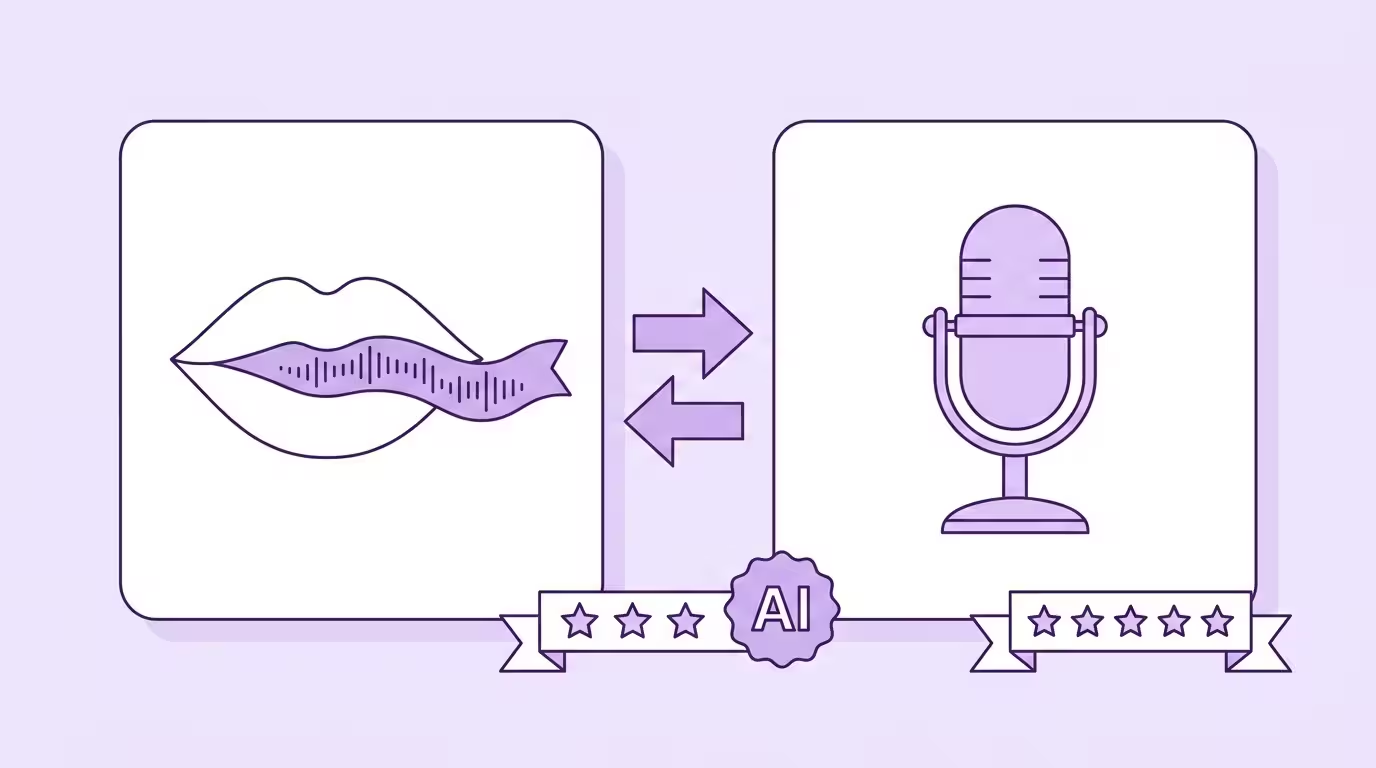
Lip sync and dubbing aren't alternatives. They're two stages of the same process — and confusing them leads to bad purchasing decisions, wasted budget, and videos that look wrong despite sounding right.
Dubbing replaces the audio. The speaker's dubbed voice delivers the translated dialogue in another language. That's the audio side. Lip sync dubbing adjusts the video — making the speaker's lip movements match the new words, frame by frame. That's the visual side. You need both. One without the other produces a result that's either obviously fake or strangely off.
Most tools on the market offer dubbing. Far fewer offer real lip sync. And the ones that claim to offer both don't always deliver both well. Here's how to tell the difference.
Key Takeaways
- Dubbing replaces the audio (voice cloning in the target language). Lip sync modifies the video (mouth matches the new audio).
- You need both for any video where the speaker's face is visible
- Dubbing without lip sync creates an uncanny valley — sounds right, looks wrong
- "Lip sync" that only adjusts audio timing is not real lip sync — real lip sync generates new video frames
- Integrated pipelines (dubbing + lip sync in one tool) produce better results than separate tools stitched together
What Dubbing Does (The Audio Side)
Dubbing handles everything about the audio:
Speech recognition transcribes the dialogue. Neural translation converts it to the target language. Voice cloning generates the translated words in the original speaker's voice — preserving tone, pitch, cadence, and emotional delivery.
The output: a dubbed voice track where the original speaker appears to speak a language they might not know. Native pronunciation. Same voice. Different language. Traditionally, this process required voice actors recorded in studios — casting the right voices, directing the performance, mixing the final audio. AI dubbing replaces this entire process.
Without dubbing, there's no translated audio to work with. Without voice cloning specifically, the translated audio sounds like a generic narrator — not the speaker. Both of these are prerequisites before lip sync can even begin.
Detailed dubbing guide: AI Dubbing — Complete Guide
For a detailed look at the lip sync technology itself: AI Lip Sync Technology
What Lip Sync Does (The Visual Side)
Lip sync handles everything about the visual:
For each frame of video, the system generates new pixels where the speaker's lip movements match the dubbed voice. The AI analyzes which words are being produced in the new language, maps them to the correct lip shapes (visemes), and generates those shapes on the speaker's face — seamlessly blended with the surrounding skin, lighting, and texture.
The rest of the face stays untouched. Expressions, eye movements, head position — all original. Only the lip area changes. The quality of this lip sync dubbing determines whether viewers perceive the video as native or dubbed.
Without lip sync dubbing, you have a video where the dubbed voice sounds right but the lip movements look wrong. The dialogue says English but the mouth clearly formed German words. Viewers notice. Not always consciously — but they feel the disconnect. Engagement drops. Trust drops.
Why "Dubbing Without Lip Sync" Isn't Enough
A lot of tools sell "AI dubbing" and deliver only the audio replacement. No visual modification. The dubbed voice sounds great in Spanish — but the lip movements are still clearly forming the original English words and dialogue.
For audio-only content, that's fine. Podcasts. Audio tracks behind B-roll footage. Content where no face is on screen.
But for anything where the speaker's face is visible? Dubbing without lip sync is like translating a book but keeping the cover in the original language. Technically complete. Practically confusing.
The data backs this up: videos with both lip sync dubbing and voice dubbing consistently outperform dubbed-only videos in engagement and completion rates. The uncanny valley effect of mismatched lip movements is measurable. Viewers leave. They may not know why — but they leave. Whether it's corporate videos, training content, or films and documentaries — the quality difference is immediately visible.
Translate Your First Video
Results in just a few minutes
No credit card required
Best translation quality worldwide
Why "Lip Sync Without Dubbing" Doesn't Exist
This might sound obvious, but it comes up: lip sync is dependent on having dubbed audio to sync to. There's no lip sync step without a prior dubbing step. The visual can't match audio that doesn't exist yet.
What some tools call "lip sync" is actually audio-visual timing adjustment — stretching or compressing the dubbed dialogue to roughly fit the original lip movements, rather than modifying the video to match the recorded audio. That's a fundamentally different (and inferior) approach. The result: a dubbed voice that sounds slightly unnatural because it's been warped to fit, rather than video that looks natural because it's been generated to match the words.
Real lip sync generates new video. It doesn't touch the audio.
What to Look For: A Combined Pipeline
The best results come from tools that handle both dubbing and lip sync in a single, integrated pipeline. Not two separate tools stitched together. Not dubbing from one vendor and lip sync from another. One pipeline where each stage builds on the output of the previous one.
Why integration matters:
Timing precision. The voice cloning stage needs to produce audio that fits the timing windows of the original video. The lip sync stage needs audio with clean timing data. When both stages share the same pipeline, timing is coordinated. When they're separate tools, timing mismatches create visible artifacts.
Speaker identity consistency. The voice clone and the lip sync need to agree on who the speaker is. Same voice identity across both audio and visual. Integrated pipelines maintain this. Separate tools don't always coordinate.
Processing efficiency. One upload. One processing run. One output. Not: upload to tool A, download, re-upload to tool B, download again. At scale, the workflow difference between integrated and separate tools is the difference between minutes and hours.
At Dubly, dubbing and lip sync run in a single pipeline. Speech recognition, translation, voice cloning, and Lip Sync 2.0 — four stages, one upload, one output. Every stage is aware of what the other stages produced. That coordination is what makes the final result seamless.
The Comparison
| Factor | Dubbing Only | Lip Sync Only | Dubbing + Lip Sync |
|---|---|---|---|
| Audio | Translated, speaker's voice cloned | No audio change | Translated, speaker's voice cloned |
| Visual | Mouth shows original language | Mouth matches… what audio? | Mouth matches dubbed audio perfectly |
| Viewer Perception | "Sounds right, looks wrong" | N/A (requires dubbing first) | "Was this the original language?" |
| Use Case | Podcasts, audio-only, B-roll | None (not standalone) | All video with visible speakers |
| Engagement | Lower — uncanny valley from mismatch | N/A | Highest — audio and visual aligned |
When You Genuinely Don't Need Lip Sync
Lip sync adds processing time and cost. For some content, dubbing alone is the right choice:
- Podcasts and audio-only content — no faces, no mouths, no need for visual sync
- Screen recordings and software demos — the speaker isn't on camera
- B-roll heavy videos — the speaker's face appears briefly or not at all
- Voiceover-style content — a narrator speaks over footage with no on-screen speaker
For everything else — talking heads, interviews, training videos, marketing content, creator videos, CEO messages — you need both. And the difference between "both as separate tools" and "both in an integrated pipeline" is the difference between acceptable and indistinguishable from the original.
Poor localization adaptation measurably reduces viewer retention — and the most common cause of "poor adaptation" in video is the visual mismatch between lip movements and dubbed audio.
Explore the integrated pipeline: Lip Sync 2.0
Conclusion
Lip sync dubbing isn't two technologies — it's one process with two stages. Dubbing handles what the viewer hears. Lip sync handles what the viewer sees. Professional video translation requires both — the quality of lip sync dubbing determines whether the result looks like it was recorded in the target language or obviously dubbed.
The market confuses this regularly. Tools that offer "AI dubbing" without lip sync dubbing are selling half a solution. Tools that claim "lip sync" but only adjust audio timing are selling the wrong half. The quality bar in 2026 is clear: dubbed voice recorded with voice cloning + generated lip movements, processed in studios that run on AI — not in separate tools stitched together. For films, documentaries, or corporate videos — the standard is the same.
Back to the complete guide: AI Lip Sync
Translate Your First Video
Results in just a few minutes
No credit card required
Best translation quality worldwide
About the author

Maximilian Engler
Co-Founder | Product