AI Lip Sync
June 11, 2026
Lip Sync for Moving Faces: How AI Handles Speakers Who Don't Sit Still
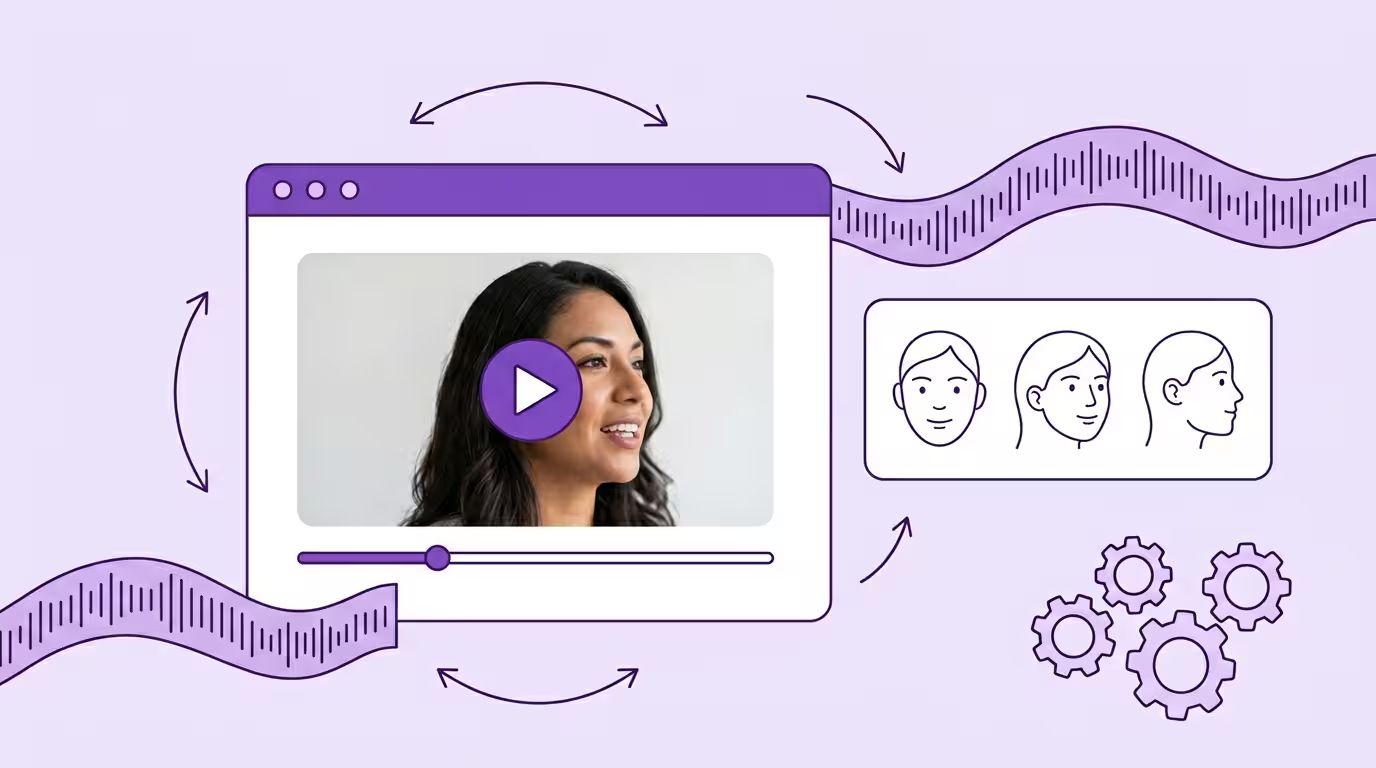
People move when they talk. They turn to address someone. They nod for emphasis. They lean forward when they're passionate and lean back when they're thinking. They gesture toward a whiteboard, glance at notes, look at different cameras. This is normal human behavior. It's also the thing that breaks most AI lip sync tools.
The dirty secret of many lip sync demos: the speaker is perfectly frontal, perfectly still, in perfectly even lighting. The AI lip sync video looks great. But your actual video content doesn't look like that. Your CEO turns toward the audience. Your trainer walks around the room. Your YouTube host shifts energy between two cameras. And when you need this video dubbed into multiple languages with voice cloning and lip syncing, every head movement becomes a challenge.
AI lip sync for moving faces requires technology that tracks head position in real time and adapts the generation approach for every angle, every movement, every video frame. Most tools don't have this. Lip Sync 2.0 does. Here's how it works and why it matters for professional video and speech content.
Key Takeaways
- Most lip sync tools only work on frontal, static faces — real speakers move constantly
- Head movement changes perspective, creates self-occlusion, shifts lighting, and alters jaw angles — four simultaneous problems
- Lip Sync 2.0 uses real-time 3D head pose tracking across all three rotation axes
- Different angles get different generation strategies — smoothly interpolated during transitions
- Quality stays excellent across the full range of head angles, including profile views, where most tools fail entirely
Why Movement Breaks Standard Lip Sync
Standard AI lip sync models are trained primarily on frontal faces. They learn what a mouth saying "ah" looks like from straight ahead — matching the audio and speech to a static visual. The mapping works well — as long as the person in the video cooperates by never moving.
The moment the head turns 15 degrees, everything changes:
Perspective distortion The mouth area looks different from an angle. The left side of the mouth is closer to the camera, the right side farther away. Proportions shift. A model trained on frontal data generates frontal-looking mouths on angled faces. The result looks pasted on.
Self-occlusion At moderate angles, part of the mouth disappears behind the nose or cheek. The model has less visual information to work with. At 30+ degrees, a significant portion of the mouth is invisible. The model has to generate what it can't see.
Lighting changes Head movement means different parts of the face catch light differently. A mouth generated with frontal lighting applied to a face currently in three-quarter lighting creates visible seams.
Jaw angle variation The jaw looks completely different from the side than from the front. A model that doesn't account for this generates a jaw that looks wrong even if the lips are correct.
This isn't a single problem. It's four problems that compound with every degree of head rotation.
How Lip Sync 2.0 Handles Dynamic Movement
We spent more engineering time on head movement than on almost any other lip sync AI feature. Not because it's the flashiest — but because it's the one that determines whether the lip sync video output works on real video or only on demos.
Side Profile Demo
Real-Time Head Pose Tracking
The lip sync AI estimates the speaker's 3D head position in every video frame. Not just "is the head roughly frontal?" — precise rotation across all three axes. Yaw (left-right turn), pitch (up-down tilt), roll (head tilting sideways). This is what enables accurate lip synchronization even when the speaker moves.
This tracking runs continuously. When someone turns from frontal to 20 degrees over a half-second, the lip sync AI tracks every intermediate position. There are no gaps where the system loses track and has to re-detect. The audio and voice data stay perfectly mapped to the lip movements throughout.
Adaptive Rendering Per Angle
Here's the key architectural decision: different angles get different generation strategies.
A frontal face has the most training data behind it. The system uses its full generative capability.
At 15 degrees, the AI lip sync switches to an angle-aware strategy that accounts for perspective distortion and the beginning of self-occlusion. The lip syncing generation adapts to the speech patterns at this angle.
At 30+ degrees, the AI uses a strategy optimized for limited visible area, heavier perspective correction, and more predictive fill-in for the occluded portions — still producing natural-looking lip sync video.
The transitions between strategies are smooth. The viewer doesn't see a quality jump when someone crosses from 14 to 16 degrees. The AI interpolates between approaches the same way it interpolates between lip positions — continuously, not discretely.
Why This Matters for Real Content
Think about the last five videos you watched. How many featured a speaker who never moved their head? Probably zero.
A CEO giving a quarterly update looks at different sections of the audience. A trainer walks around a room and turns between the whiteboard and the students. A YouTube host addresses two cameras at different angles. An interviewee turns toward the interviewer and back.
Without dynamic AI lip sync handling, you'd have to reject all of this video content or accept visible quality degradation in the lip syncing. With it, the AI lip sync adapts in real time. The person moves naturally. The video looks natural. No constraints on filming style — and it works across multiple languages when combined with voice cloning and AI dubbing.
Translate Your First Video
Results in just a few minutes
No credit card required
Best translation quality worldwide

The 30-Degree Question
We get this question constantly: "What happens at 30 degrees?"
The honest answer: nothing special. For most tools there is an inflection point around 30 degrees where the visible mouth area shrinks and the output falls apart. Lip Sync 2.0 was engineered past that point: angle-aware rendering and predictive generation keep the lip sync stable, without drift or distortion.
At 0-15 degrees: The lip sync video is essentially indistinguishable from original footage. Full visual information for the lip movements, voice audio perfectly matched to what you see.
At 15-30 degrees: Excellent lip sync video quality. The lip sync AI's angle-aware rendering handles perspective and partial occlusion of lip movements well. The speech-to-lip synchronization stays accurate.
At 30-45 degrees: Excellent quality. The predictive generation fills in occluded areas and the lip syncing holds, professional and convincing.
Beyond 45 degrees: Profile and near-profile views. Most lip sync AI tools can't produce anything useful here. Lip Sync 2.0 keeps producing professional lip sync video output, without drift or distortion.
Movement Types and How They're Handled
Slow Turns
Speaker gradually turning from addressing one person to another. The system tracks the rotation frame by frame, smoothly adjusting its generation approach. This is the easiest dynamic movement scenario and produces results indistinguishable from static footage.
Quick Head Movements
Speaker snapping their head to look at something. Nodding emphatically. Quick double-takes. The system's real-time tracking handles these without lag — but the generation needs to keep up with rapid angle changes while maintaining temporal smoothness. Lip Sync 2.0 handles this through predictive tracking — anticipating the continuation of a movement pattern even during the fastest transitions.
Continuous Motion
A person walking, presenting, moving around a space. The head position changes constantly in the video — often combined with body movement that affects face-to-camera distance and angle simultaneously. This is where persistent AI lip sync tracking and adaptive rendering earn their investment. Every video frame gets analyzed individually, matching the audio speech to the correct lip syncing position in the context of the surrounding movement pattern.
Head Tilts and Rolls
Not just left-right rotation. People tilt their heads when curious, roll them when frustrated, combine tilt with turn when making a point. Each axis of rotation affects the visible area differently. Lip Sync 2.0's AI tracks all three axes simultaneously and adjusts the lip sync generation accordingly — maintaining accurate voice-to-video matching regardless of how the person moves.
Comparison: Static-Only vs. Dynamic Lip Sync
| Scenario | Static-Only Tools | Lip Sync 2.0 |
|---|---|---|
| Frontal, still speaker | Good quality | Excellent quality |
| Slight turn (0-15°) | Mild degradation | Excellent quality |
| Moderate turn (15-30°) | Visible artifacts | Excellent quality |
| Significant turn (30-45°) | Major artifacts or failure | Excellent quality |
| Quick head movements | Lag, jitter, or failure | Smooth tracking |
| Walking/presenting | Not supported | Continuous adaptation |
| Head tilts | Not tracked | Full 3-axis tracking |
Dynamic movement handling works hand-in-hand with multi-speaker support — most real video has both moving faces AND multiple speakers: Multi-Speaker Lip Sync. The audio side requires proper AI dubbing: AI Dubbing.
Poor visual adaptation in localized video measurably reduces viewer retention. Moving speakers with mismatched lip movements are one of the most common causes.
Explore Lip Sync 2.0: Full features
Conclusion
Moving faces are normal. Static faces are the exception. Any lip sync AI technology that only works on frontal, still faces works on demo lip sync video — not real video content.
Dynamic head movement handling requires real-time 3D pose tracking, adaptive lip synchronization per angle, and smooth transitions between lip syncing strategies. These aren't incremental improvements over static lip sync. They're fundamentally different engineering.
Lip Sync 2.0 was built for how people actually behave on camera. Not how we wish they'd behave. And it works across multiple languages — the same speech-to-lip synchronization quality whether the video is dubbed into Spanish, Japanese, or Portuguese.
Back to the complete guide: AI Lip Sync
Translate Your First Video
Results in just a few minutes
No credit card required
Best translation quality worldwide
About the author

Maximilian Engler
Co-Founder | Product