AI Dubbing
June 1, 2026
Automatic Video Dubbing: How to Translate Videos Without Manual Work
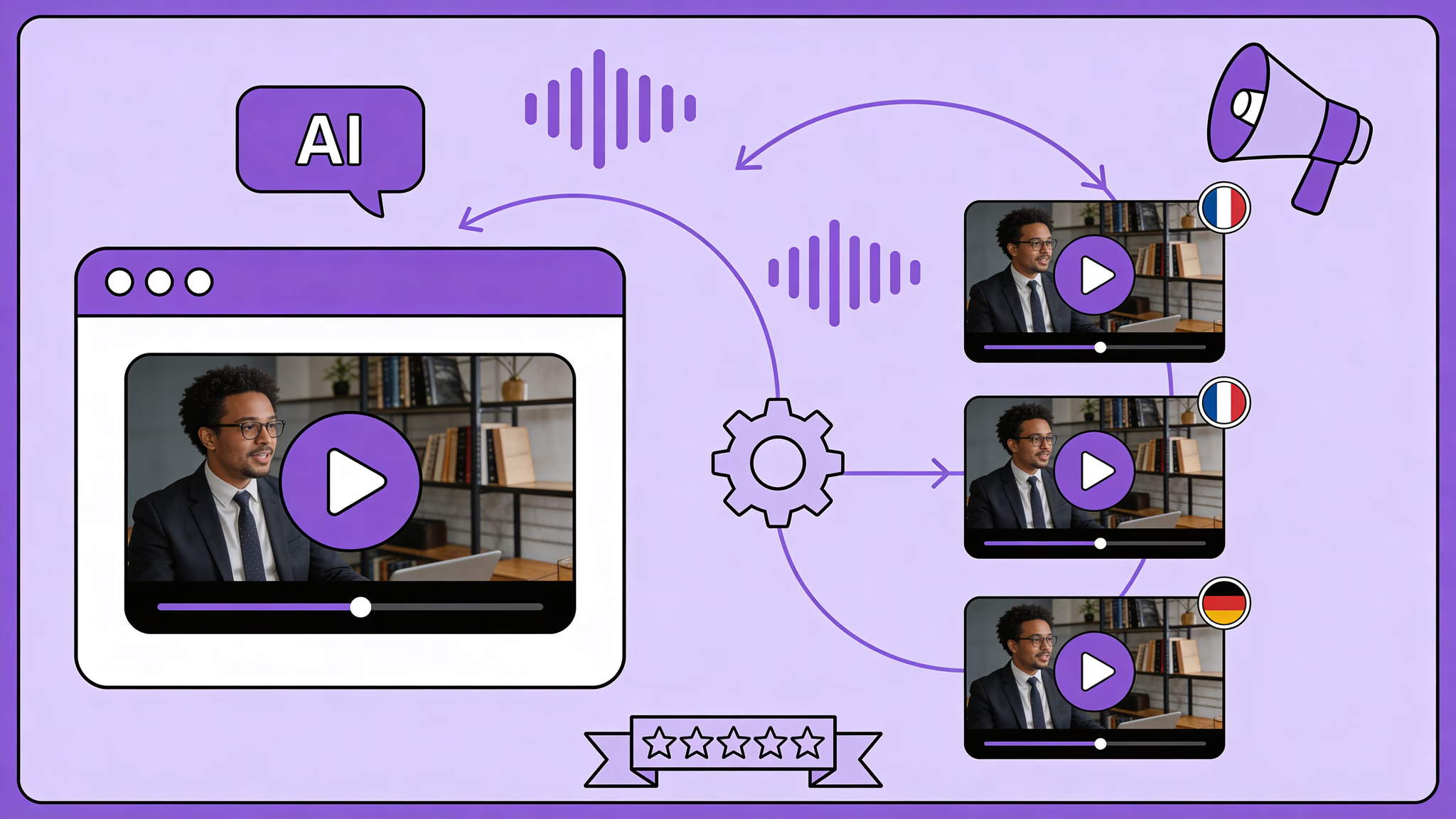
Automatic video dubbing translates your video's audio into other languages using AI — transcription, translation, voice cloning, and lip sync in one automated pipeline. Upload a video, select target languages, get a dubbed version back in minutes. No voice actors. No studio bookings. No weeks of back-and-forth.
That's the promise, at least. The reality is more nuanced. Full automation works brilliantly for some content. For other content, you need human checkpoints to get professional results. Knowing when to automate and when to intervene is what separates a useful workflow from an expensive mistake.
Key Takeaways
- Automatic video dubbing handles the full pipeline — transcription, translation, voice cloning, lip sync — without manual work
- Full automation works best for high-volume, recurring, and simple-vocabulary content
- Brand-critical content, cultural references, and regulated industries need human checkpoints
- Glossaries are the single highest-impact step for making automatic dubbing reliable
- API integration turns automatic dubbing from a tool into infrastructure for teams processing at volume
What "Automatic" Actually Means in Video Dubbing
Let's be precise about what's automated and what isn't.
Fully automated: Transcription, speaker detection, translation, voice cloning, audio synthesis, lip synchronization. The AI handles all of this without human input. You upload a video file, the system processes it, you get a dubbed video back.
Optionally automated: Translation review, glossary setup, pronunciation adjustments. These CAN be skipped for speed. But skipping them is a trade-off — faster output, less control over accuracy.
Not automated (and shouldn't be): Quality approval, brand tone verification, consent management. These are human decisions. No amount of AI changes that.
The best automatic dubbing workflows aren't the ones that eliminate all human involvement. They're the ones that automate the heavy lifting and put humans where humans matter most.
The Automatic Dubbing Workflow
Upload Your Video
Upload the video file — MP4 or MOV, up to 4K, any length. The system accepts the original format. Don't re-encode before uploading — compression degrades the audio that the entire pipeline depends on. With the video localization market projected to grow from $4.02 billion in 2026 to $7.472 billion by 2035 (Source: Business Research Insights, https://www.businessresearchinsights.com/market-reports/video-localization-market-121280), the demand for automated localization workflows is massive.
Automatic Transcription and Speaker Detection
The AI transcribes spoken audio into text with precise timestamps. Simultaneously, it identifies individual speakers — who said what, when. Two-person interview? Two profiles. Panel with five? Five profiles. Seconds to minutes, depending on video length.
No human input required. And the accuracy on clean audio is remarkable — below 5% word error rate. Better than most humans can do manually.
Translation into Target Languages
The transcript gets translated into your selected languages using neural machine translation. Not word-for-word — the AI restructures sentences to sound natural in each target language while respecting timing constraints.
Here's your decision point. Let the translation flow straight to voice synthesis — fully automatic, no pause. Or stop here, review the translated text, tweak what needs tweaking, and approve before audio gets generated. Brand video for your biggest market? Review it. Internal training batch number 47? Let it fly.
Glossaries make automatic translation significantly more reliable. Set up your brand terms, product names, and technical vocabulary once — they apply automatically to every video, every language. Ten minutes of setup that prevents hours of corrections.
Voice Cloning and Audio Generation
The translated text gets synthesized in the original speaker's voice with native pronunciation. Each speaker keeps their own cloned voice across all languages. Fully automatic — the AI already analyzed the vocal characteristics in Step 2.
Lip Synchronization
Mouth movements adjusted frame-by-frame to match the new audio. Only the lips change. Everything else? Untouched.
Roughly 2 minutes of processing per minute of video. So a 10-minute video? About 20 minutes. Done.
Download or Integrate
Download the dubbed video in your preferred format — MP4, ProRes, separate audio tracks, SRT subtitles. Or push it through an API into your existing content pipeline for automatic distribution.
How the full pipeline works: How AI Dubbing Works
When Full Automation Works
Not every video needs human review at every step. Here's where automatic dubbing delivers professional results without intervention:
High-Volume Internal Content
Training videos, onboarding material, compliance updates — content where speed matters more than brand perfection. A multinational company with 200 training videos to localize doesn't need manual review on each one. Set up glossaries, let the automatic pipeline run, spot-check a sample.
Recurring Content Series
YouTube videos, podcast episodes, weekly updates — content with a consistent format and speaker. Once you've verified the first few outputs, the system learns the pattern. Later videos need less oversight.
Content with Simple Vocabulary
Product demonstrations, how-to guides, technical walkthroughs — content that uses predictable terminology. Glossaries handle the specialist terms. The rest translates cleanly without intervention.
We used to produce every language version separately in a studio — now one recording is all it takes to run five channels worldwide. Thanks to Dubly, we save massively on time and cost — and still sound like ourselves in every language.

Buycycle
Case study
Translate Your First Video
Results in just a few minutes
No credit card required
Best translation quality worldwide
When You Need Human Checkpoints
Brand-Critical Marketing Content
Ad campaigns, brand videos, product launches — content where a single mistranslation can damage your brand. Review the translation before synthesis. Check the final output before distribution. The automatic pipeline handles 95% of the work. The human handles the 5% that requires judgment.
Content with Cultural References
Humor, idioms, market-specific references — things that don't translate literally. The AI handles linguistic accuracy well, but cultural nuance still needs a human eye. A German joke that makes no sense in Japanese isn't a translation error. It's a localization decision that requires human context.
First Videos with a New Speaker
The first time a new speaker gets cloned, verify the output quality. Does it sound right? Is the emotional range preserved? Once validated, subsequent videos from the same speaker can run fully automatic.
Regulated Industries
Healthcare, finance, legal — content where accuracy has compliance implications. Automatic dubbing gets you 90% of the way there faster than any manual process. But the final sign-off must be human.
Automation at Scale: API and Bulk Processing
For teams dubbing dozens or hundreds of videos per month, manual upload-and-download workflows don't scale. This is where API integration transforms automatic dubbing from a tool into infrastructure.
What API access enables:
- Trigger dubbing automatically when new videos are published
- Process entire video libraries in batch
- Integrate dubbed output directly into your CMS or LMS
- Set default languages, glossaries, and quality preferences per project
What team management adds:
- Multiple users with role-based permissions
- Usage budgets per team or department
- Centralized glossary management
- Quality approval workflows
At Dubly, teams that start with manual uploads typically move to API-driven workflows within the first quarter once they see what automation at volume looks like. The shift from "we dub selected videos" to "we dub everything" happens fast when the friction disappears.
Explore solutions: Creators · Marketing · E-Learning
The Cost of Automation vs. Manual Dubbing
| Approach | Cost per Minute | Turnaround | Human Effort |
|---|---|---|---|
| Traditional studio dubbing | ~€80/min per language | Days to weeks | High — casting, direction, recording, review |
| Manual AI dubbing (review every step) | ~€5/min + review time | Hours | Medium — translation review, quality check |
| Automatic AI dubbing (glossary + auto) | ~€5/min | Minutes | Low — initial setup, spot-check |
| API-driven automatic dubbing | ~€5/min | Minutes, no manual trigger | Minimal — configuration only |
The processing cost stays the same. What changes is the human time required. For a 100-video library dubbed into 5 languages, the difference between manual review on every video and automatic processing with spot-checks is weeks of work.
Pricing details: Dubly Pricing
Conclusion
Automatic video dubbing works. The technology handles transcription, translation, voice cloning, and lip sync without human input — and delivers professional results for the majority of content types.
The key is knowing where to automate and where to intervene. Glossaries and initial setup upfront. Automatic processing for volume. Human checkpoints for brand-critical content. That's the workflow that scales.
The question for most teams in 2026 isn't "should we automate dubbing?" It's "which videos still need manual review and which can run fully automatic?" Once you answer that, the workflow practically builds itself.
Back to the complete guide: AI Dubbing — How It Works, Tools & Use Cases
Translate Your First Video
Results in just a few minutes
No credit card required
Best translation quality worldwide
About the author

Simon Pieren
Co-Founder | Marketing & Sales